
buffybutterballs - Minecraft Skins & Skin History
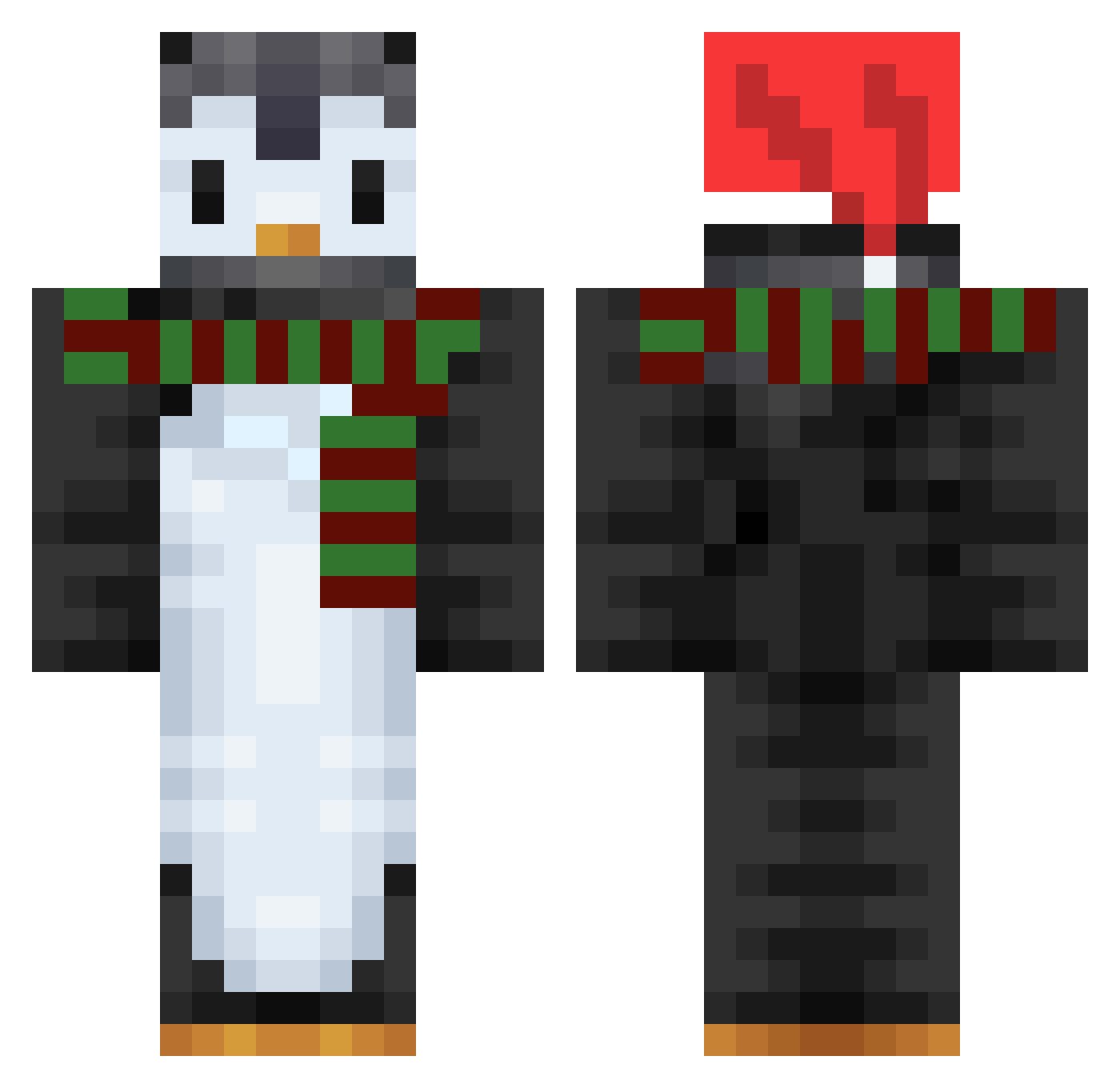
Current Minecraft skin of the player buffybutterballs, loaded from the official Mojang API. Rotate the 3D model with your mouse or finger, then download the skin as a PNG file and use it in Minecraft: Bedrock Edition or Java Edition for free. When buffybutterballs changes their skin, this page updates automatically and the old skin stays in the history below.
Other players with this skin (753)
buffybutterballs was the 146th player we have seen with this skin, first spotted on 17.08.2026. The same skin was seen on these players. Open a nickname to see their current skin and skin history.
 Saloofa yzxero Itz_Chilly ScorpionidaViole Haz2012 newgreen0317 Didl_
 Not_Hannah_ Yaffu codeNieR Andrewsn0ke TheShadowsCHL _Mattheu_ kkkkk123 FaxMan441 az_si Dog12800 Lustig2014 MidMidCrab soondae0_0 sy_1203 hhsanapi Pixie1114 LFN_Mist SqedCake Vladdh Kimzoosee Pengiun23 km_moong GamingFruitFly drinkwater_913 mantou128 JuliePop Wartr0x FunkFungus Darahk RGXSakurA Christalsss AnGrYtEal Banechi Swearingcat Kamillo295 SpencerM1450 PunchingDevil hxm152 DonOneJuan FF_RevvGaming Hollowcreazer uncoder21 zonaaa44 PenguPop watson_qwq andylaulhp Chibitarasu m_1nsx md2804 PoopAlt4 Terry1840
 migon55 CraftingGr33n
More Penguin Minecraft skins
How to install the buffybutterballs skin
- Press the Download button above to save the skin as a PNG file.
- Minecraft: Bedrock Edition (PE): open the Dressing Room from the main menu (or tap your character → Edit Character), go to Classic Skins → Owned, press the + (new skin) button, choose the downloaded PNG and pick the Classic (Steve) model. Works on PC and mobile; consoles cannot import custom skins.
- Minecraft: Java Edition: open the Minecraft Launcher, go to the Skins tab, click New Skin, load the PNG, pick the Classic (Steve) model and press Save & Use. You can also upload it at minecraft.net → Profile → Change Skin.
The skin does not show up after import - what should I do?
Restart Minecraft and open the Dressing Room again - imported skins sometimes appear only after a restart. Also make sure you selected the imported skin and picked the Classic (Steve) model.
Which model should I choose, Classic or Slim?
This skin is designed for the Classic (Steve) model. If you pick the wrong model, the arms of the skin will look stretched or squeezed.
Is the skin of buffybutterballs free to download?
Yes. Press Download, save the PNG file and use it in Minecraft: Bedrock Edition or Java Edition - no payment or registration needed. The skin also works on multiplayer servers and Realms.
More skins
Looking for more? Go back to all Minecraft skins and check the top skins of the week, month and all time, or find any player's skin by nickname.