
blizard64 - Minecraft Skins & Skin History
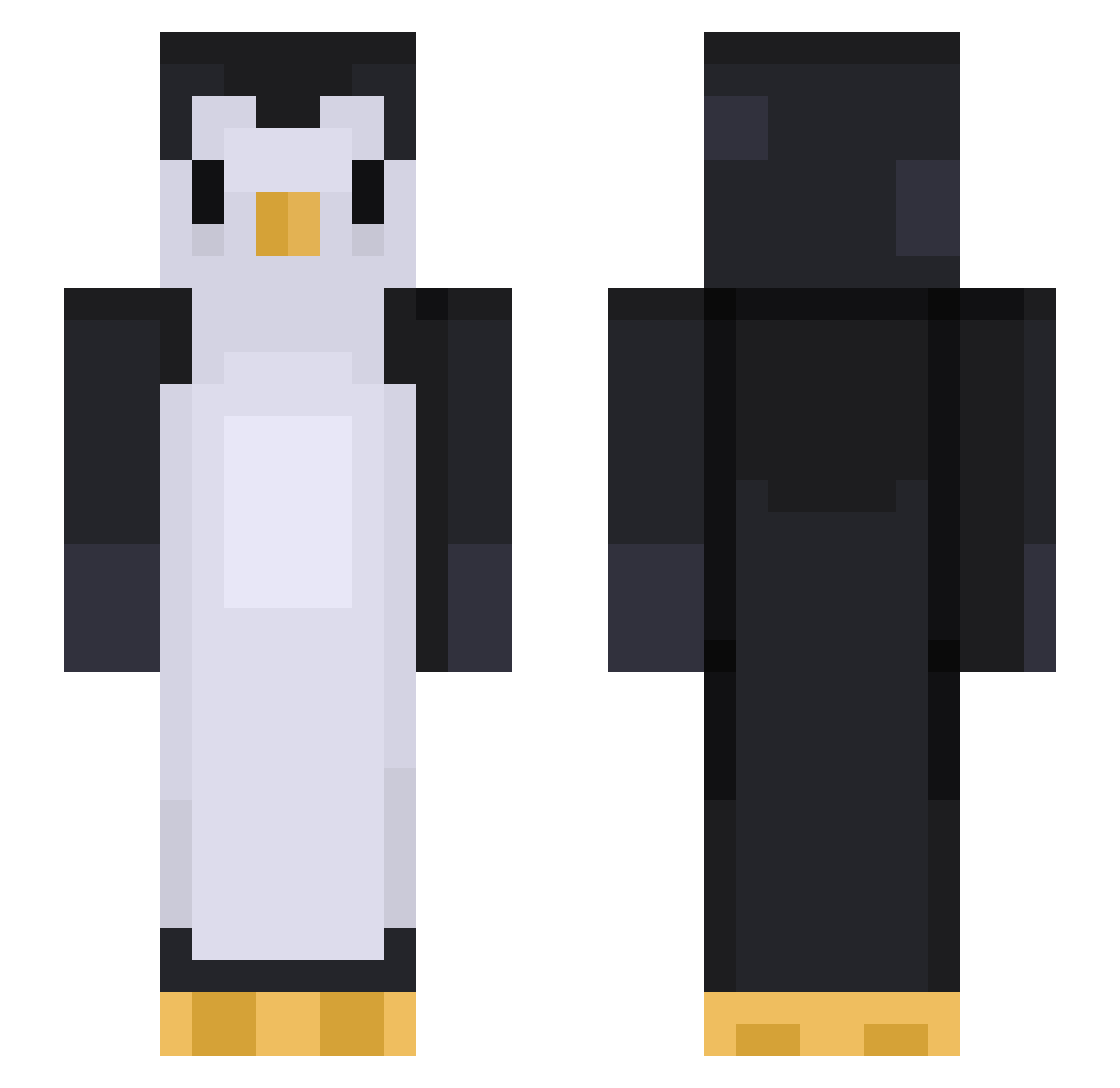
Current Minecraft skin of the player blizard64, loaded from the official Mojang API. Rotate the 3D model with your mouse or finger, then download the skin as a PNG file and use it in Minecraft: Bedrock Edition or Java Edition for free. When blizard64 changes their skin, this page updates automatically and the old skin stays in the history below.
Other players with this skin (452)
blizard64 was the 128th player we have seen with this skin, first spotted on 24.08.2026. The same skin was seen on these players. Open a nickname to see their current skin and skin history.
 NiftyHearts 118momo218 m0ck1ngj4y QuizzyFromLux barthoemuel Boinga69 ljaemin arosdesplante HobbitEmo Plasmaboy822 p3pS_ThePinguin TheDeadlyQueen joniballs SaucyD zzLSD Bobyb0n Jahaseu pelek44 LAANNN Cascadea Lunaquiche zziminn TheAncientPengi Spino1227 MasterTurtle55 Greently fntldos GrizzlyyWizzlyy Kalothod Aldagautr Vulcanis1721 HARU03020 Huntboy42 ananasdrengen Chriiix samura_ ThatVibrato jnkfood WayneA Hide_of_sun PerPear
 Clutch531175 ruxern uknoit704 ttvbenwinn Der_Aveng3r rainbowtiger11 JAEOWO soccer1608 SamDaSoo0000000 Fminehero CraftTechnic8720 MODORIE BUWU97 ajdamko92 BIG_Neph Porkweenus klau555 SoctopusZero NoName285827619
More Animal Minecraft skins
How to install the blizard64 skin
- Press the Download button above to save the skin as a PNG file.
- Minecraft: Bedrock Edition (PE): open the Dressing Room from the main menu (or tap your character → Edit Character), go to Classic Skins → Owned, press the + (new skin) button, choose the downloaded PNG and pick the Slim (Alex) model. Works on PC and mobile; consoles cannot import custom skins.
- Minecraft: Java Edition: open the Minecraft Launcher, go to the Skins tab, click New Skin, load the PNG, pick the Slim (Alex) model and press Save & Use. You can also upload it at minecraft.net → Profile → Change Skin.
The skin does not show up after import - what should I do?
Restart Minecraft and open the Dressing Room again - imported skins sometimes appear only after a restart. Also make sure you selected the imported skin and picked the Slim (Alex) model.
Which model should I choose, Classic or Slim?
This skin is designed for the Slim (Alex) model. If you pick the wrong model, the arms of the skin will look stretched or squeezed.
Is the skin of blizard64 free to download?
Yes. Press Download, save the PNG file and use it in Minecraft: Bedrock Edition or Java Edition - no payment or registration needed. The skin also works on multiplayer servers and Realms.
More skins
Looking for more? Go back to all Minecraft skins and check the top skins of the week, month and all time, or find any player's skin by nickname.