
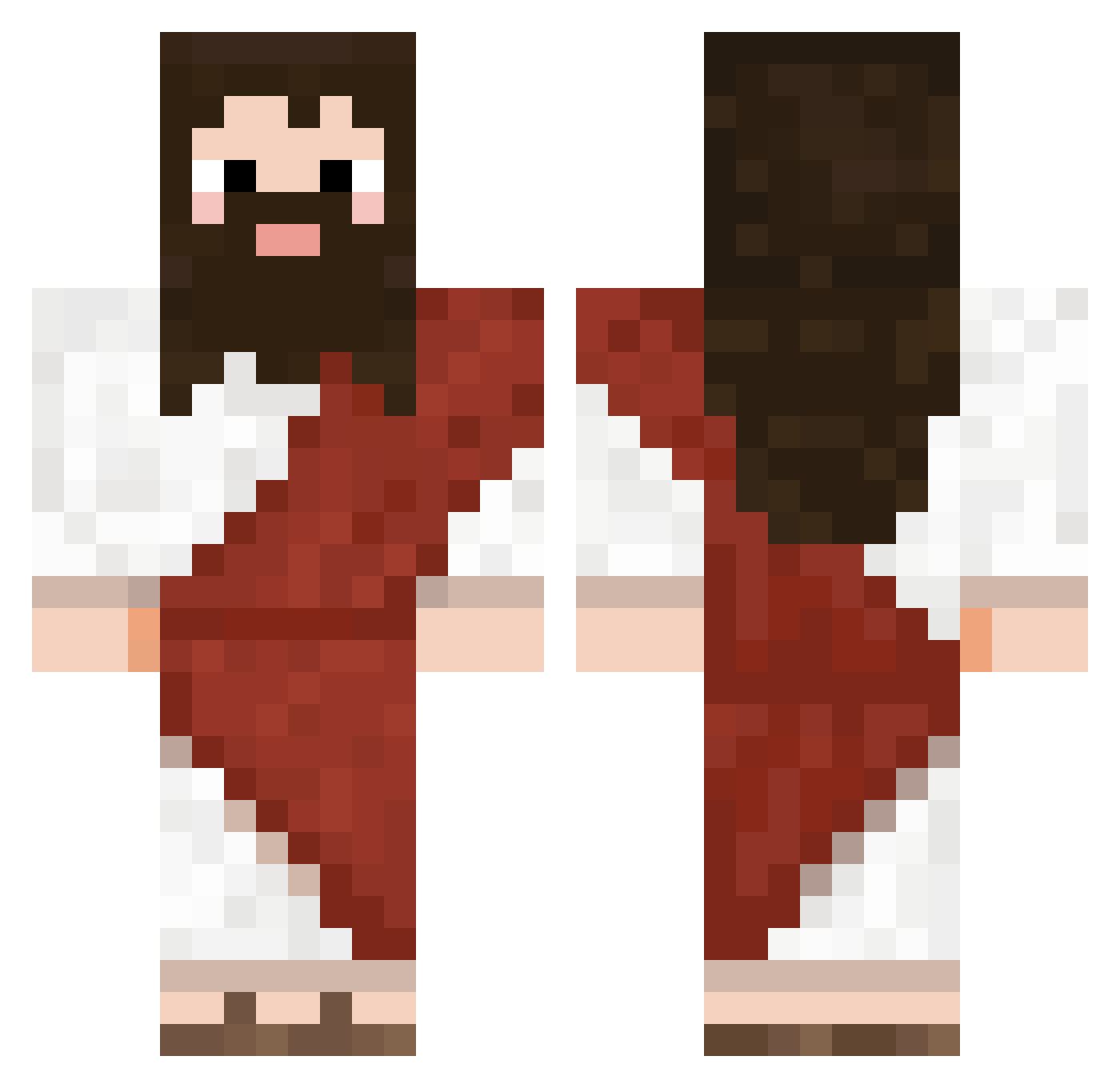
Current Minecraft skin of the player bitmix, loaded from the official Mojang API. Rotate the 3D model with your mouse or finger, then download the skin as a PNG file and use it in Minecraft: Bedrock Edition or Java Edition for free. When bitmix changes their skin, this page updates automatically and the old skin stays in the history below.
Other players with this skin (565)
bitmix was the 535th player we have seen with this skin, first spotted on 11.10.2026. The same skin was seen on these players. Open a nickname to see their current skin and skin history.
 Jack_Skelly15 Furanko03 Shauremi jomaras_18 Damianeeroo lbwnb0217 VeysiFeeD lavinada qoXeL TTTTonGGGG Block23K Gonreal991 Jimri0719 WindShadow67 Z1phick CJst0rm urpleBOSS Bitgamer23 NanosMagos PushKuffer Andre_Pianu Minidawnsct H1ddenFyren aquathonic JesusRice69 Jis_ TypeFuzzball DeadMain2008 Antoniorn197 Nevski_27 Faraoonek Messaso Yequila ignornamus you_madnow123 GoldenWar MAPACHETRIPLEHDP Brunbo219 THEK2Mz HugoDeDikkeSpugo lustzin OhNoStepBros bobby_20 maslooooozozozz DukeWinger sgyu0126 MasnyMarcin trev0rs2 blacckkkkk DokJa_SSI Olmedinho kun00009634 LoyalBrwnMan Fede2412 Robertoasty BigChungusTheG marmas2001 Murat21 Meun1600 Tovarra29
More Biblical Minecraft skins
How to install the bitmix skin
- Press the Download button above to save the skin as a PNG file.
- Minecraft: Bedrock Edition (PE): open the Dressing Room from the main menu (or tap your character → Edit Character), go to Classic Skins → Owned, press the + (new skin) button, choose the downloaded PNG and pick the Classic (Steve) model. Works on PC and mobile; consoles cannot import custom skins.
- Minecraft: Java Edition: open the Minecraft Launcher, go to the Skins tab, click New Skin, load the PNG, pick the Classic (Steve) model and press Save & Use. You can also upload it at minecraft.net → Profile → Change Skin.
The skin does not show up after import - what should I do?
Restart Minecraft and open the Dressing Room again - imported skins sometimes appear only after a restart. Also make sure you selected the imported skin and picked the Classic (Steve) model.
Which model should I choose, Classic or Slim?
This skin is designed for the Classic (Steve) model. If you pick the wrong model, the arms of the skin will look stretched or squeezed.
Is the skin of bitmix free to download?
Yes. Press Download, save the PNG file and use it in Minecraft: Bedrock Edition or Java Edition - no payment or registration needed. The skin also works on multiplayer servers and Realms.
More skins
Looking for more? Go back to all Minecraft skins and check the top skins of the week, month and all time, or find any player's skin by nickname.