
arenmasen28 - Minecraft Skins & Skin History
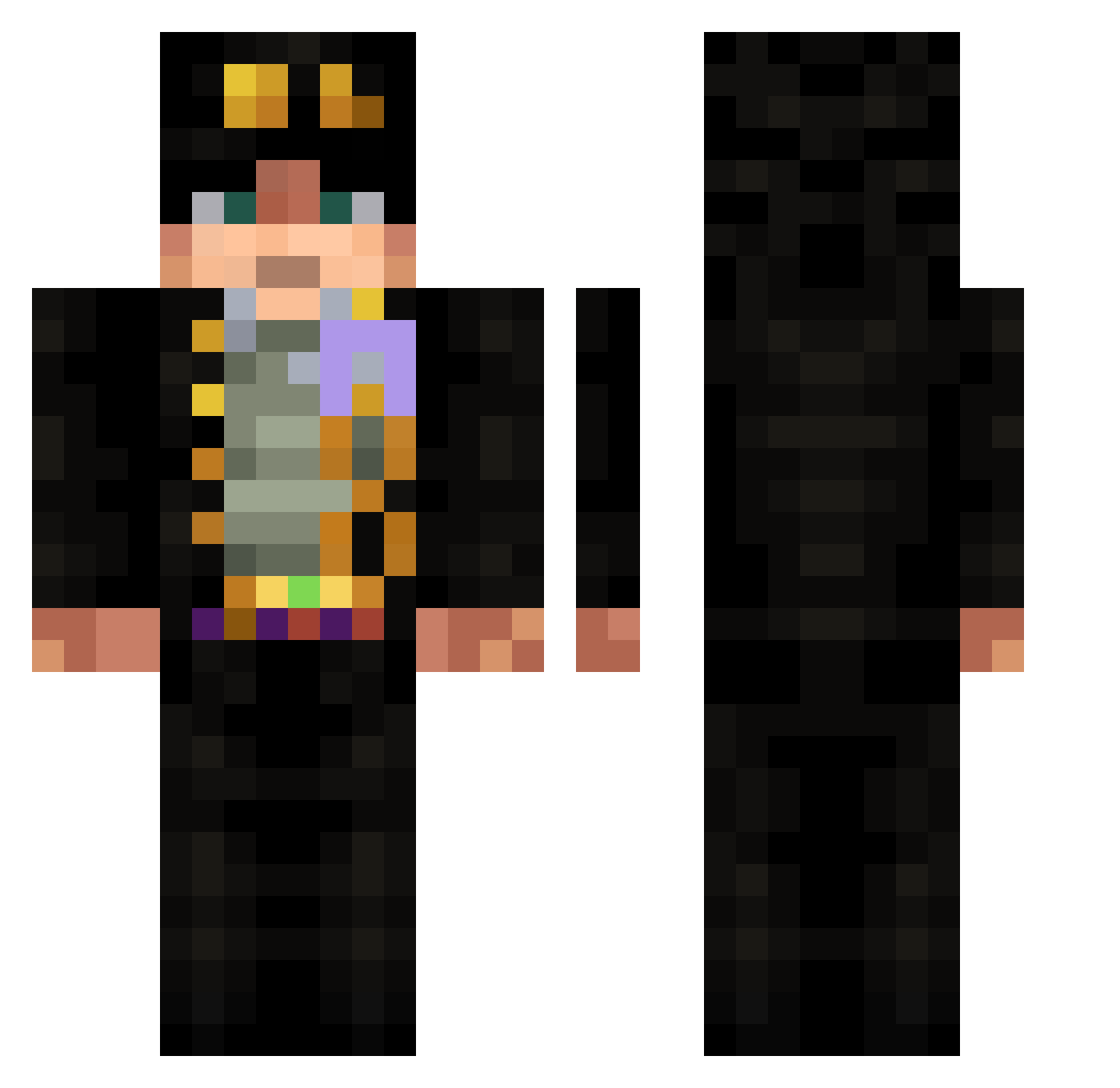
Current Minecraft skin of the player arenmasen28, loaded from the official Mojang API. Rotate the 3D model with your mouse or finger, then download the skin as a PNG file and use it in Minecraft: Bedrock Edition or Java Edition for free. When arenmasen28 changes their skin, this page updates automatically and the old skin stays in the history below.
Other players with this skin (532)
arenmasen28 was the 139th player we have seen with this skin, first spotted on 19.08.2026. The same skin was seen on these players. Open a nickname to see their current skin and skin history.
 Kyu5024 RequiemNight ArrxwTheSparrow Hazim0406 waterbear3 GranCristian Tromkarh Mqh1r Ospamo Sir_Arroba Sevenronin max_c19 Kristy_mak Franzos1 Demonek001 BLANCOMISTAFEJAN KyWick Douguidingo RealKristo cbnms Aurorased rikbi64 moudadadadada OfficialJame strawboy_ worior e_king 16iggy07 HomieShahin misita4444 ONIUD13 Tsuitel Victis_Jake JohannGauss S7kings ParkTaeHyeong Aliosmn MartinOswaldo zhenxun_122 okaviksn3 Lucks__ BakaNub JasKlos C00mer69 Lu_0315 Ang3l_100 Firesquirrel777
 CorruptedKevo BigBoiPapaNij RenQG_ SexyGuy02 Mamamchik _tyyyson_ SlizzyCloud Paco205846 eunwoo0711 Nisme_ danygabri l9i_il9 xMINIxWIZARDx
More Jotaro Kujo Minecraft skins
How to install the arenmasen28 skin
- Press the Download button above to save the skin as a PNG file.
- Minecraft: Bedrock Edition (PE): open the Dressing Room from the main menu (or tap your character → Edit Character), go to Classic Skins → Owned, press the + (new skin) button, choose the downloaded PNG and pick the Classic (Steve) model. Works on PC and mobile; consoles cannot import custom skins.
- Minecraft: Java Edition: open the Minecraft Launcher, go to the Skins tab, click New Skin, load the PNG, pick the Classic (Steve) model and press Save & Use. You can also upload it at minecraft.net → Profile → Change Skin.
The skin does not show up after import - what should I do?
Restart Minecraft and open the Dressing Room again - imported skins sometimes appear only after a restart. Also make sure you selected the imported skin and picked the Classic (Steve) model.
Which model should I choose, Classic or Slim?
This skin is designed for the Classic (Steve) model. If you pick the wrong model, the arms of the skin will look stretched or squeezed.
Is the skin of arenmasen28 free to download?
Yes. Press Download, save the PNG file and use it in Minecraft: Bedrock Edition or Java Edition - no payment or registration needed. The skin also works on multiplayer servers and Realms.
More skins
Looking for more? Go back to all Minecraft skins and check the top skins of the week, month and all time, or find any player's skin by nickname.