
adudu1 - Minecraft Skins & Skin History
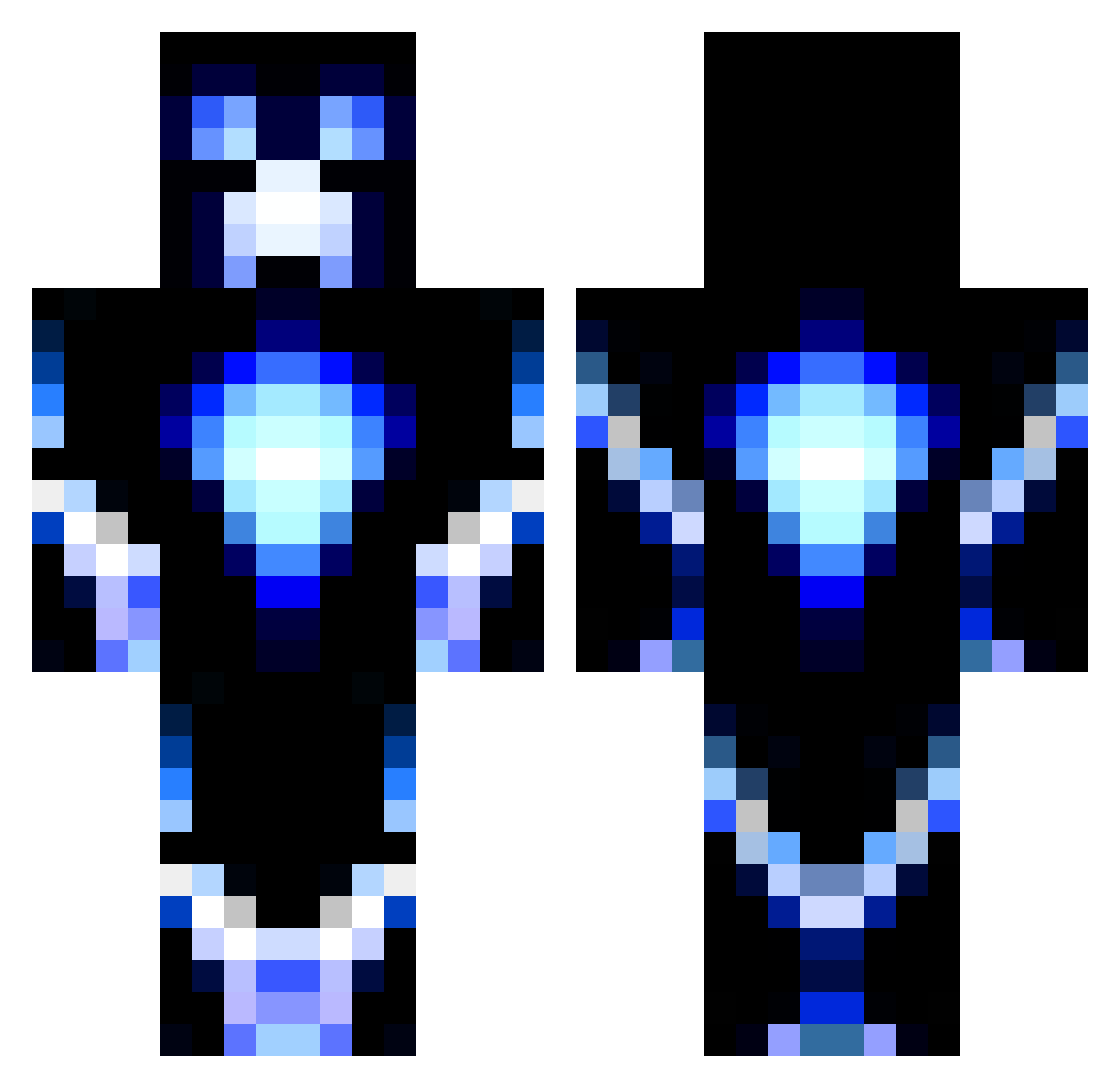
Current Minecraft skin of the player adudu1, loaded from the official Mojang API. Rotate the 3D model with your mouse or finger, then download the skin as a PNG file and use it in Minecraft: Bedrock Edition or Java Edition for free. When adudu1 changes their skin, this page updates automatically and the old skin stays in the history below.
Other players with this skin (1195)
adudu1 was the 757th player we have seen with this skin, first spotted on 04.10.2026. The same skin was seen on these players. Open a nickname to see their current skin and skin history.
 Jack13690 Drobot543 MJC007 ZakMadge grandmast3rr MvO_343 TheMathews cucumber331 thehuntinglover1 Hero8593 SneakMan9 Dsantos12 Beastking777 rediscover99 katykat521 harold999 christianstorch rEl3ctro Isse_N protoinfinite RicardoDario godofgames97 furiousflix landon_lawson93 N_Tom ZoneZero Joshy654 ganggut jasonlamb66 OldMacDonald700 faix xPyro14 Muffinman55443 TB1402 connorq12 KillaKam17 Sophg868 BillygoatTom ElectroCreeper41 DeadliestDad TakeAGander KLUBBAN999 jarad45678 GipsyMiney nelsknot fistbot Adraayn Andrey_9878 eike1608 chicken_hulk paazhaas aidencfc TitanumDragon Make07 Scuderia12 peach_123 KaloKing12 brownielover4 adellile Waitful
More Glowing Minecraft skins
How to install the adudu1 skin
- Press the Download button above to save the skin as a PNG file.
- Minecraft: Bedrock Edition (PE): open the Dressing Room from the main menu (or tap your character → Edit Character), go to Classic Skins → Owned, press the + (new skin) button, choose the downloaded PNG and pick the Classic (Steve) model. Works on PC and mobile; consoles cannot import custom skins.
- Minecraft: Java Edition: open the Minecraft Launcher, go to the Skins tab, click New Skin, load the PNG, pick the Classic (Steve) model and press Save & Use. You can also upload it at minecraft.net → Profile → Change Skin.
The skin does not show up after import - what should I do?
Restart Minecraft and open the Dressing Room again - imported skins sometimes appear only after a restart. Also make sure you selected the imported skin and picked the Classic (Steve) model.
Which model should I choose, Classic or Slim?
This skin is designed for the Classic (Steve) model. If you pick the wrong model, the arms of the skin will look stretched or squeezed.
Is the skin of adudu1 free to download?
Yes. Press Download, save the PNG file and use it in Minecraft: Bedrock Edition or Java Edition - no payment or registration needed. The skin also works on multiplayer servers and Realms.
More skins
Looking for more? Go back to all Minecraft skins and check the top skins of the week, month and all time, or find any player's skin by nickname.