
__Ragdoll_ - Minecraft Skins & Skin History
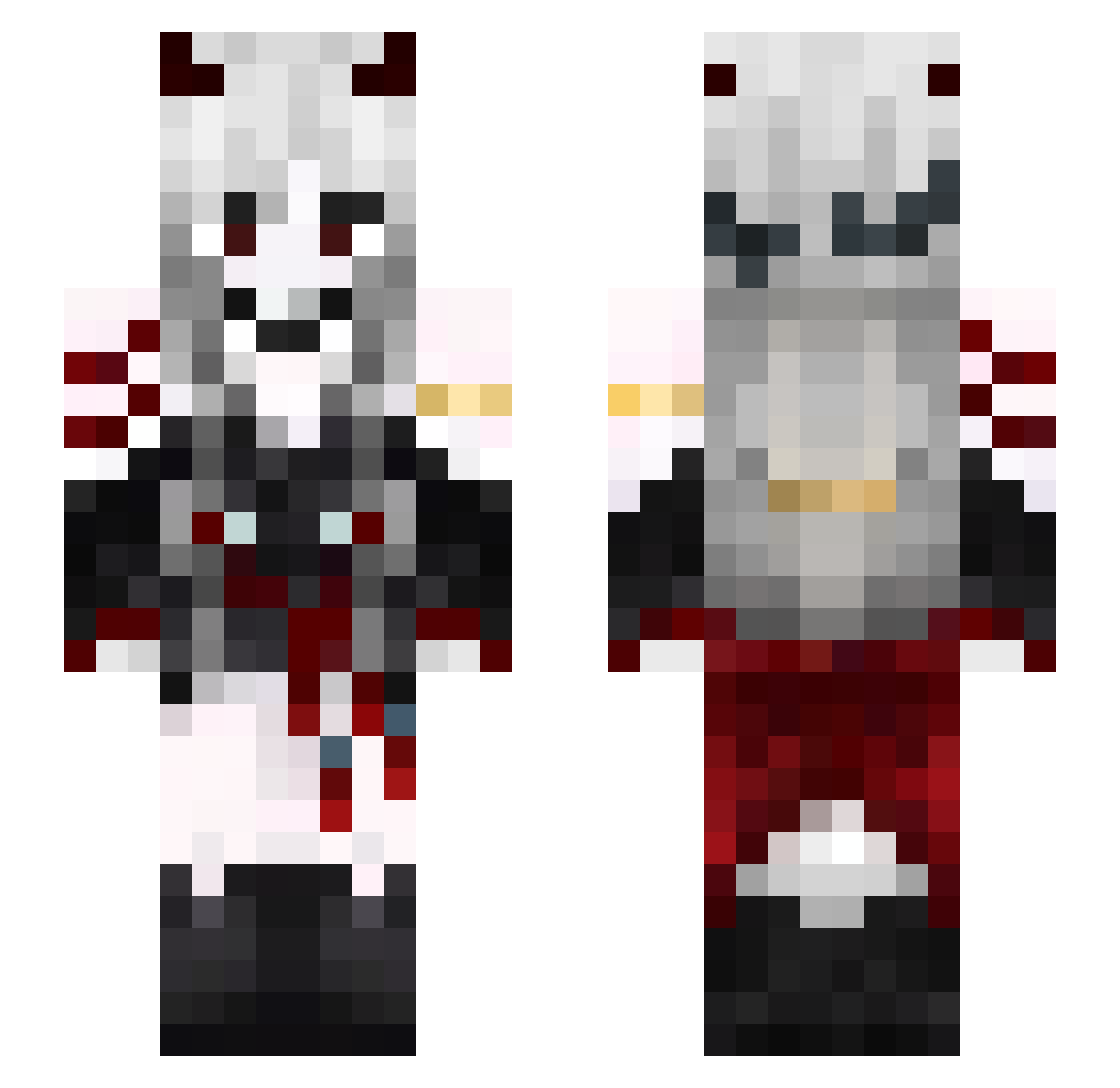
Current Minecraft skin of the player __Ragdoll_, loaded from the official Mojang API. Rotate the 3D model with your mouse or finger, then download the skin as a PNG file and use it in Minecraft: Bedrock Edition or Java Edition for free. When __Ragdoll_ changes their skin, this page updates automatically and the old skin stays in the history below.
Other players with this skin (557)
__Ragdoll_ was the 405th player we have seen with this skin, first spotted on 10.10.2026. The same skin was seen on these players. Open a nickname to see their current skin and skin history.
 Sonaliki Owlnoises Xuky_ Pepito_Cadena seongchol yezuki mamikaseXd MELON0312 d3yoo Lusmare Animal_Hanna LiZnYu RaccDust juzzblaze_ Drcoconut267 Lovely_Evelyn94 hoy11 StigmaQ JunonCross m4r1enn lonnie42 XKKYX luckyEEEeee luoyin6 ItsV1run KittenWarrior21 yaya0224 13RavenGamer13 ORZnine JokerPepe Dio_was_Taken Dungeon4545 YeniAmaGuzel MissHappyuvu VonVon0391 Through520 ManJJin_1004 Juno_Shroom xMITCHEx LUcas202232 Lx01 Revanito Mxnu__ LiuZe1178 SoyStella Coyler Kaze_oniichan Moonumi Whykkj notterraa _Pouli_ Lanxingzi Evelyn_Num WeMeio24 my_afterglow ZONBee0606 zjsie _beyond_the_one_ Arrecol Lycota
More Demon Minecraft skins
How to install the __Ragdoll_ skin
- Press the Download button above to save the skin as a PNG file.
- Minecraft: Bedrock Edition (PE): open the Dressing Room from the main menu (or tap your character → Edit Character), go to Classic Skins → Owned, press the + (new skin) button, choose the downloaded PNG and pick the Slim (Alex) model. Works on PC and mobile; consoles cannot import custom skins.
- Minecraft: Java Edition: open the Minecraft Launcher, go to the Skins tab, click New Skin, load the PNG, pick the Slim (Alex) model and press Save & Use. You can also upload it at minecraft.net → Profile → Change Skin.
The skin does not show up after import - what should I do?
Restart Minecraft and open the Dressing Room again - imported skins sometimes appear only after a restart. Also make sure you selected the imported skin and picked the Slim (Alex) model.
Which model should I choose, Classic or Slim?
This skin is designed for the Slim (Alex) model. If you pick the wrong model, the arms of the skin will look stretched or squeezed.
Is the skin of __Ragdoll_ free to download?
Yes. Press Download, save the PNG file and use it in Minecraft: Bedrock Edition or Java Edition - no payment or registration needed. The skin also works on multiplayer servers and Realms.
More skins
Looking for more? Go back to all Minecraft skins and check the top skins of the week, month and all time, or find any player's skin by nickname.