
_Capella__ - Minecraft Skins & Skin History
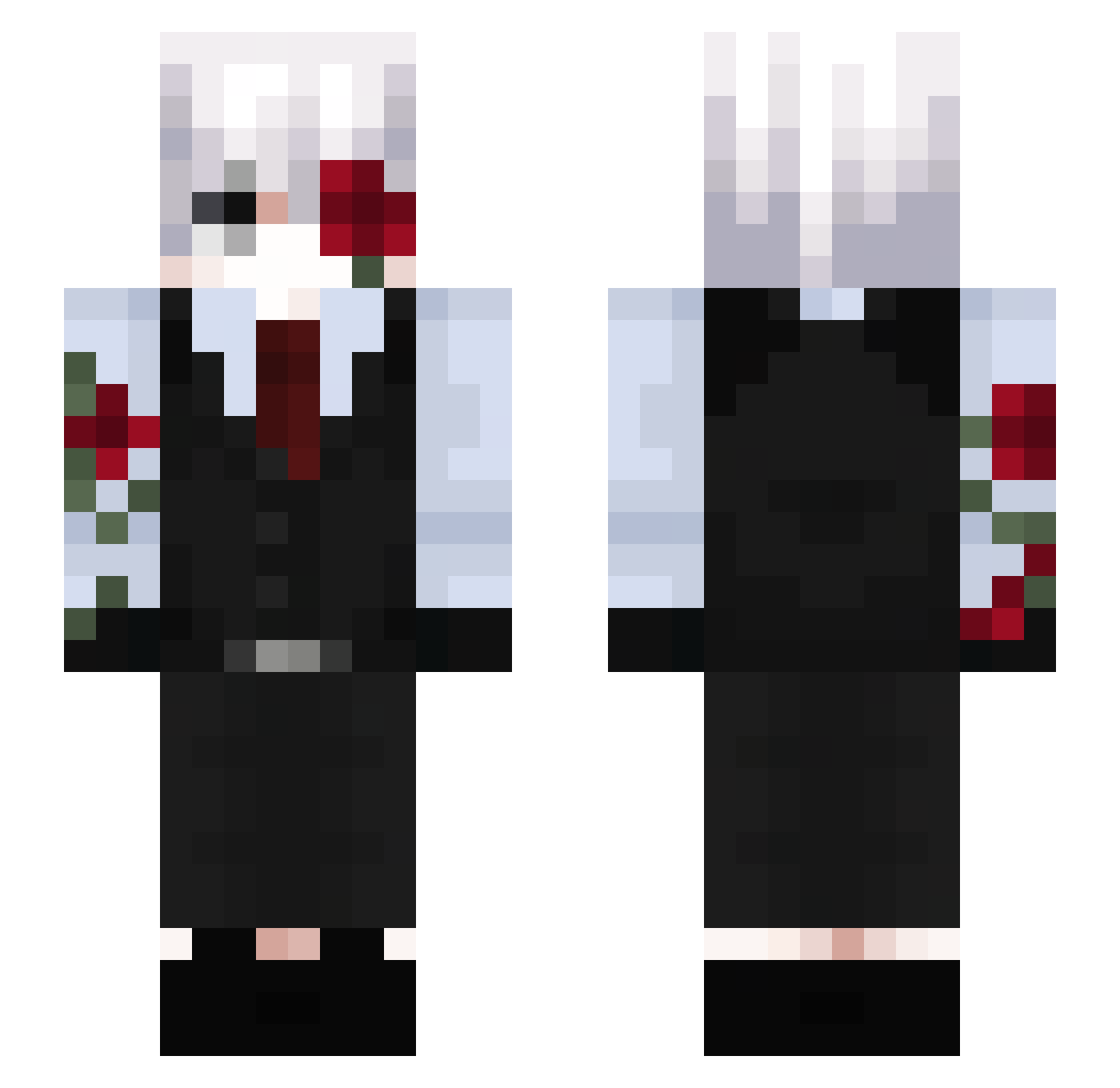
Current Minecraft skin of the player _Capella__, loaded from the official Mojang API. Rotate the 3D model with your mouse or finger, then download the skin as a PNG file and use it in Minecraft: Bedrock Edition or Java Edition for free. When _Capella__ changes their skin, this page updates automatically and the old skin stays in the history below.
Other players with this skin (183)
_Capella__ was the 118th player we have seen with this skin, first spotted on 01.10.2026. The same skin was seen on these players. Open a nickname to see their current skin and skin history.
 Cloveroww Sleep_05 ALECHIN28XD CatGamer2008 mibt KillerBarni h1rosz JesperVG13 Patiferminy Marlen_Ozma NO_Ze dayzz_ae BlurryZer0 Phoenix125585 ReiK4n7 XzABiKsOn VIEIRAAA_ luizalima220 Salam4o_bg bluzin fr4nzek Shadowx356 haeyoday AAnab lisus1321 A9c__ Wemmbud Remikkx Iczplayz crzmeow Luckytown666 _Nahue nikedaboss Senkin_X Vampzz1 MAlvarez_17 Pomsiii yuijf Sasukehue MoonZvX i509 LokiGod27 Viva_El_CruzAzul KIRARA5579 star_1101 Azrael420_ Byeriii gudo138 Focus5477 shadowlover8 bearctii OnlyPickolo ruan91 LVsekty kompaas Ates52 junwei520 ArthurMaia24 PhantomLoseymind Salamechou
Previous skins of _Capella__
Skins that _Capella__ wore before, newest first. Click a skin to open its page and download it.
More Rose Minecraft skins
How to install the _Capella__ skin
- Press the Download button above to save the skin as a PNG file.
- Minecraft: Bedrock Edition (PE): open the Dressing Room from the main menu (or tap your character → Edit Character), go to Classic Skins → Owned, press the + (new skin) button, choose the downloaded PNG and pick the Slim (Alex) model. Works on PC and mobile; consoles cannot import custom skins.
- Minecraft: Java Edition: open the Minecraft Launcher, go to the Skins tab, click New Skin, load the PNG, pick the Slim (Alex) model and press Save & Use. You can also upload it at minecraft.net → Profile → Change Skin.
The skin does not show up after import - what should I do?
Restart Minecraft and open the Dressing Room again - imported skins sometimes appear only after a restart. Also make sure you selected the imported skin and picked the Slim (Alex) model.
Which model should I choose, Classic or Slim?
This skin is designed for the Slim (Alex) model. If you pick the wrong model, the arms of the skin will look stretched or squeezed.
Is the skin of _Capella__ free to download?
Yes. Press Download, save the PNG file and use it in Minecraft: Bedrock Edition or Java Edition - no payment or registration needed. The skin also works on multiplayer servers and Realms.
More skins
Looking for more? Go back to all Minecraft skins and check the top skins of the week, month and all time, or find any player's skin by nickname.