
Zxey_ - Minecraft Skins & Skin History
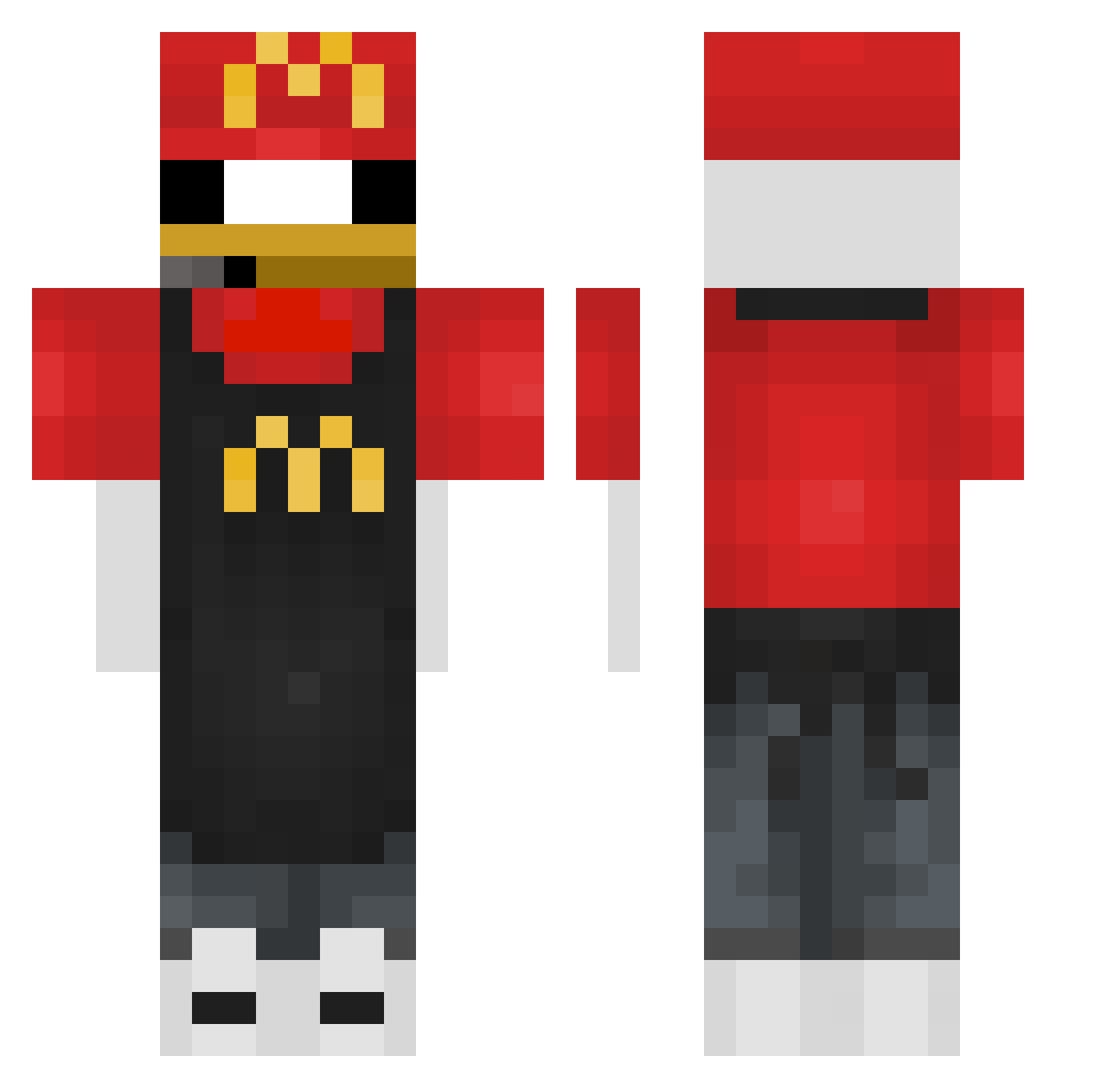
Current Minecraft skin of the player Zxey_, loaded from the official Mojang API. Rotate the 3D model with your mouse or finger, then download the skin as a PNG file and use it in Minecraft: Bedrock Edition or Java Edition for free. When Zxey_ changes their skin, this page updates automatically and the old skin stays in the history below.
Other players with this skin (359)
Zxey_ was the 274th player we have seen with this skin, first spotted on 11.10.2026. The same skin was seen on these players. Open a nickname to see their current skin and skin history.
 xxxFed viwilk Dimi_Dimitar jackflippre100 Luhwintrs MAX_CAISSIERMCDO DrKondraki Helixum hykosse penguinNG08 MrRaposoW 0cinikaPlays0 perrodetlaxcala 0JesterPenetrate Axel1609 KaidonLikeSharks ZamideQ goinfrex3 DaScHwEiNi HenkBed Mikkeys PinguinKing11 showtime67 M8_Dodino RoBergs cammyb3ar Miykah drdrronutt1 KFChikn DiouDiouu benson0821 Devon_noan matokino notcheating67 Sonny9923 Muryn17 VIANA021 hot_arlind sujiuz Arthurpro33 einschicken123 Lyxigt 67mochi Abuodeeb zsorro_ rx27_ GRUNKUSuwu YooSeonwoo fluffy0816 DissaprovingDad hazael24 MIGUELF080 EoViny whatislife777 Neksoff77 Dabir1984 XxMiloSjjxX hoyapark Wen_Min flyingtoast67
More Donald Duck Minecraft skins
How to install the Zxey_ skin
- Press the Download button above to save the skin as a PNG file.
- Minecraft: Bedrock Edition (PE): open the Dressing Room from the main menu (or tap your character → Edit Character), go to Classic Skins → Owned, press the + (new skin) button, choose the downloaded PNG and pick the Classic (Steve) model. Works on PC and mobile; consoles cannot import custom skins.
- Minecraft: Java Edition: open the Minecraft Launcher, go to the Skins tab, click New Skin, load the PNG, pick the Classic (Steve) model and press Save & Use. You can also upload it at minecraft.net → Profile → Change Skin.
The skin does not show up after import - what should I do?
Restart Minecraft and open the Dressing Room again - imported skins sometimes appear only after a restart. Also make sure you selected the imported skin and picked the Classic (Steve) model.
Which model should I choose, Classic or Slim?
This skin is designed for the Classic (Steve) model. If you pick the wrong model, the arms of the skin will look stretched or squeezed.
Is the skin of Zxey_ free to download?
Yes. Press Download, save the PNG file and use it in Minecraft: Bedrock Edition or Java Edition - no payment or registration needed. The skin also works on multiplayer servers and Realms.
More skins
Looking for more? Go back to all Minecraft skins and check the top skins of the week, month and all time, or find any player's skin by nickname.