
ZozolNikePro - Minecraft Skins & Skin History
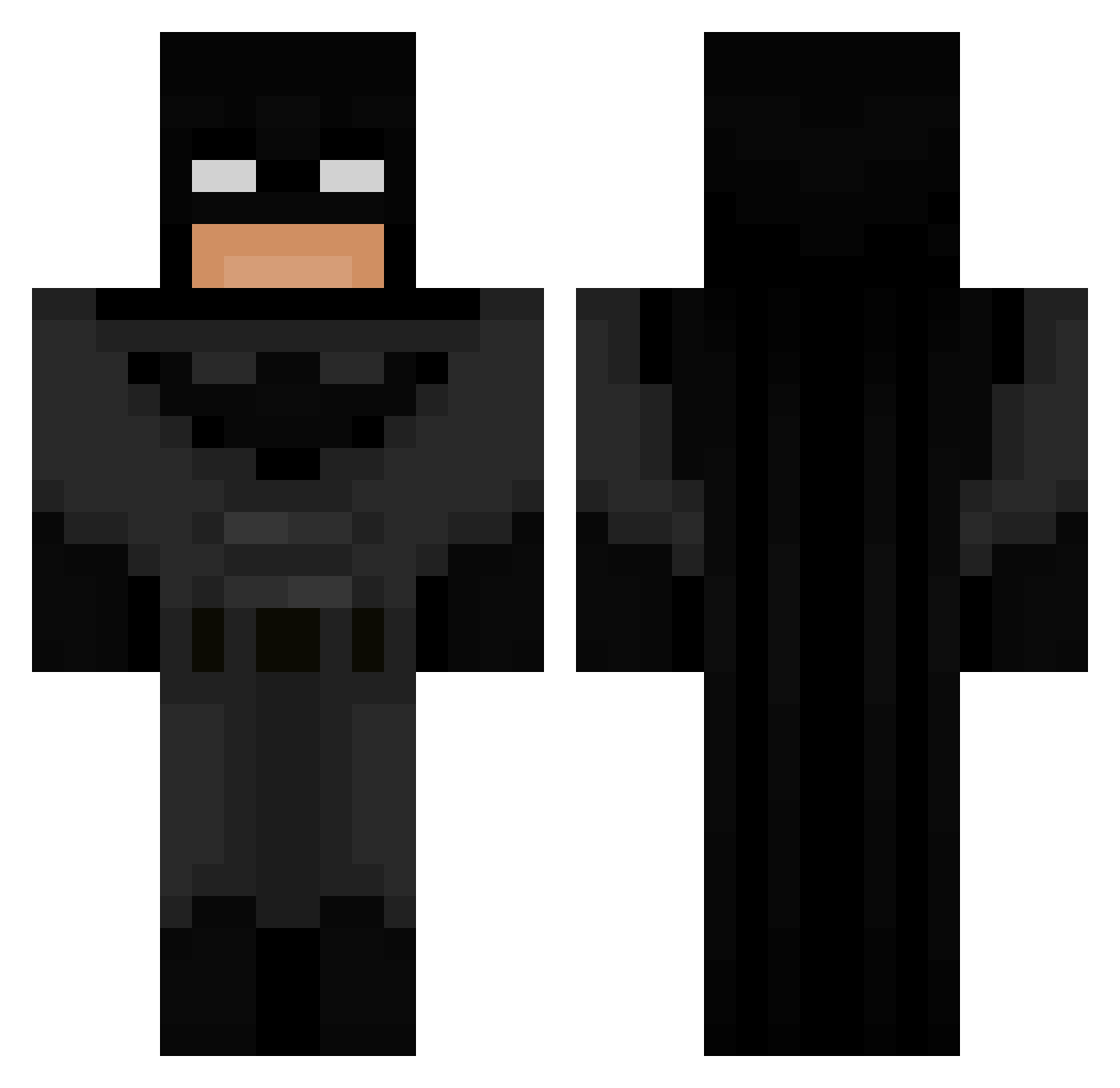
Current Minecraft skin of the player ZozolNikePro, loaded from the official Mojang API. Rotate the 3D model with your mouse or finger, then download the skin as a PNG file and use it in Minecraft: Bedrock Edition or Java Edition for free. When ZozolNikePro changes their skin, this page updates automatically and the old skin stays in the history below.
Other players with this skin (692)
ZozolNikePro was the 657th player we have seen with this skin, first spotted on 26.10.2026. The same skin was seen on these players. Open a nickname to see their current skin and skin history.
 Yanido Malthe_4_4 Jere_master18 Mr_Valentin_ Hendofor HankChamp7 HiddenRose117 cadenI3 Wolla_Cross69 harleymac28 Ripperrrrr SweatzBot Batman_Is_Single HagenAmZockenYT haruncetin MrHarami PedroJamane D0RR15 Papalucci77 COBabyRex sardi2004 Batman2255 Emkka975 kaptansinann Willyboy1954 Gloxyo paul2931 Maqinstru SimpleEggs flinn123 Missolites Juarxz11 DrBanaenae ToyotaBoi98 StanleyGros Raggo169 Serva__ BrAvanzi Ithaca444 FUU_man Idle826 creeperev07 HortyGeoduck191_ nick768 Soil_Milk ahmetco SeninAnanOryx MCJD14 Nxte_999 Er3C7 Alluska_ TNXRETAKES8866 Meyman90 Hammenu ThxHeiser damiosoo Thunder2071 Yolight92 Real_Batman05 exkkkkkttyy
More Batman Minecraft skins
How to install the ZozolNikePro skin
- Press the Download button above to save the skin as a PNG file.
- Minecraft: Bedrock Edition (PE): open the Dressing Room from the main menu (or tap your character → Edit Character), go to Classic Skins → Owned, press the + (new skin) button, choose the downloaded PNG and pick the Classic (Steve) model. Works on PC and mobile; consoles cannot import custom skins.
- Minecraft: Java Edition: open the Minecraft Launcher, go to the Skins tab, click New Skin, load the PNG, pick the Classic (Steve) model and press Save & Use. You can also upload it at minecraft.net → Profile → Change Skin.
The skin does not show up after import - what should I do?
Restart Minecraft and open the Dressing Room again - imported skins sometimes appear only after a restart. Also make sure you selected the imported skin and picked the Classic (Steve) model.
Which model should I choose, Classic or Slim?
This skin is designed for the Classic (Steve) model. If you pick the wrong model, the arms of the skin will look stretched or squeezed.
Is the skin of ZozolNikePro free to download?
Yes. Press Download, save the PNG file and use it in Minecraft: Bedrock Edition or Java Edition - no payment or registration needed. The skin also works on multiplayer servers and Realms.
More skins
Looking for more? Go back to all Minecraft skins and check the top skins of the week, month and all time, or find any player's skin by nickname.