
ZekyLeBot - Minecraft Skins & Skin History
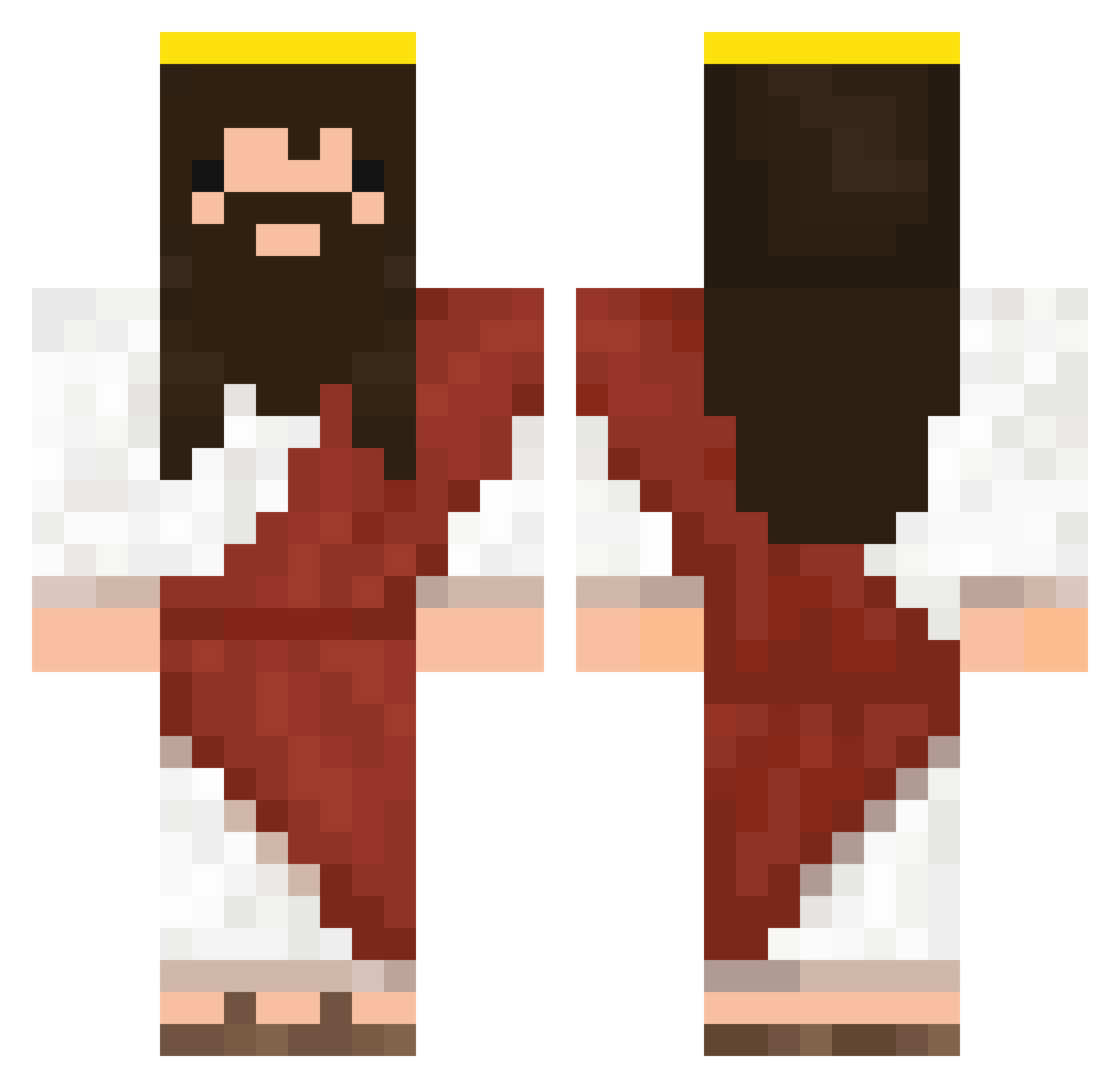
Current Minecraft skin of the player ZekyLeBot, loaded from the official Mojang API. Rotate the 3D model with your mouse or finger, then download the skin as a PNG file and use it in Minecraft: Bedrock Edition or Java Edition for free. When ZekyLeBot changes their skin, this page updates automatically and the old skin stays in the history below.
Other players with this skin (333)
ZekyLeBot was the 27th player we have seen with this skin, first spotted on 29.07.2026. The same skin was seen on these players. Open a nickname to see their current skin and skin history.
 nathrox5 DreamCacao72 QDazD Fer_suarez DissolveDZN Chonp1 Giammone
 GUXone3
 beelzebozo Papafritta5 0ll000l00llll00l Giraffe_Milk Villhein JITDE kamigamiiiiii Dezikk youngnanny Sebix_One Yoanskyy moosejumping soul4901 Paryzon Drip_Jezus Papluu Cisy_ LitlleJao TizSerra18 VioDor Celrob yaboyivo opex_nox KORUSANOM elkku4004 DonBarras helxus Me_wash Frankie1117 J3SUS_CHRISTMAS MincraftowyKOKSU alextheuki Steezus_Christ45 Caleb9568 JezusaZiomek fong0919 THE_HACKERQ Super_Rin Sick_Luko eljonatito Starda62 CONGGO Ant69 threattosocity Babaktime MMomos Raver23 GandjaMan03 azmeldrum Nath_Crafteur Seung_Uk Rottehul
More Jesus Minecraft skins
How to install the ZekyLeBot skin
- Press the Download button above to save the skin as a PNG file.
- Minecraft: Bedrock Edition (PE): open the Dressing Room from the main menu (or tap your character → Edit Character), go to Classic Skins → Owned, press the + (new skin) button, choose the downloaded PNG and pick the Classic (Steve) model. Works on PC and mobile; consoles cannot import custom skins.
- Minecraft: Java Edition: open the Minecraft Launcher, go to the Skins tab, click New Skin, load the PNG, pick the Classic (Steve) model and press Save & Use. You can also upload it at minecraft.net → Profile → Change Skin.
The skin does not show up after import - what should I do?
Restart Minecraft and open the Dressing Room again - imported skins sometimes appear only after a restart. Also make sure you selected the imported skin and picked the Classic (Steve) model.
Which model should I choose, Classic or Slim?
This skin is designed for the Classic (Steve) model. If you pick the wrong model, the arms of the skin will look stretched or squeezed.
Is the skin of ZekyLeBot free to download?
Yes. Press Download, save the PNG file and use it in Minecraft: Bedrock Edition or Java Edition - no payment or registration needed. The skin also works on multiplayer servers and Realms.
More skins
Looking for more? Go back to all Minecraft skins and check the top skins of the week, month and all time, or find any player's skin by nickname.