
Yahoozle - Minecraft Skins & Skin History
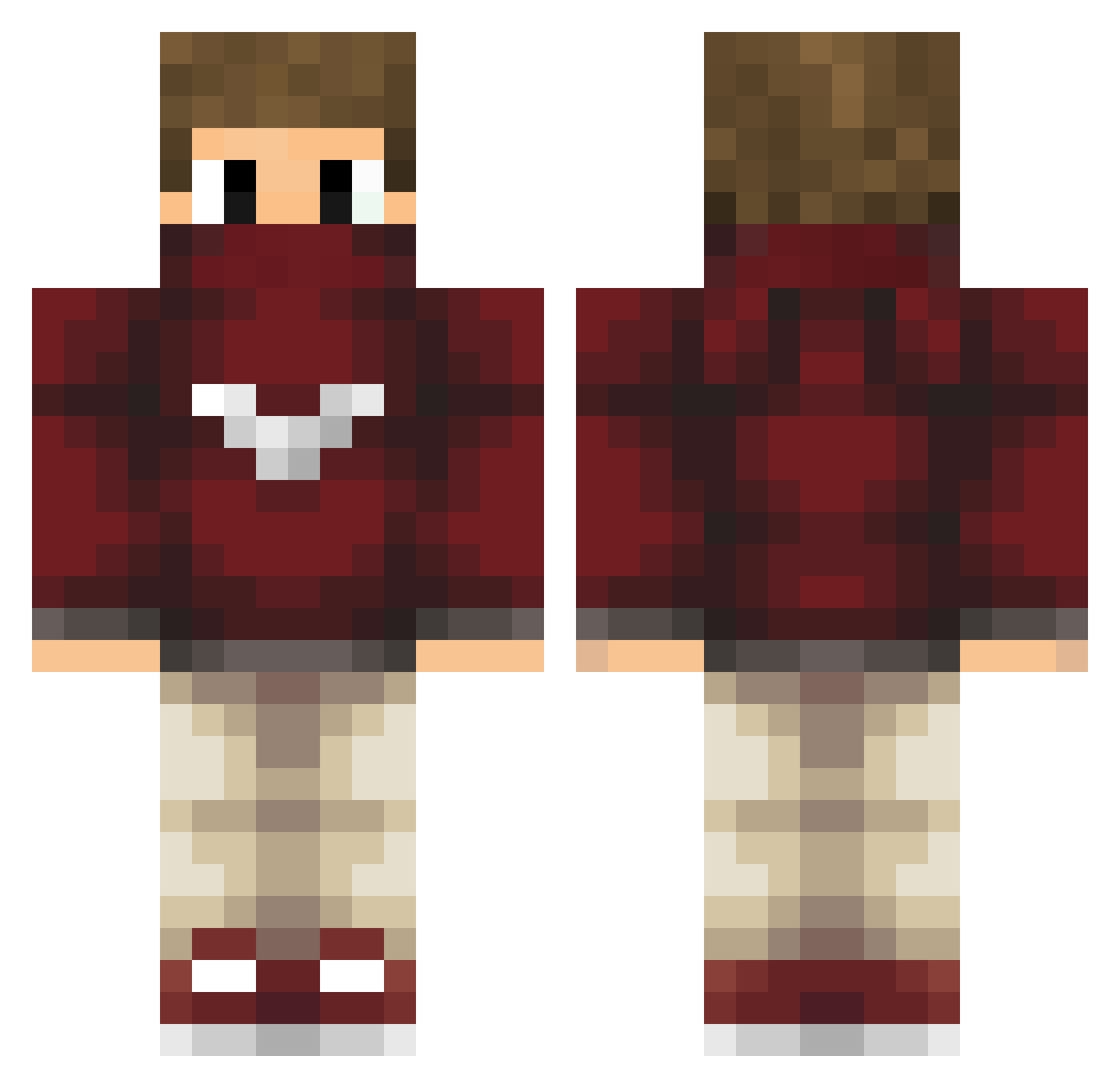
Current Minecraft skin of the player Yahoozle, loaded from the official Mojang API. Rotate the 3D model with your mouse or finger, then download the skin as a PNG file and use it in Minecraft: Bedrock Edition or Java Edition for free. When Yahoozle changes their skin, this page updates automatically and the old skin stays in the history below.
Other players with this skin (208)
Yahoozle was the 182nd player we have seen with this skin, first spotted on 08.10.2026. The same skin was seen on these players. Open a nickname to see their current skin and skin history.
 andres88199 _Shoto TouchdowNn SonOfAtari bonegta123 PossibleMuslim chapman1989 antonio_77_omg MrDarkHacks32 SoyGarrix Sisel _Lk4 BielSemPressa33 __HunterPvP__ pepinusmc Hilti1 Qruaken BrandoRobo Benjaamoin MC2KBAM Hidden_Wounds ReGiglio xIMeloneYT stuffanimals RoyalPlayer_ Volcano_Cocs iSnowK skrivi snxwflakez Casjuh_ WorLDSine IcHBinSoKrAss kjellkare123456 Mouflette29 Ating titio_lexos Marcreek101 Luukah Yetikran6010 BreakinqAnkleAlt ForAxou Nw1234 NikiHD10 LegendaryDogukan Kimygamer Sevrik_ RollinSmokin K0zDra Pickle_Boy1216 Karysira MERT_SARIALP Draakee ImaBoy Culip _Pang_ NooLaGGz Josefe1975 LaPichaTraketera DeimosPobos a7med_1590
More Mask Minecraft skins
How to install the Yahoozle skin
- Press the Download button above to save the skin as a PNG file.
- Minecraft: Bedrock Edition (PE): open the Dressing Room from the main menu (or tap your character → Edit Character), go to Classic Skins → Owned, press the + (new skin) button, choose the downloaded PNG and pick the Classic (Steve) model. Works on PC and mobile; consoles cannot import custom skins.
- Minecraft: Java Edition: open the Minecraft Launcher, go to the Skins tab, click New Skin, load the PNG, pick the Classic (Steve) model and press Save & Use. You can also upload it at minecraft.net → Profile → Change Skin.
The skin does not show up after import - what should I do?
Restart Minecraft and open the Dressing Room again - imported skins sometimes appear only after a restart. Also make sure you selected the imported skin and picked the Classic (Steve) model.
Which model should I choose, Classic or Slim?
This skin is designed for the Classic (Steve) model. If you pick the wrong model, the arms of the skin will look stretched or squeezed.
Is the skin of Yahoozle free to download?
Yes. Press Download, save the PNG file and use it in Minecraft: Bedrock Edition or Java Edition - no payment or registration needed. The skin also works on multiplayer servers and Realms.
More skins
Looking for more? Go back to all Minecraft skins and check the top skins of the week, month and all time, or find any player's skin by nickname.