
YOURSELF67 - Minecraft Skins & Skin History
Current Minecraft skin of the player YOURSELF67, loaded from the official Mojang API. Rotate the 3D model with your mouse or finger, then download the skin as a PNG file and use it in Minecraft: Bedrock Edition or Java Edition for free. When YOURSELF67 changes their skin, this page updates automatically and the old skin stays in the history below.
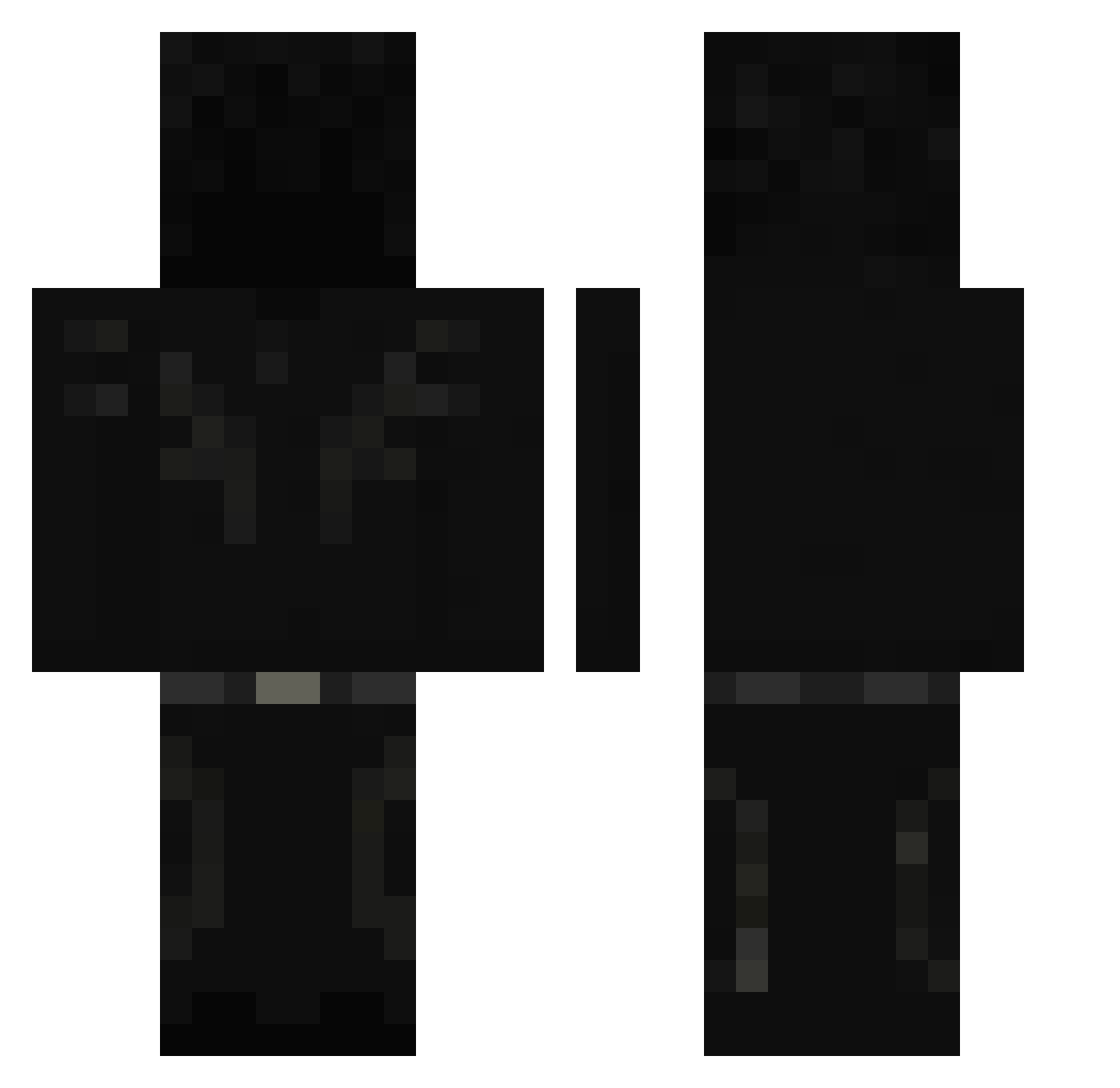
Other players with this skin (84)
YOURSELF67 was the 34th player we have seen with this skin, first spotted on 31.08.2026. The same skin was seen on these players. Open a nickname to see their current skin and skin history.
 Feuerninja12 Atomwp Noqhz_ DoubleLingo
 smndcc AliMurtaza451
 NoSound_ezzz
 g5vv
g5vv Nordivaxis edaddyyy egzxtic sekym
 PyroSet jocasigma EnsM5_ palanca_0511 itz_Tobs 1_Shad0w 5m3rf1k ImSanemi DespojitoCreate M3rxt shibby312
 TogglerAndrius Frutzzh
 8es4
8es4 Blaza_x2 _Pijaminha Ohyx Yanoxe
 _arkm_ vn2_ EDIOboroceanu k0rzo
 Utmumm Mudow LeoKzPO gumdalpr0 Darkknight_2121 zxtha
 phantomY2K
 Sniky_mp5 Hachanna_ Vyrxnze
 f14w ColdMilow DatingApp K4mad0 BloodyFrancis Vanixch zitronensaft_ Repvis Terminator_Kokos Reallax_GG
 __P1NE nekozamii
 darthdodi
 Ghostzoro1 EVERSlNCE
 gentleghost29
More Shadow Minecraft skins
How to install the YOURSELF67 skin
- Press the Download button above to save the skin as a PNG file.
- Minecraft: Bedrock Edition (PE): open the Dressing Room from the main menu (or tap your character → Edit Character), go to Classic Skins → Owned, press the + (new skin) button, choose the downloaded PNG and pick the Classic (Steve) model. Works on PC and mobile; consoles cannot import custom skins.
- Minecraft: Java Edition: open the Minecraft Launcher, go to the Skins tab, click New Skin, load the PNG, pick the Classic (Steve) model and press Save & Use. You can also upload it at minecraft.net → Profile → Change Skin.
The skin does not show up after import - what should I do?
Restart Minecraft and open the Dressing Room again - imported skins sometimes appear only after a restart. Also make sure you selected the imported skin and picked the Classic (Steve) model.
Which model should I choose, Classic or Slim?
This skin is designed for the Classic (Steve) model. If you pick the wrong model, the arms of the skin will look stretched or squeezed.
Is the skin of YOURSELF67 free to download?
Yes. Press Download, save the PNG file and use it in Minecraft: Bedrock Edition or Java Edition - no payment or registration needed. The skin also works on multiplayer servers and Realms.
More skins
Looking for more? Go back to all Minecraft skins and check the top skins of the week, month and all time, or find any player's skin by nickname.