
XenoWare - Minecraft Skins & Skin History
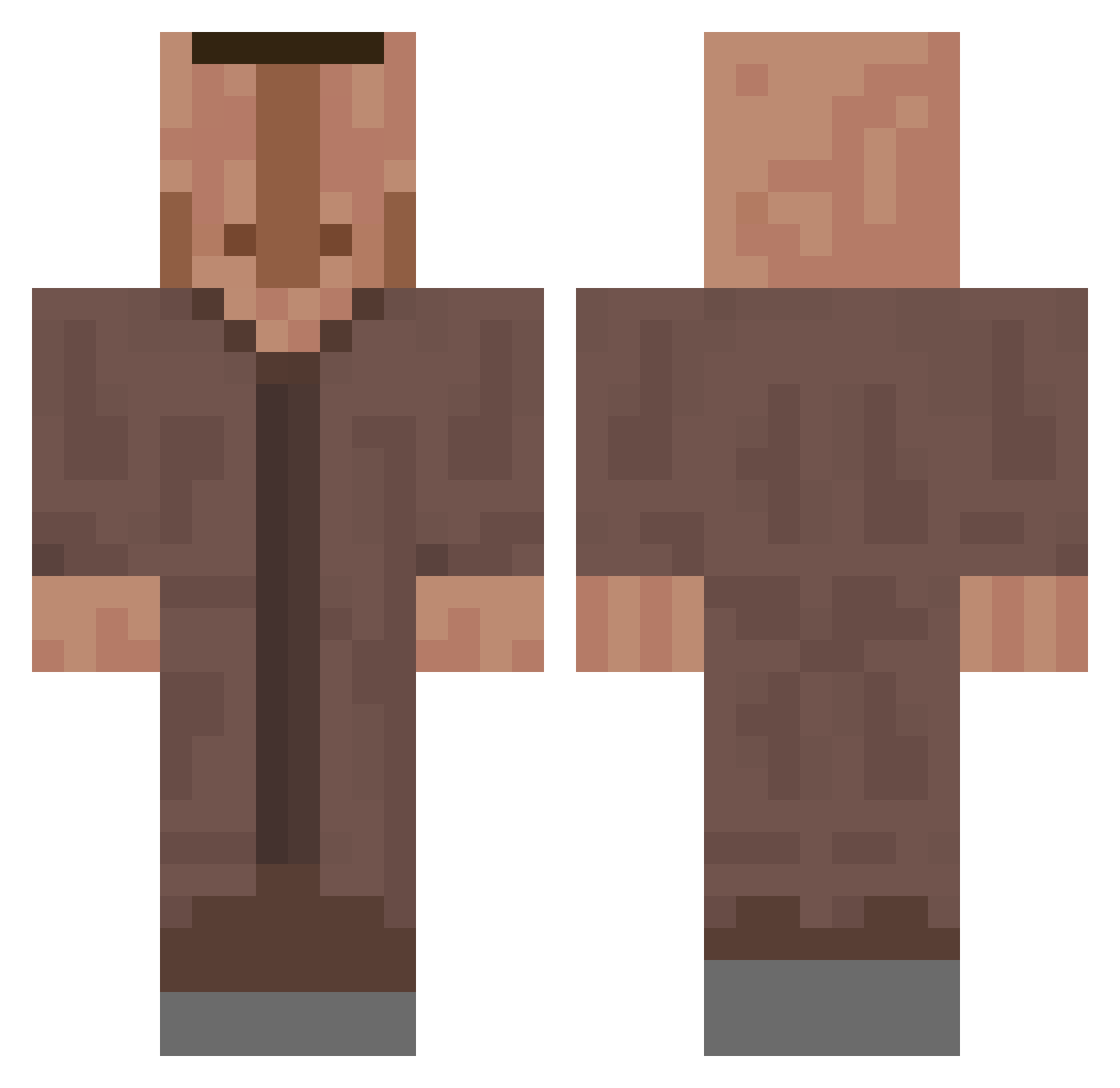
Current Minecraft skin of the player XenoWare, loaded from the official Mojang API. Rotate the 3D model with your mouse or finger, then download the skin as a PNG file and use it in Minecraft: Bedrock Edition or Java Edition for free. When XenoWare changes their skin, this page updates automatically and the old skin stays in the history below.
Other players with this skin (618)
XenoWare was the 373rd player we have seen with this skin, first spotted on 01.10.2026. The same skin was seen on these players. Open a nickname to see their current skin and skin history.
 N4KIW Failix1 aracheur2baltrou ttost_99 AlehanMS simoin_200000 T3eKay Kasper___G DoDoubleGG5 DeAtomB0mb TheDunce_ FiliW Almos4321 cjoenlin6449 bbcenjoyer42 StaringStream88 Vexon Acentheminecart jvt_Jari g4nyotcv Smasher_69400_ NgoloCongele Stasiu_10 Lil_G187 SovietSloth Taurtis2143 Faze_ka65 wenpee TheRazerFighter1 SpaceYoda1 Lelex64520 Keneil Dark_Peppa_Pig Hazz43 gamerlorddk brznG5 MyricOo Kielbasa693 aaronkial GajarskyPes Jamie_exe SiebenStiefel Vincenzo_Ferrari VillagerMCYT alicia_grace007 PanickedButton34 Spatzen Masterdidler44 viper_cool affenaugust cVilim_ Kimi_shh PatrikTVv2 Pochiiiita Sashok2804 Szumode LilDolphin21 Pyr0d Nico_DerGrosse derboullie
More Villager Minecraft skins
How to install the XenoWare skin
- Press the Download button above to save the skin as a PNG file.
- Minecraft: Bedrock Edition (PE): open the Dressing Room from the main menu (or tap your character → Edit Character), go to Classic Skins → Owned, press the + (new skin) button, choose the downloaded PNG and pick the Classic (Steve) model. Works on PC and mobile; consoles cannot import custom skins.
- Minecraft: Java Edition: open the Minecraft Launcher, go to the Skins tab, click New Skin, load the PNG, pick the Classic (Steve) model and press Save & Use. You can also upload it at minecraft.net → Profile → Change Skin.
The skin does not show up after import - what should I do?
Restart Minecraft and open the Dressing Room again - imported skins sometimes appear only after a restart. Also make sure you selected the imported skin and picked the Classic (Steve) model.
Which model should I choose, Classic or Slim?
This skin is designed for the Classic (Steve) model. If you pick the wrong model, the arms of the skin will look stretched or squeezed.
Is the skin of XenoWare free to download?
Yes. Press Download, save the PNG file and use it in Minecraft: Bedrock Edition or Java Edition - no payment or registration needed. The skin also works on multiplayer servers and Realms.
More skins
Looking for more? Go back to all Minecraft skins and check the top skins of the week, month and all time, or find any player's skin by nickname.