
Wxnlly_ - Minecraft Skins & Skin History
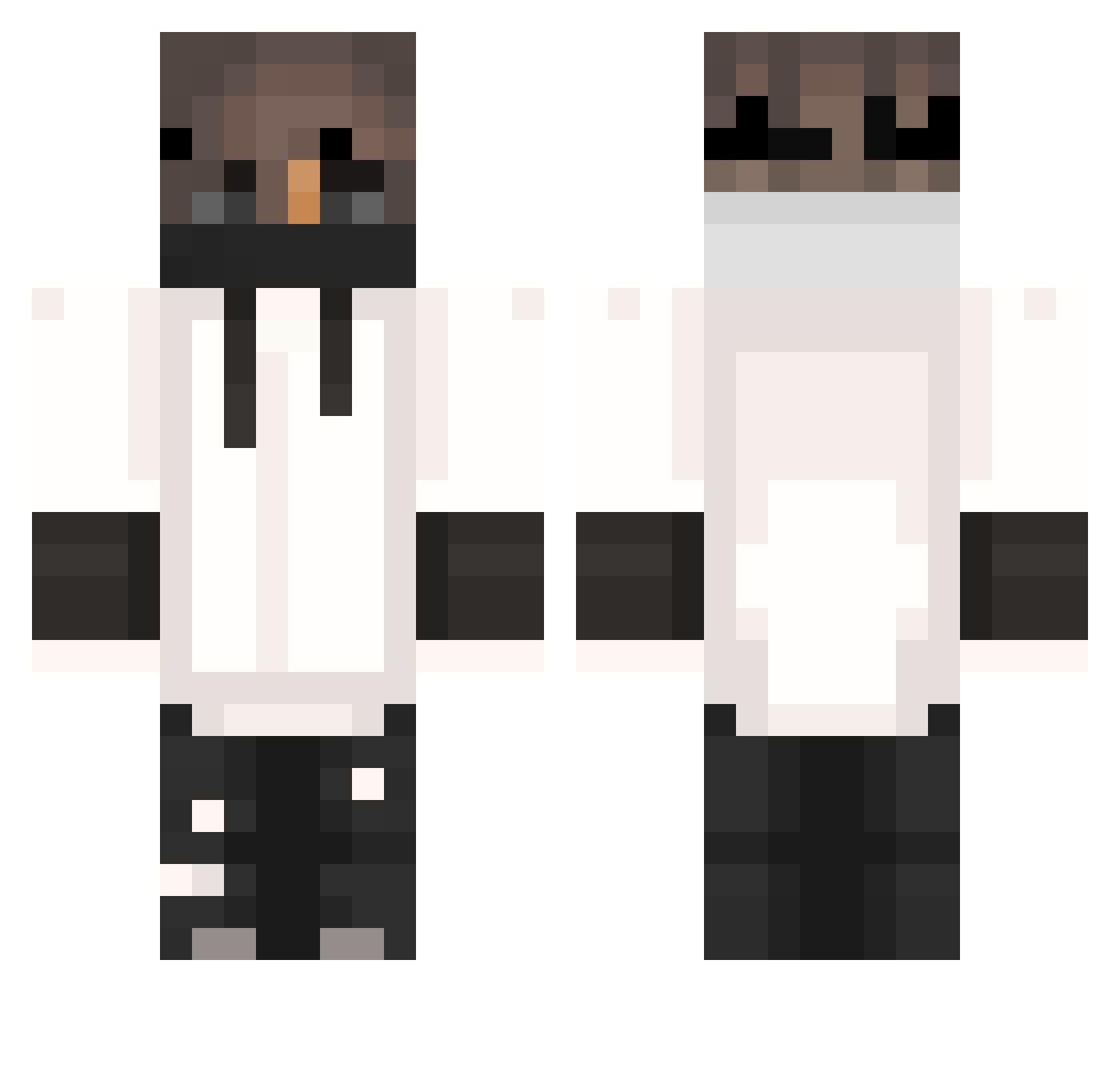
Current Minecraft skin of the player Wxnlly_, loaded from the official Mojang API. Rotate the 3D model with your mouse or finger, then download the skin as a PNG file and use it in Minecraft: Bedrock Edition or Java Edition for free. When Wxnlly_ changes their skin, this page updates automatically and the old skin stays in the history below.
Other players with this skin (404)
Wxnlly_ was the 27th player we have seen with this skin, first spotted on 01.08.2026. The same skin was seen on these players. Open a nickname to see their current skin and skin history.
 Xael01 Tibo_thl Hanckito Wilted_Chicken Hadz_ Robteras JonasMC1 nate2702 nahjoy VPtoms Sebol_1 _Wujaszek_ CooK5759 zzyxo Xiao_Hao_Ya Zeyphe dotCXC jheicol dcwalker GwnNoah04 exotiicQ GGXoX Ghost_Shini Asfunny_ mroczekk 1mxnol Mquro_P AlbertzEL nekets9n i_Tost_i Theundy1ng mutun1 Patrik0820_3 Deadmaster2 minjun1177 xx_crafter Joker0055 Mody904 Awomota ayyrxnic_ SarcasticCuddls SkollTuborg Daannnx KingLamaron Hardcor15pl MikkelKrogh JYU2 ResulSENOL Demented_Puppy unawakened_dream kevin_jz NoT_ShAdE1231 Ironman_81 Kiweno Brenys_ M4rtinqK Paulo_Games01 Xinn__07 bagster2102 PEDROZA29
More Mask Minecraft skins
How to install the Wxnlly_ skin
- Press the Download button above to save the skin as a PNG file.
- Minecraft: Bedrock Edition (PE): open the Dressing Room from the main menu (or tap your character → Edit Character), go to Classic Skins → Owned, press the + (new skin) button, choose the downloaded PNG and pick the Classic (Steve) model. Works on PC and mobile; consoles cannot import custom skins.
- Minecraft: Java Edition: open the Minecraft Launcher, go to the Skins tab, click New Skin, load the PNG, pick the Classic (Steve) model and press Save & Use. You can also upload it at minecraft.net → Profile → Change Skin.
The skin does not show up after import - what should I do?
Restart Minecraft and open the Dressing Room again - imported skins sometimes appear only after a restart. Also make sure you selected the imported skin and picked the Classic (Steve) model.
Which model should I choose, Classic or Slim?
This skin is designed for the Classic (Steve) model. If you pick the wrong model, the arms of the skin will look stretched or squeezed.
Is the skin of Wxnlly_ free to download?
Yes. Press Download, save the PNG file and use it in Minecraft: Bedrock Edition or Java Edition - no payment or registration needed. The skin also works on multiplayer servers and Realms.
More skins
Looking for more? Go back to all Minecraft skins and check the top skins of the week, month and all time, or find any player's skin by nickname.