
Vcristil10 - Minecraft Skins & Skin History
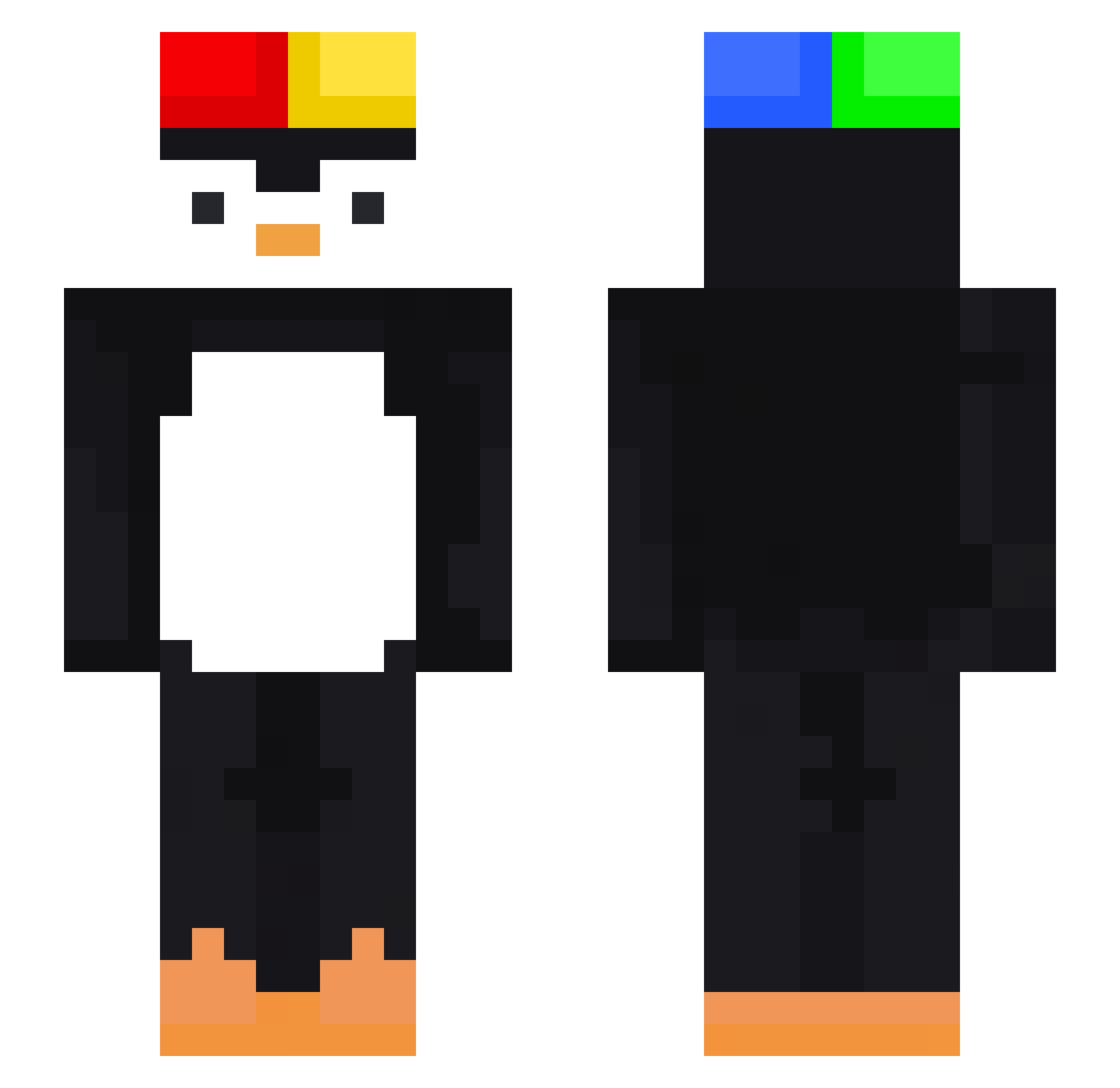
Current Minecraft skin of the player Vcristil10, loaded from the official Mojang API. Rotate the 3D model with your mouse or finger, then download the skin as a PNG file and use it in Minecraft: Bedrock Edition or Java Edition for free. When Vcristil10 changes their skin, this page updates automatically and the old skin stays in the history below.
Other players with this skin (408)
Vcristil10 was the 303rd player we have seen with this skin, first spotted on 01.10.2026. The same skin was seen on these players. Open a nickname to see their current skin and skin history.
 noxshadee Zixin777 XXX67 tavnzz ml115 mustcry BigBigBigBigBoss ViniciusGHG pkgr_phenix Gayoung0411 ZZballers rieo__ TheDBLocker pepsimax_enjoyer royalnutss Salando Nick1020_ Luca_XD1001 Lihuabaijiu YODU225 officialycarlos Anthony01122 kifp K4AIX LolaBear89 BlueL4Goon Lor3ale ElKoko11 Jacobgoku21 lailassoocuteee s1lence59 R0Dx Jennylxn_ WinterMan_07 Muellberg DaniX07 Fumacinha00 Sankey6970 kakamuka ssapsik Juvsm Daviddamonkey AIR_ZOOM pdroedr zoobeedooz Acrylicr PengGotCombos csyath Gias0 shadow_hunt_808 REDaniwn_ cocoile levioso17 jihokimkim hiiragi3532 juanlucas2446 Cocoo393 KillerNinja943 david_goobins Sretty
More Penguin Minecraft skins
How to install the Vcristil10 skin
- Press the Download button above to save the skin as a PNG file.
- Minecraft: Bedrock Edition (PE): open the Dressing Room from the main menu (or tap your character → Edit Character), go to Classic Skins → Owned, press the + (new skin) button, choose the downloaded PNG and pick the Slim (Alex) model. Works on PC and mobile; consoles cannot import custom skins.
- Minecraft: Java Edition: open the Minecraft Launcher, go to the Skins tab, click New Skin, load the PNG, pick the Slim (Alex) model and press Save & Use. You can also upload it at minecraft.net → Profile → Change Skin.
The skin does not show up after import - what should I do?
Restart Minecraft and open the Dressing Room again - imported skins sometimes appear only after a restart. Also make sure you selected the imported skin and picked the Slim (Alex) model.
Which model should I choose, Classic or Slim?
This skin is designed for the Slim (Alex) model. If you pick the wrong model, the arms of the skin will look stretched or squeezed.
Is the skin of Vcristil10 free to download?
Yes. Press Download, save the PNG file and use it in Minecraft: Bedrock Edition or Java Edition - no payment or registration needed. The skin also works on multiplayer servers and Realms.
More skins
Looking for more? Go back to all Minecraft skins and check the top skins of the week, month and all time, or find any player's skin by nickname.