
Ursus_60 - Minecraft Skins & Skin History
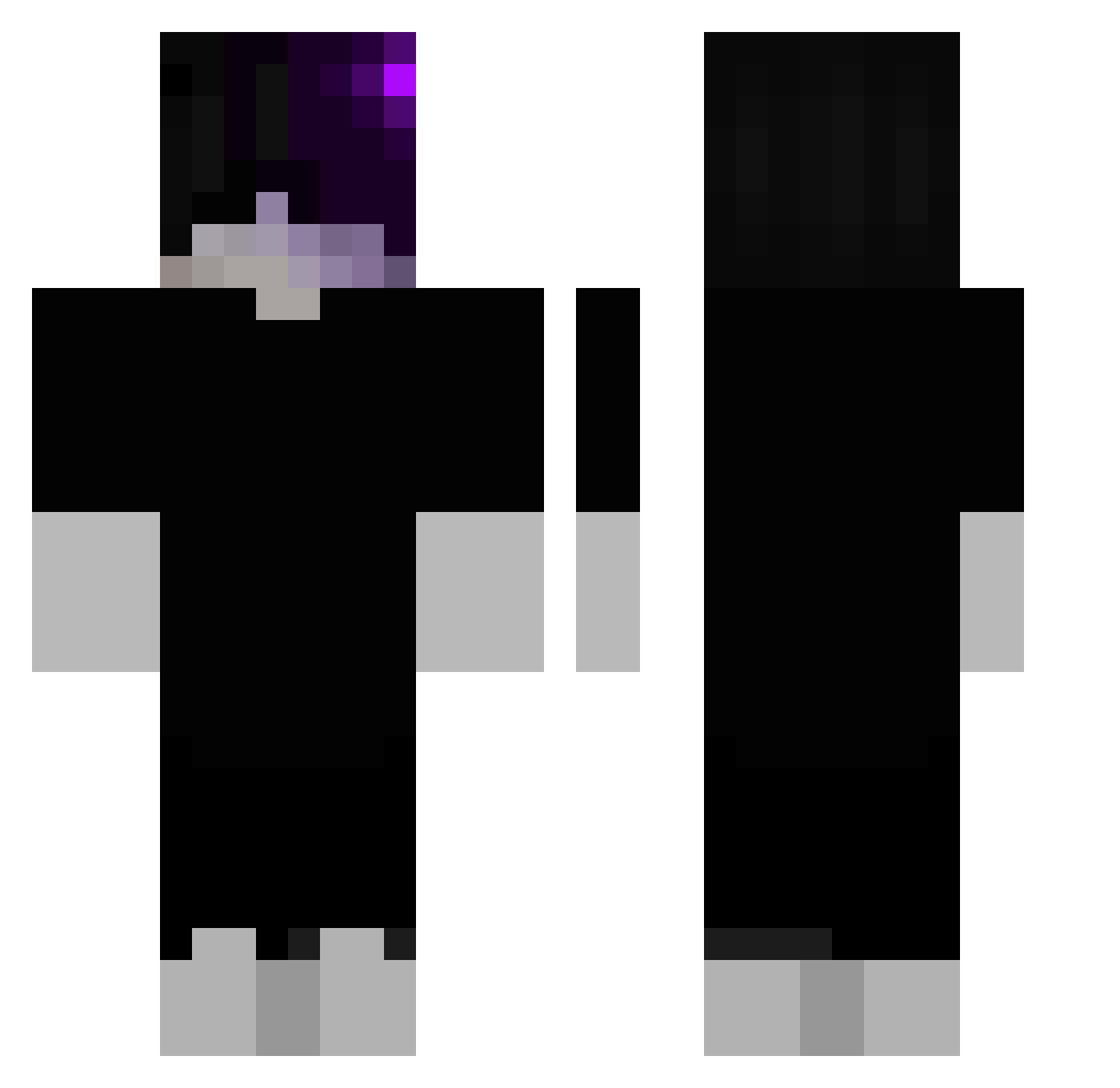
Current Minecraft skin of the player Ursus_60, loaded from the official Mojang API. Rotate the 3D model with your mouse or finger, then download the skin as a PNG file and use it in Minecraft: Bedrock Edition or Java Edition for free. When Ursus_60 changes their skin, this page updates automatically and the old skin stays in the history below.
Other players with this skin (112)
Ursus_60 was the 24th player we have seen with this skin, first spotted on 17.08.2026. The same skin was seen on these players. Open a nickname to see their current skin and skin history.
 MalfaZWte23IZSv2
 altikardes Arlo_sw zae7 Timi1403 Roszymek Sebasgod xYahya tometowe2137 wolffmcfly wxqz Entrenado xlbr007 DEKEND323 9gse JJMaxwell9 assasininja98 Angel_Eyes5310 _EntaisT_ x4naxdoctor_ Black_Kunn 87h_shadow_jha AndrzejBakiJas Bob_Soit Gurkensohn1294 Freezy_Terror Budaejjiggae Emir_Ismail_ SamaelBlack xJairo_ itsharleyson Brunim360 _quArIX_
 hate_loveit Zo4vex Cleqnerrr_ yeray06 __RODE BartyMarty Muysire Tiko_531 RyuuZ TaNtUnA_ Dark4real NoctYros ZyraxxAMR cementeater999 SnusMan3_ LaloWRLD NikodemRadziun MammutGT L_Bozoo fofifixer Haseuly IlGattoLuke AASML bosnys Kyan_Krakenxd NicolasD2016 Dnaimer
Previous skins of Ursus_60
Skins that Ursus_60 wore before, newest first. Click a skin to open its page and download it.
More Emo Minecraft skins
How to install the Ursus_60 skin
- Press the Download button above to save the skin as a PNG file.
- Minecraft: Bedrock Edition (PE): open the Dressing Room from the main menu (or tap your character → Edit Character), go to Classic Skins → Owned, press the + (new skin) button, choose the downloaded PNG and pick the Classic (Steve) model. Works on PC and mobile; consoles cannot import custom skins.
- Minecraft: Java Edition: open the Minecraft Launcher, go to the Skins tab, click New Skin, load the PNG, pick the Classic (Steve) model and press Save & Use. You can also upload it at minecraft.net → Profile → Change Skin.
The skin does not show up after import - what should I do?
Restart Minecraft and open the Dressing Room again - imported skins sometimes appear only after a restart. Also make sure you selected the imported skin and picked the Classic (Steve) model.
Which model should I choose, Classic or Slim?
This skin is designed for the Classic (Steve) model. If you pick the wrong model, the arms of the skin will look stretched or squeezed.
Is the skin of Ursus_60 free to download?
Yes. Press Download, save the PNG file and use it in Minecraft: Bedrock Edition or Java Edition - no payment or registration needed. The skin also works on multiplayer servers and Realms.
More skins
Looking for more? Go back to all Minecraft skins and check the top skins of the week, month and all time, or find any player's skin by nickname.