
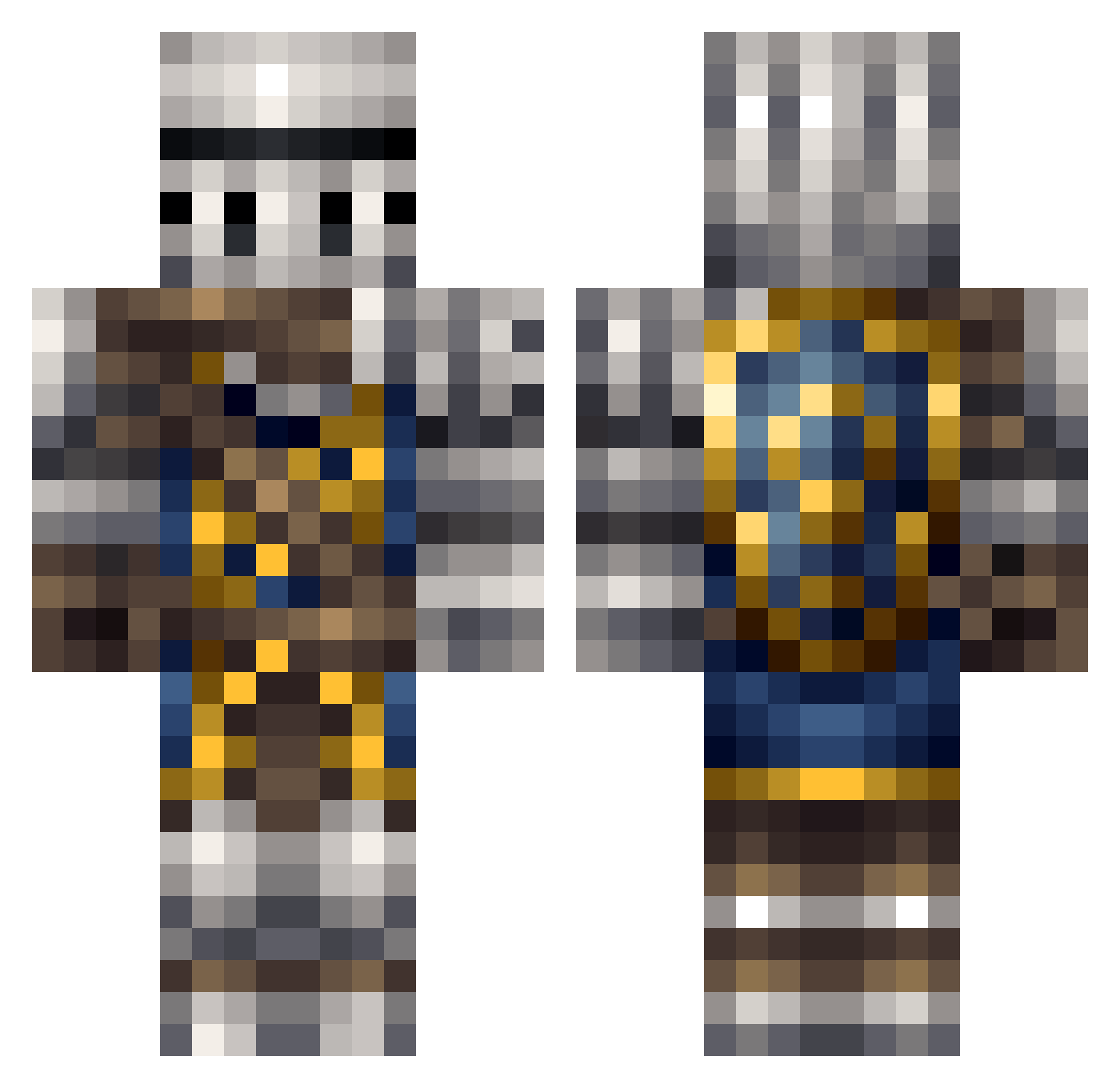
Current Minecraft skin of the player UnLi_MiTeD_MC, loaded from the official Mojang API. Rotate the 3D model with your mouse or finger, then download the skin as a PNG file and use it in Minecraft: Bedrock Edition or Java Edition for free. When UnLi_MiTeD_MC changes their skin, this page updates automatically and the old skin stays in the history below.
Other players with this skin (162)
UnLi_MiTeD_MC was the 5th player we have seen with this skin, first spotted on 29.07.2026. The same skin was seen on these players. Open a nickname to see their current skin and skin history.
 Putzbeard Aladras weirdoguyoo1 DoctorrOctopus DivinityV2 Holdz HessTwinsDC Arthipex Barack_Putin MarcelSoDerp Weinheidt darkdemon619 Naturaltiger Woethan Roi_mANGO anxorh CaptFlashheart CantStopThaRage Johnabob JMSofSweden BelloGills Hydropowah IWBO1 Crafter_Joe pumpkinpro123 Edether Dobermac Rs_Thomas RidderFons ninjadolphin108 bribribribri Hecktiic xzoons Obsydiann Procrasto TaMarchewka xKeyZx Dragonheat53 kraftingking ILstMyPc Danny5o Nugh_the_Thug TheBestIdiot Tackts cagedelephant mogura07 Beanpot Drawsmepants The_Sheep7 Necronicon LoneComplex jdc2698 Enragedmustard Drean93 Unifm Pyrothemew Daiyouko AlwaysFadedHD Markwell Melitics
More Shield Minecraft skins
How to install the UnLi_MiTeD_MC skin
- Press the Download button above to save the skin as a PNG file.
- Minecraft: Bedrock Edition (PE): open the Dressing Room from the main menu (or tap your character → Edit Character), go to Classic Skins → Owned, press the + (new skin) button, choose the downloaded PNG and pick the Classic (Steve) model. Works on PC and mobile; consoles cannot import custom skins.
- Minecraft: Java Edition: open the Minecraft Launcher, go to the Skins tab, click New Skin, load the PNG, pick the Classic (Steve) model and press Save & Use. You can also upload it at minecraft.net → Profile → Change Skin.
The skin does not show up after import - what should I do?
Restart Minecraft and open the Dressing Room again - imported skins sometimes appear only after a restart. Also make sure you selected the imported skin and picked the Classic (Steve) model.
Which model should I choose, Classic or Slim?
This skin is designed for the Classic (Steve) model. If you pick the wrong model, the arms of the skin will look stretched or squeezed.
Is the skin of UnLi_MiTeD_MC free to download?
Yes. Press Download, save the PNG file and use it in Minecraft: Bedrock Edition or Java Edition - no payment or registration needed. The skin also works on multiplayer servers and Realms.
More skins
Looking for more? Go back to all Minecraft skins and check the top skins of the week, month and all time, or find any player's skin by nickname.