
Udachny - Minecraft Skins & Skin History
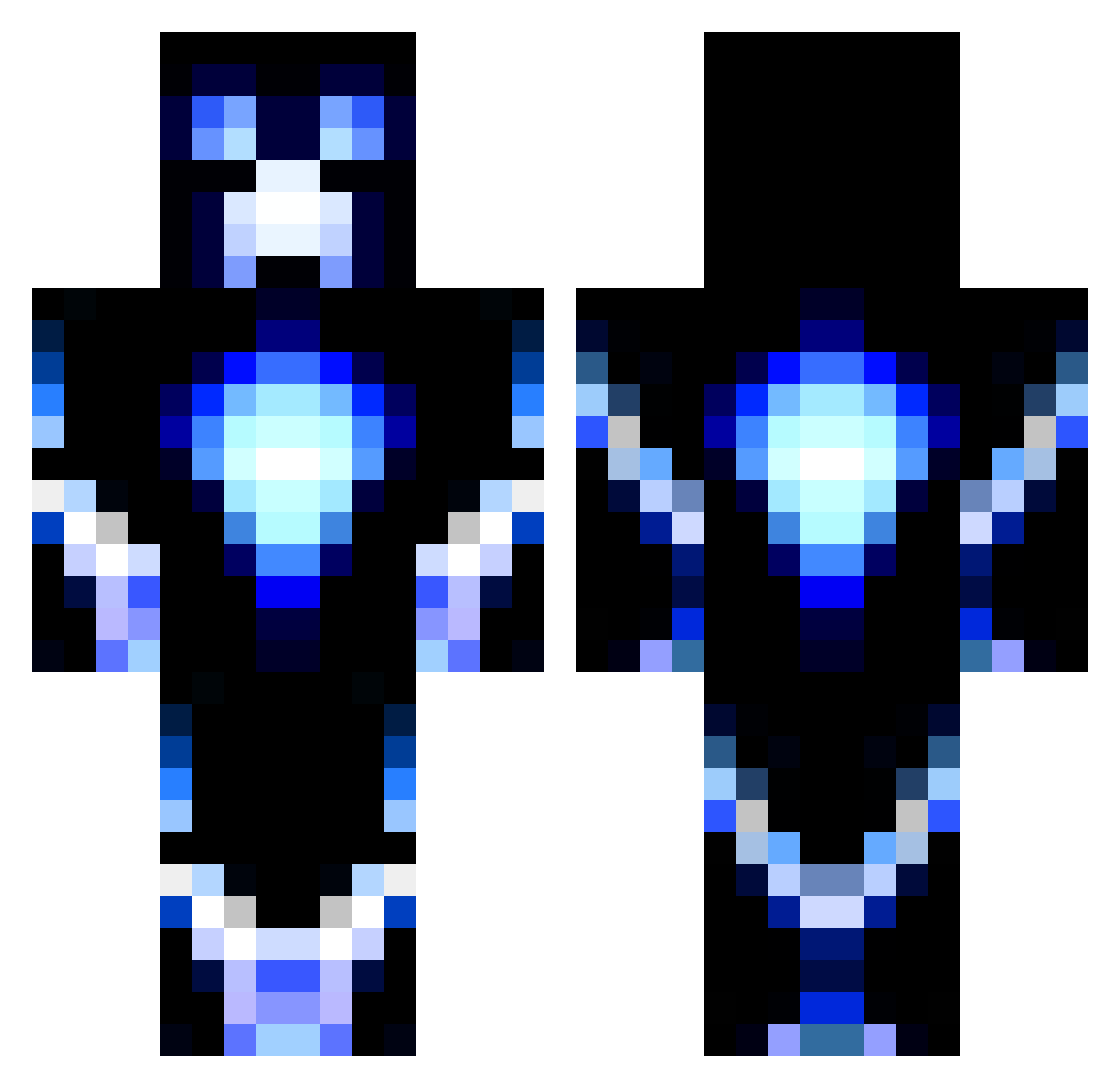
Current Minecraft skin of the player Udachny, loaded from the official Mojang API. Rotate the 3D model with your mouse or finger, then download the skin as a PNG file and use it in Minecraft: Bedrock Edition or Java Edition for free. When Udachny changes their skin, this page updates automatically and the old skin stays in the history below.
Other players with this skin (1185)
Udachny was the 1083rd player we have seen with this skin, first spotted on 24.10.2026. The same skin was seen on these players. Open a nickname to see their current skin and skin history.
 Rydog2876 Fintrum FlamingMonkeys1 Aaronbebb123 _Yemo_ loris_113 longgonesince SheyDom 7om7om david1munro Thilvan JenschHD Itsjustjosh30 TheBoyAid fluffybull8 Rico_rkt creeperman22447 pixi1105 Aidvin AvidEquation waterski11 sparck438 RainBow_Apples BiggieDoinks Bob_Ross_3000 ContentOgre Enderkids4 KANATA5000 stealthmines Eternal_Thorn TonioJ Zombiedom22 CaptainFluffy2 leenziti CharlieZ14 jmj0321 Pondus2000 birk1445 Grantedhell maddbmxer1502 XxaliasxX23 Madesta bonjman lexyfi Woina88 marcosruiz silvergalaxy3650 Hky1235 Resiliance crocodile9871 TKDguy35 Elias_Erd jabongo willyou06 johey03 jbeanstalk2002 Elio290 jachs96 jakebrown24 Edaxo
More Glowing Minecraft skins
How to install the Udachny skin
- Press the Download button above to save the skin as a PNG file.
- Minecraft: Bedrock Edition (PE): open the Dressing Room from the main menu (or tap your character → Edit Character), go to Classic Skins → Owned, press the + (new skin) button, choose the downloaded PNG and pick the Classic (Steve) model. Works on PC and mobile; consoles cannot import custom skins.
- Minecraft: Java Edition: open the Minecraft Launcher, go to the Skins tab, click New Skin, load the PNG, pick the Classic (Steve) model and press Save & Use. You can also upload it at minecraft.net → Profile → Change Skin.
The skin does not show up after import - what should I do?
Restart Minecraft and open the Dressing Room again - imported skins sometimes appear only after a restart. Also make sure you selected the imported skin and picked the Classic (Steve) model.
Which model should I choose, Classic or Slim?
This skin is designed for the Classic (Steve) model. If you pick the wrong model, the arms of the skin will look stretched or squeezed.
Is the skin of Udachny free to download?
Yes. Press Download, save the PNG file and use it in Minecraft: Bedrock Edition or Java Edition - no payment or registration needed. The skin also works on multiplayer servers and Realms.
More skins
Looking for more? Go back to all Minecraft skins and check the top skins of the week, month and all time, or find any player's skin by nickname.