
Trapxgoose - Minecraft Skins & Skin History
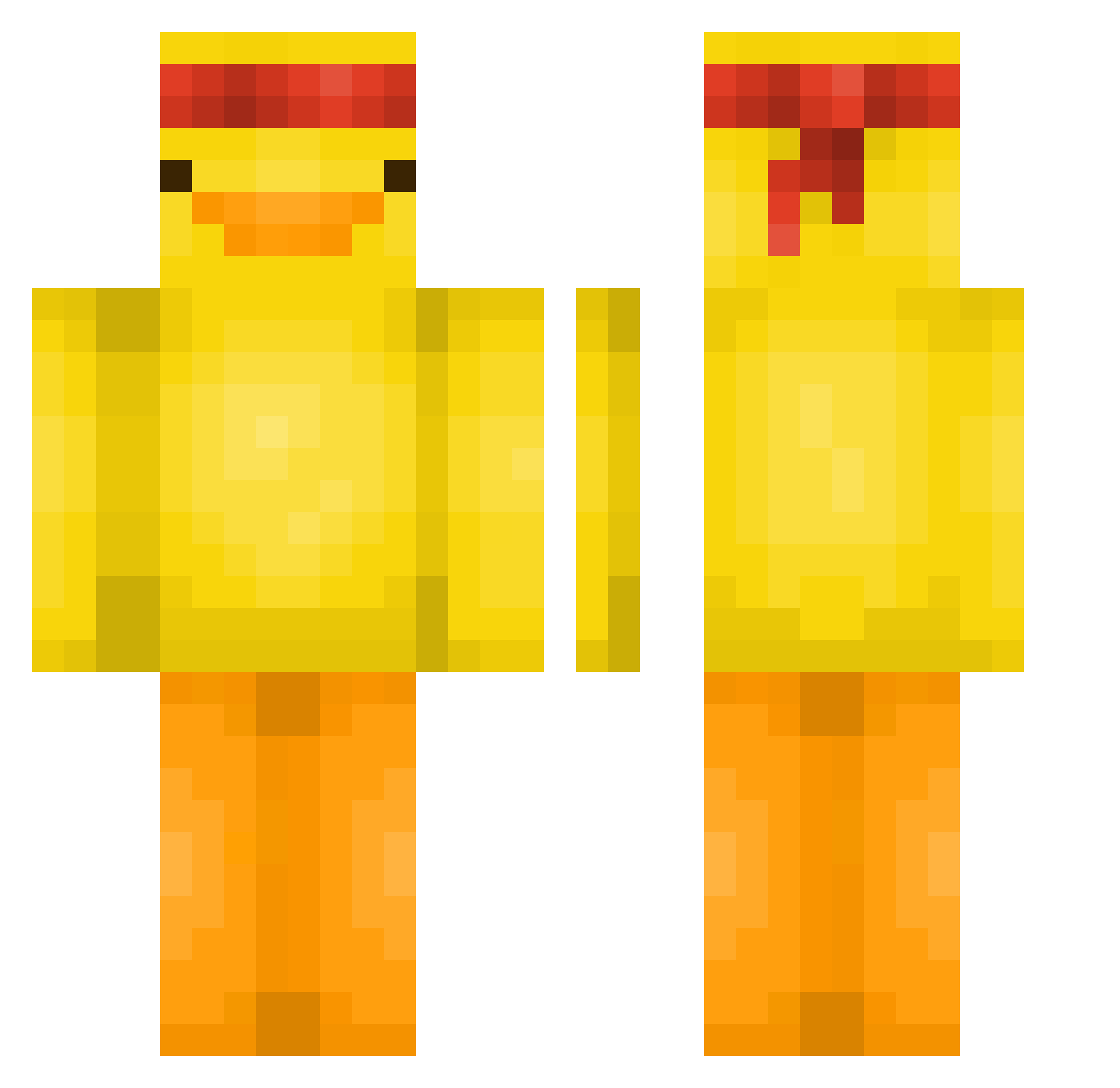
Current Minecraft skin of the player Trapxgoose, loaded from the official Mojang API. Rotate the 3D model with your mouse or finger, then download the skin as a PNG file and use it in Minecraft: Bedrock Edition or Java Edition for free. When Trapxgoose changes their skin, this page updates automatically and the old skin stays in the history below.
Other players with this skin (581)
Trapxgoose was the 370th player we have seen with this skin, first spotted on 02.10.2026. The same skin was seen on these players. Open a nickname to see their current skin and skin history.
 90ll luisferxdxd firankaa007 maythemonth05 lordkasob OldToastie CK_MADNESS flyhtz Huae0115 HistLord ParkerSoup pepsi_428 pototoy X_Lukas12 Sum_Guyy mangos0125 ItzXenovia syleyndra Fringineer Mini_DaBoi L3DDR Blizaltcrank Scurix1 10928 Myer_zx Seacowzz Young_Troll Lucas7778881 TylerPueri Tomi_p_2015 _p1G30Ndunners Kaynoo7 syona0812 G1ul10I3 LuukMistral minniehaha98 Donir FireXsoldier Fiberr44 Yeetus_Skeletus Piiszczu yENNy0 TacoDefender stasikLOVEmlynio X_matiii_X tss01 PopsSued lanelanelanelane x19Flawss Moonkakak TanteLen Samburel KaanOvBeans gotsimaek08 AtomidBlade CarsonCamera Xd_BabyG Willlwolf JonahMcDinkle WeenieHog
More Duck Minecraft skins
How to install the Trapxgoose skin
- Press the Download button above to save the skin as a PNG file.
- Minecraft: Bedrock Edition (PE): open the Dressing Room from the main menu (or tap your character → Edit Character), go to Classic Skins → Owned, press the + (new skin) button, choose the downloaded PNG and pick the Classic (Steve) model. Works on PC and mobile; consoles cannot import custom skins.
- Minecraft: Java Edition: open the Minecraft Launcher, go to the Skins tab, click New Skin, load the PNG, pick the Classic (Steve) model and press Save & Use. You can also upload it at minecraft.net → Profile → Change Skin.
The skin does not show up after import - what should I do?
Restart Minecraft and open the Dressing Room again - imported skins sometimes appear only after a restart. Also make sure you selected the imported skin and picked the Classic (Steve) model.
Which model should I choose, Classic or Slim?
This skin is designed for the Classic (Steve) model. If you pick the wrong model, the arms of the skin will look stretched or squeezed.
Is the skin of Trapxgoose free to download?
Yes. Press Download, save the PNG file and use it in Minecraft: Bedrock Edition or Java Edition - no payment or registration needed. The skin also works on multiplayer servers and Realms.
More skins
Looking for more? Go back to all Minecraft skins and check the top skins of the week, month and all time, or find any player's skin by nickname.