
Toxic2u - Minecraft Skins & Skin History
Current Minecraft skin of the player Toxic2u, loaded from the official Mojang API. Rotate the 3D model with your mouse or finger, then download the skin as a PNG file and use it in Minecraft: Bedrock Edition or Java Edition for free. When Toxic2u changes their skin, this page updates automatically and the old skin stays in the history below.
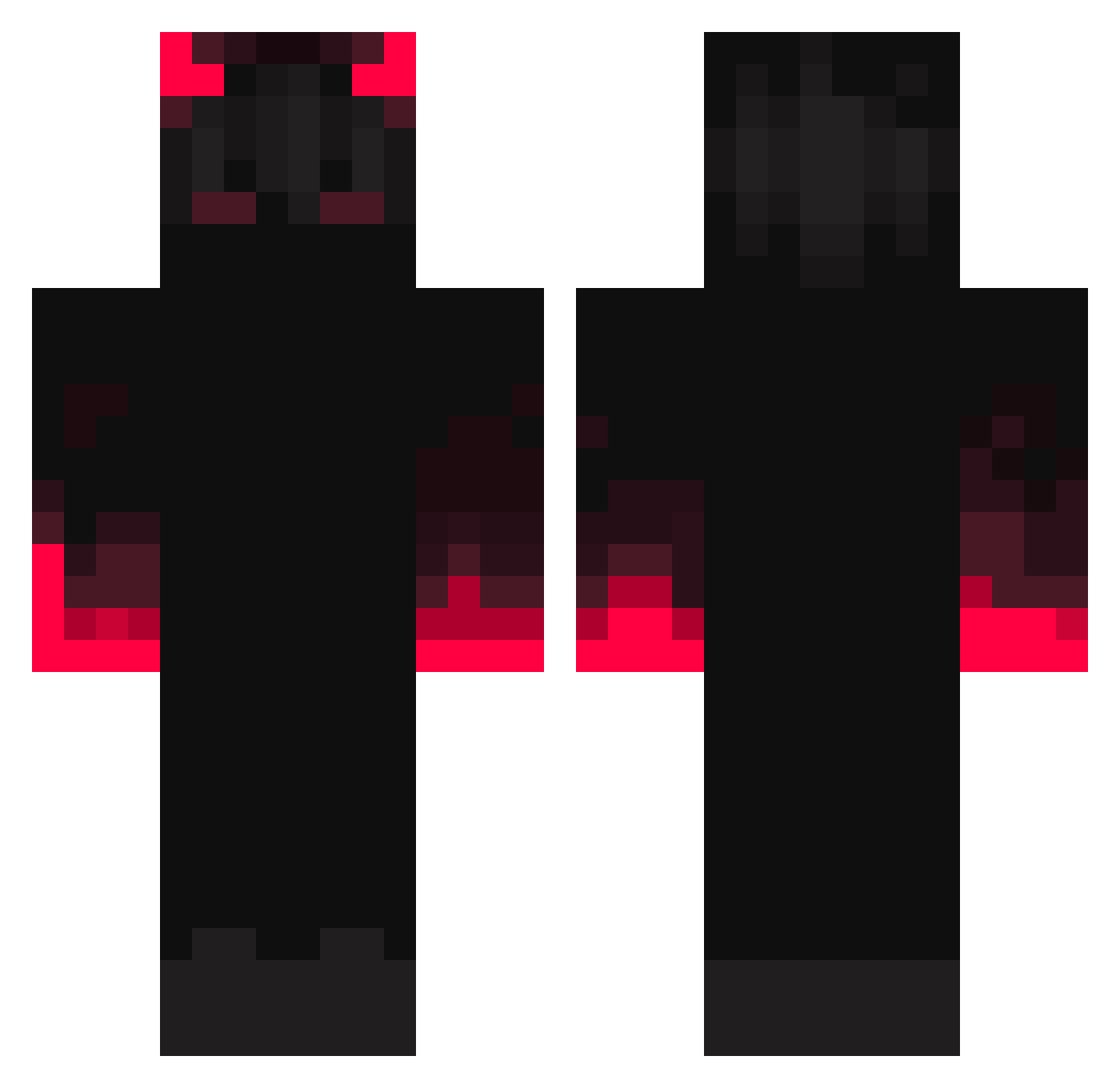
Other players with this skin (352)
Toxic2u was the 223rd player we have seen with this skin, first spotted on 05.10.2026. The same skin was seen on these players. Open a nickname to see their current skin and skin history.
 Sung_san Crozzrow PingPangPongg king11134 tinselcapybara4 Eveclipse DarkX18 HTRF markgaming84 XnatsX66 snusi DaanEX4 Chirrisvilla denis36356 webber870531 78Chiva miso_soup69 Tyenz F_Joseph Kreaning FrobertDowneyJR MKyuubi _Naad noldsn pitdot AngelChaz kubson63 StayRoXX 888CronoS888 SrOnne JunweiZhou TypozedI YT_Edvin DiazDiablos BlackAndres2711 _itsking SPX_eltro221 Yourboilevi coen_197 Maddummy1234 Xie_Loupie_Xie cintexbeta Mastercoryn Sudankorkanbalk LarsOvereem1998 leopardbadboll zKalizeer AutobotsRoll Yuechii66 BlackStarts Stella_191919 Good_White_King EpsyLaZ Dauntless_CZE nhgv2c Korkmaz Chilldeinenuget NART55823 MegaGamer21566 steph13490
More Fire Minecraft skins
How to install the Toxic2u skin
- Press the Download button above to save the skin as a PNG file.
- Minecraft: Bedrock Edition (PE): open the Dressing Room from the main menu (or tap your character → Edit Character), go to Classic Skins → Owned, press the + (new skin) button, choose the downloaded PNG and pick the Classic (Steve) model. Works on PC and mobile; consoles cannot import custom skins.
- Minecraft: Java Edition: open the Minecraft Launcher, go to the Skins tab, click New Skin, load the PNG, pick the Classic (Steve) model and press Save & Use. You can also upload it at minecraft.net → Profile → Change Skin.
The skin does not show up after import - what should I do?
Restart Minecraft and open the Dressing Room again - imported skins sometimes appear only after a restart. Also make sure you selected the imported skin and picked the Classic (Steve) model.
Which model should I choose, Classic or Slim?
This skin is designed for the Classic (Steve) model. If you pick the wrong model, the arms of the skin will look stretched or squeezed.
Is the skin of Toxic2u free to download?
Yes. Press Download, save the PNG file and use it in Minecraft: Bedrock Edition or Java Edition - no payment or registration needed. The skin also works on multiplayer servers and Realms.
More skins
Looking for more? Go back to all Minecraft skins and check the top skins of the week, month and all time, or find any player's skin by nickname.