
ThuKhoaALL - Minecraft Skins & Skin History
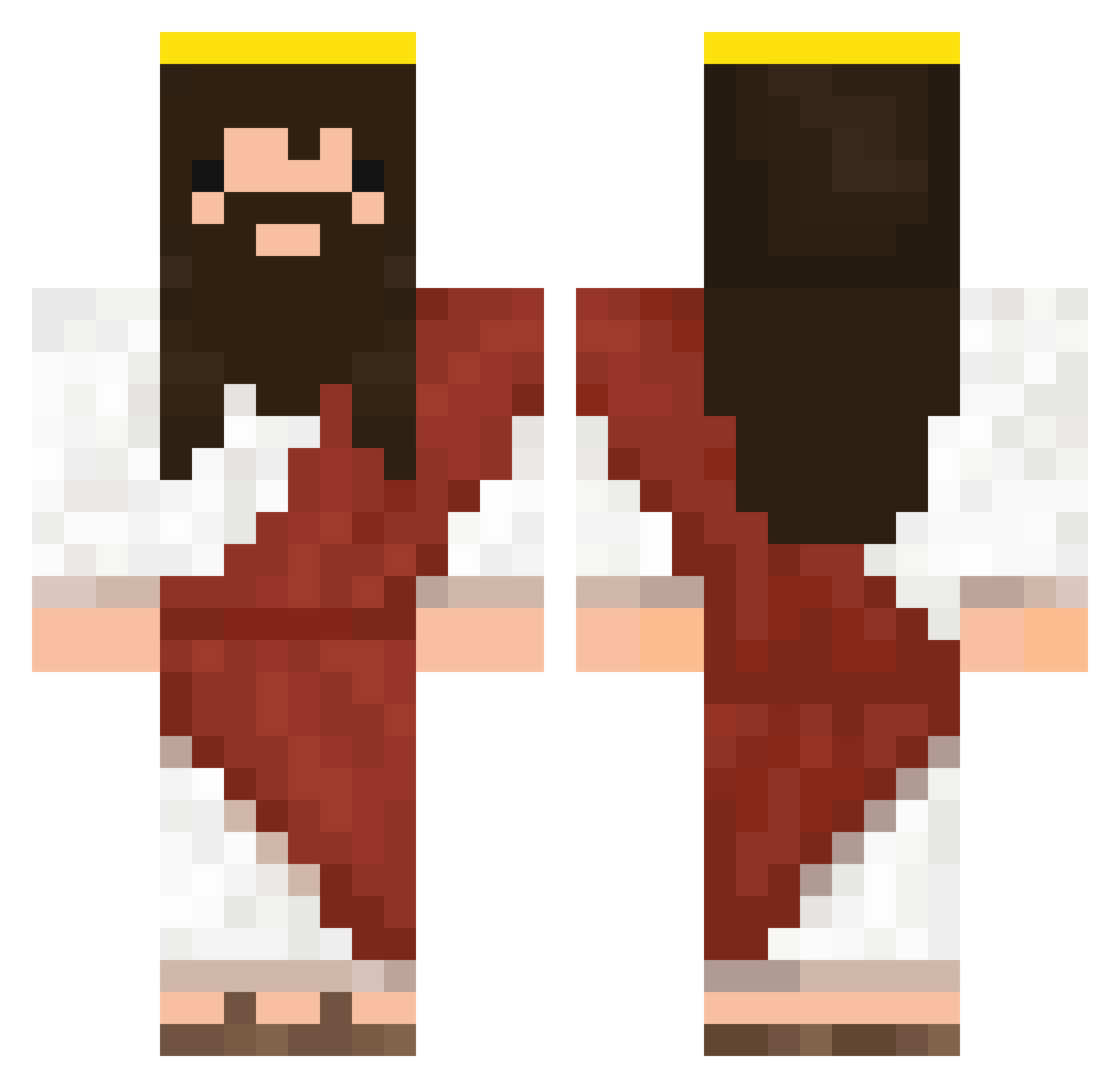
Current Minecraft skin of the player ThuKhoaALL, loaded from the official Mojang API. Rotate the 3D model with your mouse or finger, then download the skin as a PNG file and use it in Minecraft: Bedrock Edition or Java Edition for free. When ThuKhoaALL changes their skin, this page updates automatically and the old skin stays in the history below.
Other players with this skin (333)
ThuKhoaALL was the 75th player we have seen with this skin, first spotted on 16.08.2026. The same skin was seen on these players. Open a nickname to see their current skin and skin history.
 jeffrey_P_bezos PapiPavel psteppa RNG_GOD_ROHITH CuraDelVatican0 MrMcMyster BiaGerogiannis punketboy TaoJeaw MR_NW IzaDon YisusQrist Contri0 nougatheornchen balinhaxx Desaz CheesusTheSavior Alessiucio DignitsPT wowowang M_Strand JarJarRings seuun__hun drewylouie TheSnob xejj AnthonyPTR stuvtrash ariolle Tomycapo123 Gentleman_Jesus JugoCepita21 LastJunkie zequH88 GangBull Kowal64 ohneSoseporfavor JesusVsGoku Rottehul beckerleo Seung_Uk Nath_Crafteur Davecas31 azmeldrum GandjaMan03 KoksKicktGrad kitpit_ Cool_bro1241 Raver23 cirogattuso Johanna_rdb Ant69 ilovecogi CONGGO Holy_Corn Starda62 eljonatito Sick_Luko Super_Rin THE_HACKERQ
More Jesus Minecraft skins
How to install the ThuKhoaALL skin
- Press the Download button above to save the skin as a PNG file.
- Minecraft: Bedrock Edition (PE): open the Dressing Room from the main menu (or tap your character → Edit Character), go to Classic Skins → Owned, press the + (new skin) button, choose the downloaded PNG and pick the Classic (Steve) model. Works on PC and mobile; consoles cannot import custom skins.
- Minecraft: Java Edition: open the Minecraft Launcher, go to the Skins tab, click New Skin, load the PNG, pick the Classic (Steve) model and press Save & Use. You can also upload it at minecraft.net → Profile → Change Skin.
The skin does not show up after import - what should I do?
Restart Minecraft and open the Dressing Room again - imported skins sometimes appear only after a restart. Also make sure you selected the imported skin and picked the Classic (Steve) model.
Which model should I choose, Classic or Slim?
This skin is designed for the Classic (Steve) model. If you pick the wrong model, the arms of the skin will look stretched or squeezed.
Is the skin of ThuKhoaALL free to download?
Yes. Press Download, save the PNG file and use it in Minecraft: Bedrock Edition or Java Edition - no payment or registration needed. The skin also works on multiplayer servers and Realms.
More skins
Looking for more? Go back to all Minecraft skins and check the top skins of the week, month and all time, or find any player's skin by nickname.