
Ssosad - Minecraft Skins & Skin History
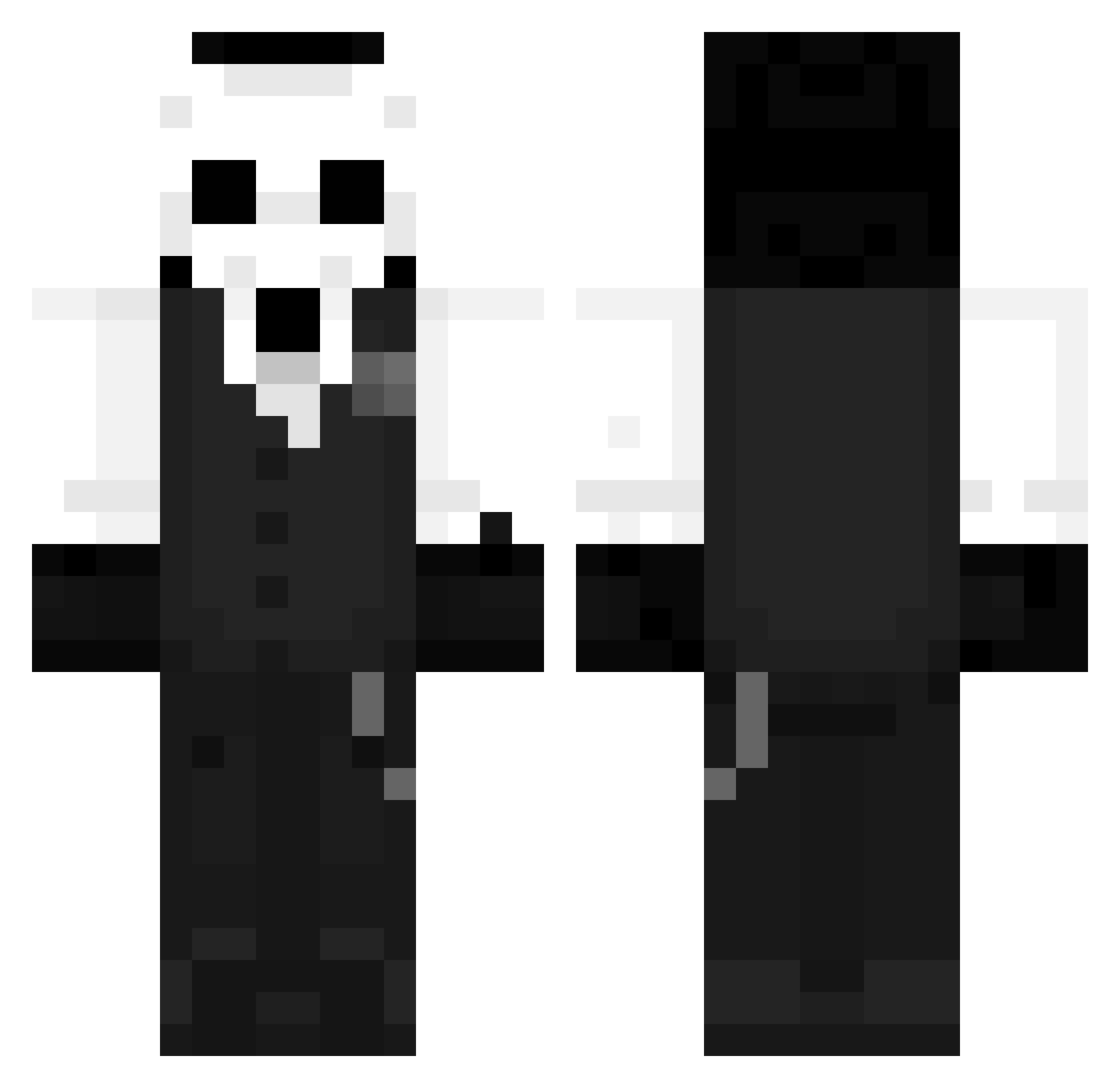
Current Minecraft skin of the player Ssosad, loaded from the official Mojang API. Rotate the 3D model with your mouse or finger, then download the skin as a PNG file and use it in Minecraft: Bedrock Edition or Java Edition for free. When Ssosad changes their skin, this page updates automatically and the old skin stays in the history below.
Other players with this skin (1260)
Ssosad was the 890th player we have seen with this skin, first spotted on 11.10.2026. The same skin was seen on these players. Open a nickname to see their current skin and skin history.
 BroTat019 Lima_dv_ hawk0ut TeTbroly lmmnb CCharger31 Gabriel993 Arraesz Aryw FiMTo mike5801 Papanister2 WhiteVero06 CHUDYDRAN Ggang_woo Paulune96 bigshark Sopr4nas magicMonster_ ES_TEBAN_06 Socko420 ChankHD chertilio Fershzzmkeery martineptic AtlasBlacki Arrez_youtube x4ca JanWoov EuReka10113 KbaT_ godiwl_6216 AzraelAbr Spowlx_TX0 JustVro Nexus3369 Jon_wow Anishrai Natan12488 lts_Fuzion Sangridr BOX345 PAKKUN_C Darkroses05 SeventhReaper DestinMiX Jozise FallenPresident YotoAZN sidwntm Josiahjojo Glitcheo owllishman Logenmaster3000 CristianYTC ihaverabies69 Voidedoflife mizuhaara bockknight Blxizz
More Sans Minecraft skins
How to install the Ssosad skin
- Press the Download button above to save the skin as a PNG file.
- Minecraft: Bedrock Edition (PE): open the Dressing Room from the main menu (or tap your character → Edit Character), go to Classic Skins → Owned, press the + (new skin) button, choose the downloaded PNG and pick the Classic (Steve) model. Works on PC and mobile; consoles cannot import custom skins.
- Minecraft: Java Edition: open the Minecraft Launcher, go to the Skins tab, click New Skin, load the PNG, pick the Classic (Steve) model and press Save & Use. You can also upload it at minecraft.net → Profile → Change Skin.
The skin does not show up after import - what should I do?
Restart Minecraft and open the Dressing Room again - imported skins sometimes appear only after a restart. Also make sure you selected the imported skin and picked the Classic (Steve) model.
Which model should I choose, Classic or Slim?
This skin is designed for the Classic (Steve) model. If you pick the wrong model, the arms of the skin will look stretched or squeezed.
Is the skin of Ssosad free to download?
Yes. Press Download, save the PNG file and use it in Minecraft: Bedrock Edition or Java Edition - no payment or registration needed. The skin also works on multiplayer servers and Realms.
More skins
Looking for more? Go back to all Minecraft skins and check the top skins of the week, month and all time, or find any player's skin by nickname.