
SrVersion - Minecraft Skins & Skin History
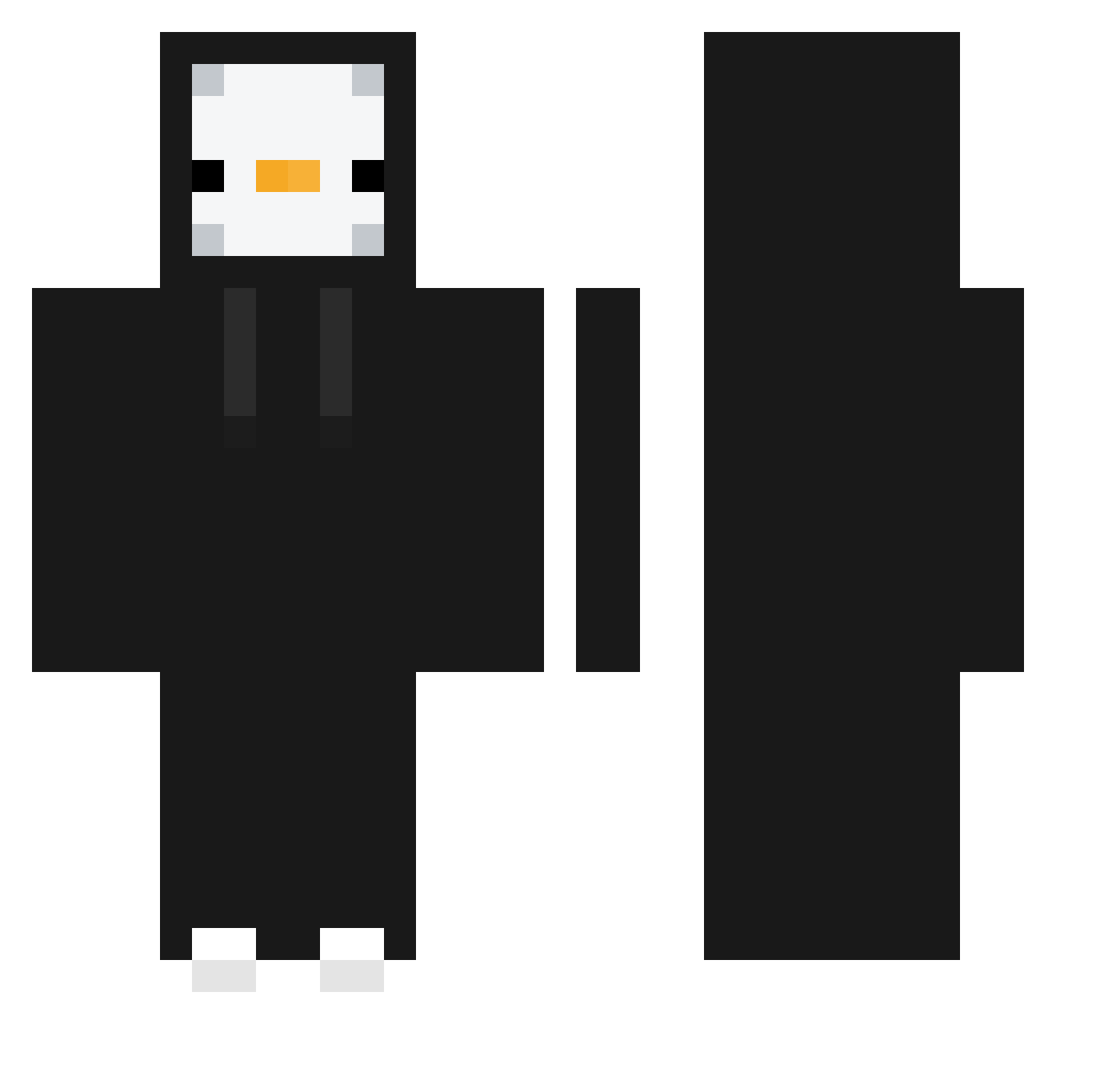
Current Minecraft skin of the player SrVersion, loaded from the official Mojang API. Rotate the 3D model with your mouse or finger, then download the skin as a PNG file and use it in Minecraft: Bedrock Edition or Java Edition for free. When SrVersion changes their skin, this page updates automatically and the old skin stays in the history below.
Other players with this skin (372)
SrVersion was the 202nd player we have seen with this skin, first spotted on 18.09.2026. The same skin was seen on these players. Open a nickname to see their current skin and skin history.
 pagpage1007 waffls13 heian_ Quiet_tin astaro_XD _MrAZbec1k Synomii ThreeGangNang2 Seco_yt luckykung154 dog51748 ghdud1290 XX_Onix_XX KOPS_0517 xDogel2137 si_yeon1114 Siwy495 BBCalzone niko_rybicki2012 NORANG_21 Ricedrink1212 lmeads JARNOSCH858858 TussalKnight618 joon_321 200g_wtf xZappone rainbowfish0326 Acilia35 mdk_Chefe CristianOrtegonx Razano Magicbed123 Jaydos03 JeanMP soobin0913 kyfami Pogrebushka Mini03Jonny PopCheeseDude One_Sir andfine1619 OfficialEdition ZaboHala Round03 ILLPoint2U Putrefacto558 eunha323 Liquidsnake55 tamoomoo1234 xedo_Mahler ELPANACHOCO PlanetDestoryer 1njeolm1 Baziinga_ been17 DanPog quartzp madarson leCraftHD
More Penguin Minecraft skins
How to install the SrVersion skin
- Press the Download button above to save the skin as a PNG file.
- Minecraft: Bedrock Edition (PE): open the Dressing Room from the main menu (or tap your character → Edit Character), go to Classic Skins → Owned, press the + (new skin) button, choose the downloaded PNG and pick the Classic (Steve) model. Works on PC and mobile; consoles cannot import custom skins.
- Minecraft: Java Edition: open the Minecraft Launcher, go to the Skins tab, click New Skin, load the PNG, pick the Classic (Steve) model and press Save & Use. You can also upload it at minecraft.net → Profile → Change Skin.
The skin does not show up after import - what should I do?
Restart Minecraft and open the Dressing Room again - imported skins sometimes appear only after a restart. Also make sure you selected the imported skin and picked the Classic (Steve) model.
Which model should I choose, Classic or Slim?
This skin is designed for the Classic (Steve) model. If you pick the wrong model, the arms of the skin will look stretched or squeezed.
Is the skin of SrVersion free to download?
Yes. Press Download, save the PNG file and use it in Minecraft: Bedrock Edition or Java Edition - no payment or registration needed. The skin also works on multiplayer servers and Realms.
More skins
Looking for more? Go back to all Minecraft skins and check the top skins of the week, month and all time, or find any player's skin by nickname.