
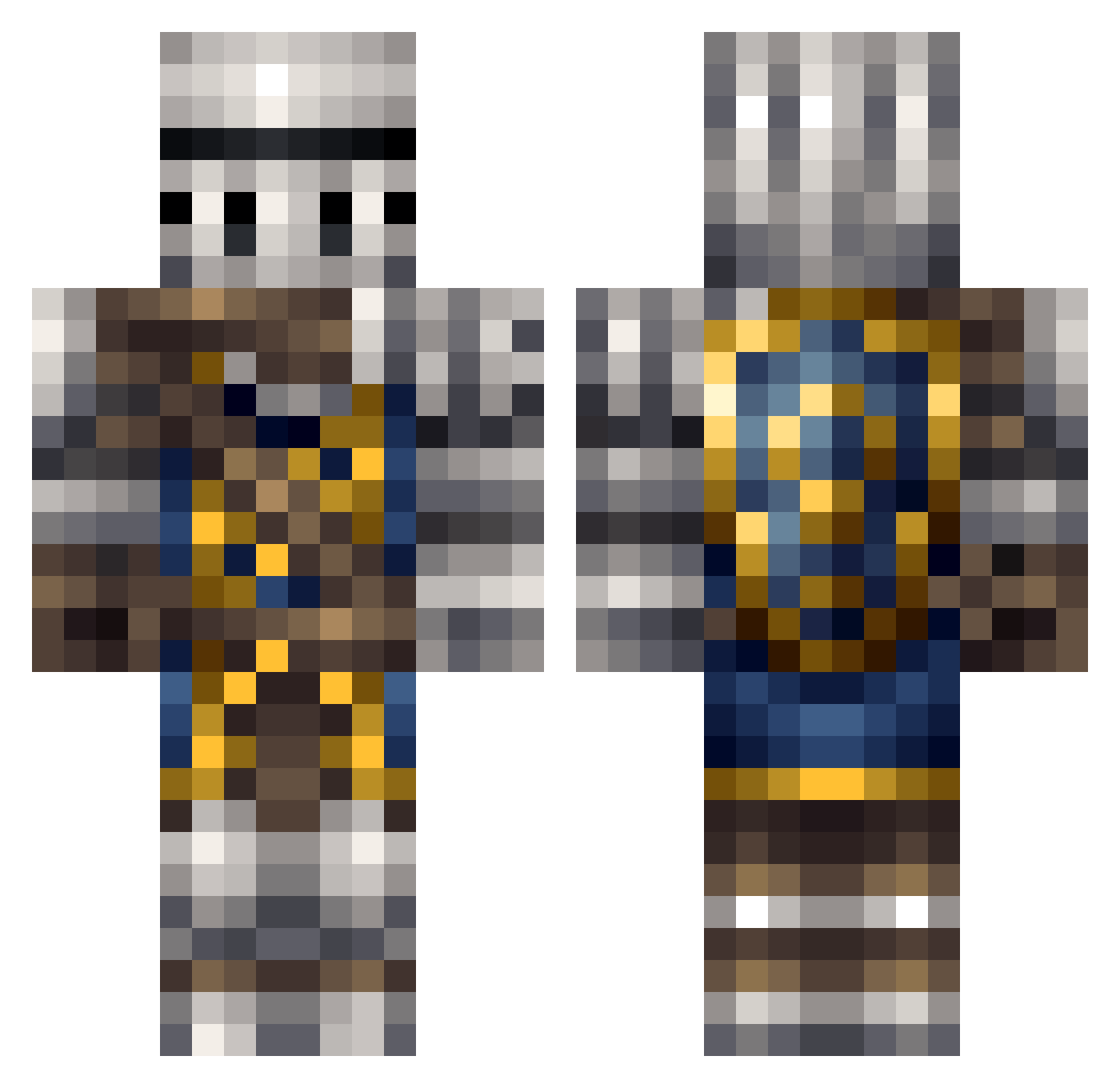
Current Minecraft skin of the player SoVoided, loaded from the official Mojang API. Rotate the 3D model with your mouse or finger, then download the skin as a PNG file and use it in Minecraft: Bedrock Edition or Java Edition for free. When SoVoided changes their skin, this page updates automatically and the old skin stays in the history below.
Other players with this skin (196)
SoVoided was the 170th player we have seen with this skin, first spotted on 04.10.2026. The same skin was seen on these players. Open a nickname to see their current skin and skin history.
 Silberkreuz sheldon31222 Mr_Vinter David41004 MoltyBleed Sc0wler Wyvernknight5O Daniel_647 kinsace Karaiwasabi LauL315 PhonkHD ZephyoFire The_swords_ _Space_Invader_ BotCPU ferrieferfer CactusWormhole03 Meowmix76 Onable bubblegoth Doons99 TheAsia02 Gnomisswe98 Oceda Strix22 King_Eagle69 fortydays Einstein_12 SirHonorableTTV nhhaloman DragonKing_123 GamingPeepaw TomBombad1l INFIZTR DToushi Dufstr doorknobdeity AXooTY TiberioMagno Robbro Yadol joymountain _Akuma_san reyshan PinkSeas0n Andrakkk BrandonPH EstusEnjoyer Glimglam123 Drangleiker AshFY114514 GoulishFiend514 Slireon rpg_fps_mmo Kernalpoppin Bellkingdom UnknownError42 Cragg4 smh0421
More Shield Minecraft skins
How to install the SoVoided skin
- Press the Download button above to save the skin as a PNG file.
- Minecraft: Bedrock Edition (PE): open the Dressing Room from the main menu (or tap your character → Edit Character), go to Classic Skins → Owned, press the + (new skin) button, choose the downloaded PNG and pick the Classic (Steve) model. Works on PC and mobile; consoles cannot import custom skins.
- Minecraft: Java Edition: open the Minecraft Launcher, go to the Skins tab, click New Skin, load the PNG, pick the Classic (Steve) model and press Save & Use. You can also upload it at minecraft.net → Profile → Change Skin.
The skin does not show up after import - what should I do?
Restart Minecraft and open the Dressing Room again - imported skins sometimes appear only after a restart. Also make sure you selected the imported skin and picked the Classic (Steve) model.
Which model should I choose, Classic or Slim?
This skin is designed for the Classic (Steve) model. If you pick the wrong model, the arms of the skin will look stretched or squeezed.
Is the skin of SoVoided free to download?
Yes. Press Download, save the PNG file and use it in Minecraft: Bedrock Edition or Java Edition - no payment or registration needed. The skin also works on multiplayer servers and Realms.
More skins
Looking for more? Go back to all Minecraft skins and check the top skins of the week, month and all time, or find any player's skin by nickname.