
Shady_Bales15 - Minecraft Skins & Skin History
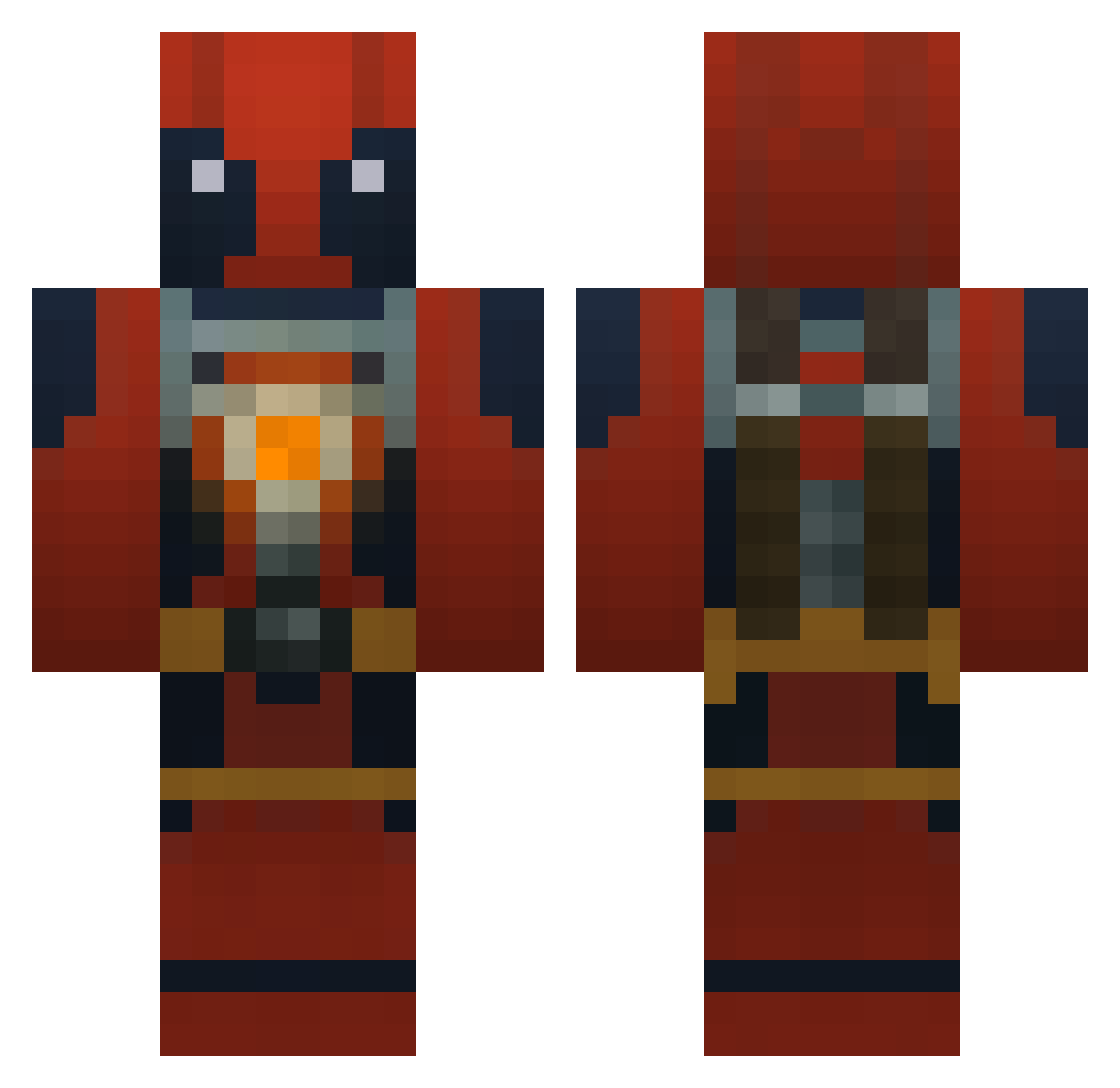
Current Minecraft skin of the player Shady_Bales15, loaded from the official Mojang API. Rotate the 3D model with your mouse or finger, then download the skin as a PNG file and use it in Minecraft: Bedrock Edition or Java Edition for free. When Shady_Bales15 changes their skin, this page updates automatically and the old skin stays in the history below.
Other players with this skin (772)
Shady_Bales15 was the 741st player we have seen with this skin, first spotted on 20.10.2026. The same skin was seen on these players. Open a nickname to see their current skin and skin history.
 martinekse Electic_nachos deadpoollord238 rodderz6279 Mr_Legend09 nodoze79 Carnage945 8647 SocialistWulfy DemonicMonkeys iRiinox20 Onibakeru DragonEmperor7 zorg996 Shark_Bait89 iiPlayerOne Sjiewie EBreezy247 pro_zombie228 alexw519 BigJim69 chickenboi17 Ppiper069 G4nx goldfish101bg ThatWasMyKil MIS_Willis CircleButton TwoFace202 Tastra monkeykid43 ahsu21 shortbread4 frankgonewild cjl27 winter203 RandomRoburt LEROYMASSI landshark3737 lclaus DeadPool_Ninja57 Kamala3500 HarriGDMcc1999 LordB021 vbelur gtmuldowney sniperkiller2004 Condor62 LightningHacker Ludobaka gabe2314 Steves2233 Elpr05 Zivver Thunder_Ian NomNom_Dragon Devlinj tonyeffebaby777_ joefist56 Charbieee
More Deadpool Minecraft skins
How to install the Shady_Bales15 skin
- Press the Download button above to save the skin as a PNG file.
- Minecraft: Bedrock Edition (PE): open the Dressing Room from the main menu (or tap your character → Edit Character), go to Classic Skins → Owned, press the + (new skin) button, choose the downloaded PNG and pick the Classic (Steve) model. Works on PC and mobile; consoles cannot import custom skins.
- Minecraft: Java Edition: open the Minecraft Launcher, go to the Skins tab, click New Skin, load the PNG, pick the Classic (Steve) model and press Save & Use. You can also upload it at minecraft.net → Profile → Change Skin.
The skin does not show up after import - what should I do?
Restart Minecraft and open the Dressing Room again - imported skins sometimes appear only after a restart. Also make sure you selected the imported skin and picked the Classic (Steve) model.
Which model should I choose, Classic or Slim?
This skin is designed for the Classic (Steve) model. If you pick the wrong model, the arms of the skin will look stretched or squeezed.
Is the skin of Shady_Bales15 free to download?
Yes. Press Download, save the PNG file and use it in Minecraft: Bedrock Edition or Java Edition - no payment or registration needed. The skin also works on multiplayer servers and Realms.
More skins
Looking for more? Go back to all Minecraft skins and check the top skins of the week, month and all time, or find any player's skin by nickname.