
Sammmathy - Minecraft Skins & Skin History
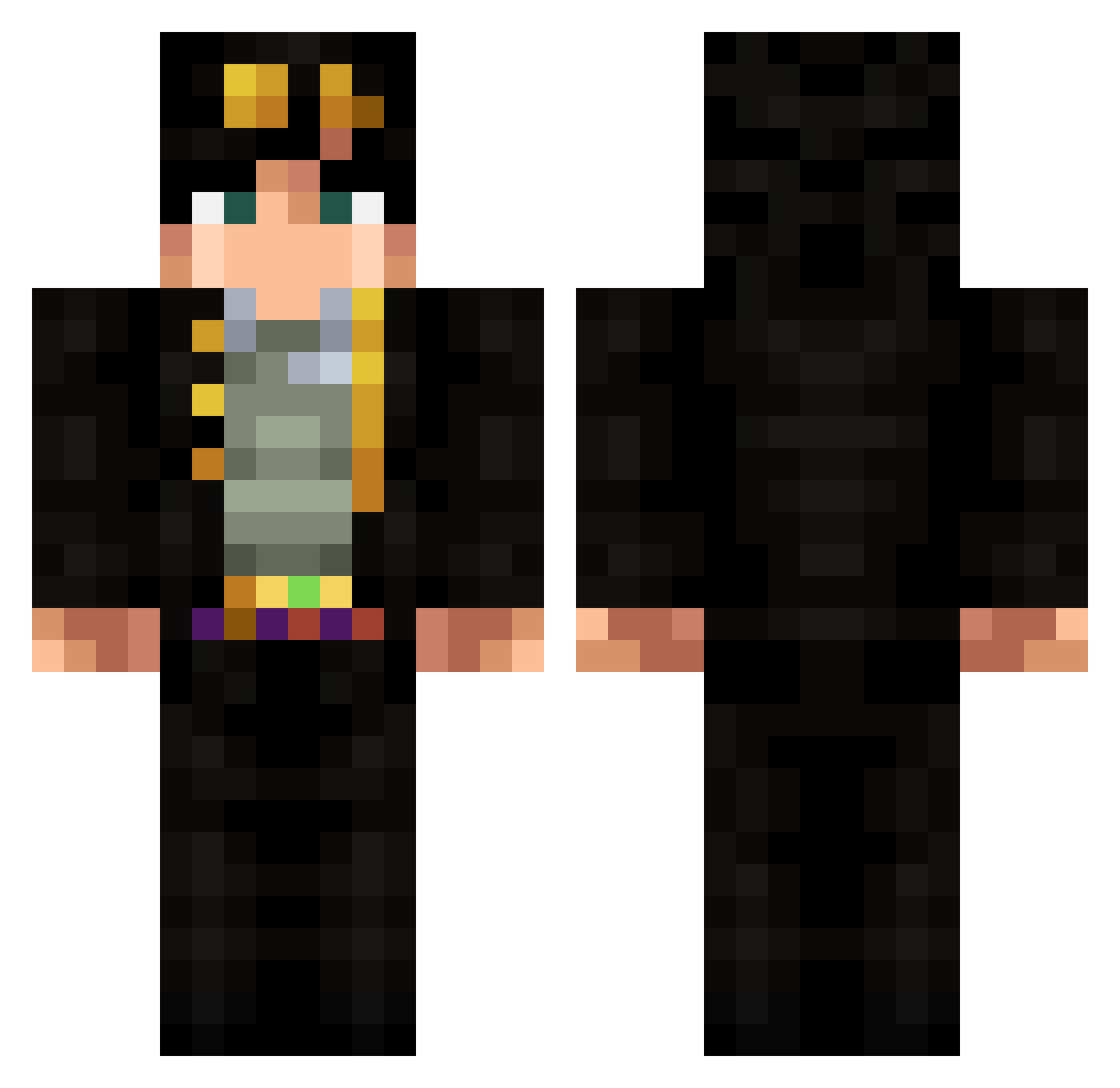
Current Minecraft skin of the player Sammmathy, loaded from the official Mojang API. Rotate the 3D model with your mouse or finger, then download the skin as a PNG file and use it in Minecraft: Bedrock Edition or Java Edition for free. When Sammmathy changes their skin, this page updates automatically and the old skin stays in the history below.
Other players with this skin (318)
Sammmathy was the 103rd player we have seen with this skin, first spotted on 27.08.2026. The same skin was seen on these players. Open a nickname to see their current skin and skin history.
 Davo_Ram JotaroKujo000998 Ninja_Gamer_13 shuochen108 EclairDamour Lucas17214 JoBeastMode BarytonSaxophone Naniba_10 Papillon2Nuit NarkAC Just_Revy_ aquarius111 LionBeds TruenoPanda Yung_OuO Ferry_21 joejos Cassitu gisp5 Adrunf TOMO50cc Eugenios15 JenryDrw ProfessorBob12 ImYaman_ Okimusan RissCrew OhnoRedGuy ultrachill1 doyoumiss Authenthicc arena55 zen_samaa11 Esquiloso CaramelZaddy Gandalf_The_Dank AsDaddyCool EnderMarshall ARNOCC odska fathememe ddalex0302 _Prozet_ pompel187 YamatoFR Cnock1 Daveweeb AudioClicker UnderKunV2 taquito2 Panzer__kunst Wiktorek2002PL SUCHULEE LaVagos nch33 Daniel460 almond247 tyostyos NotSunken
More Jotaro Kujo Minecraft skins
How to install the Sammmathy skin
- Press the Download button above to save the skin as a PNG file.
- Minecraft: Bedrock Edition (PE): open the Dressing Room from the main menu (or tap your character → Edit Character), go to Classic Skins → Owned, press the + (new skin) button, choose the downloaded PNG and pick the Classic (Steve) model. Works on PC and mobile; consoles cannot import custom skins.
- Minecraft: Java Edition: open the Minecraft Launcher, go to the Skins tab, click New Skin, load the PNG, pick the Classic (Steve) model and press Save & Use. You can also upload it at minecraft.net → Profile → Change Skin.
The skin does not show up after import - what should I do?
Restart Minecraft and open the Dressing Room again - imported skins sometimes appear only after a restart. Also make sure you selected the imported skin and picked the Classic (Steve) model.
Which model should I choose, Classic or Slim?
This skin is designed for the Classic (Steve) model. If you pick the wrong model, the arms of the skin will look stretched or squeezed.
Is the skin of Sammmathy free to download?
Yes. Press Download, save the PNG file and use it in Minecraft: Bedrock Edition or Java Edition - no payment or registration needed. The skin also works on multiplayer servers and Realms.
More skins
Looking for more? Go back to all Minecraft skins and check the top skins of the week, month and all time, or find any player's skin by nickname.