
RyanEsc - Minecraft Skins & Skin History
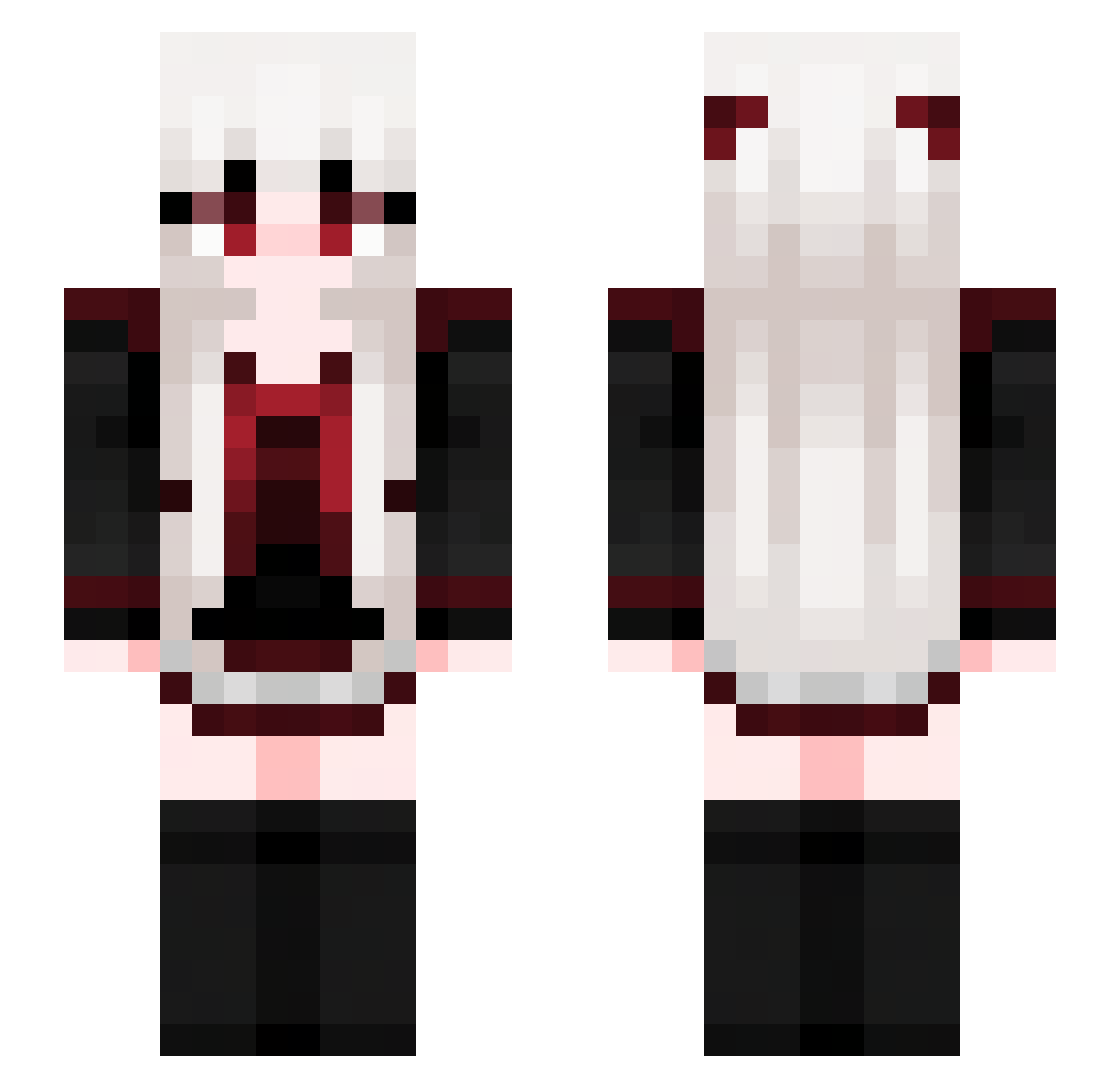
Current Minecraft skin of the player RyanEsc, loaded from the official Mojang API. Rotate the 3D model with your mouse or finger, then download the skin as a PNG file and use it in Minecraft: Bedrock Edition or Java Edition for free. When RyanEsc changes their skin, this page updates automatically and the old skin stays in the history below.
Other players with this skin (713)
RyanEsc was the 266th player we have seen with this skin, first spotted on 02.09.2026. The same skin was seen on these players. Open a nickname to see their current skin and skin history.
 Sakura_slk SuYeeee LL2039 NanGJingQ luvwjah KB_0128 HOMOAN chaos_www
 huanyuluo keepeout mideater onigiri21 HisKittenXOXO Lumi18 zzmuchen fhght JJUU1230 ruodian01 Xiao_ou rainbow31 cherry7646 LoougJygv eclipseszero li2350 00Fancy00 Zimo___ Samson0206 kaamf1 ColaFeather crazyysara R3AP3ER Lobazo89 kaplogo Leh1geeky JiYakuma KIM23_
 tlsgusdn1107 Samr17 MooN_Li9ht Nasterlack SUANRON pekolike mars0517 StarRNCold DiamondAirbar AlkaidLu FigmentCRy Nokayu69 xymyxm TushyTappa Perrizzless Pitaya777 Ondrein Kysuga heier Mad0728 _Kat_RiNka_ Mozi122 Julydust singlemomaddict
More Goth Minecraft skins
How to install the RyanEsc skin
- Press the Download button above to save the skin as a PNG file.
- Minecraft: Bedrock Edition (PE): open the Dressing Room from the main menu (or tap your character → Edit Character), go to Classic Skins → Owned, press the + (new skin) button, choose the downloaded PNG and pick the Slim (Alex) model. Works on PC and mobile; consoles cannot import custom skins.
- Minecraft: Java Edition: open the Minecraft Launcher, go to the Skins tab, click New Skin, load the PNG, pick the Slim (Alex) model and press Save & Use. You can also upload it at minecraft.net → Profile → Change Skin.
The skin does not show up after import - what should I do?
Restart Minecraft and open the Dressing Room again - imported skins sometimes appear only after a restart. Also make sure you selected the imported skin and picked the Slim (Alex) model.
Which model should I choose, Classic or Slim?
This skin is designed for the Slim (Alex) model. If you pick the wrong model, the arms of the skin will look stretched or squeezed.
Is the skin of RyanEsc free to download?
Yes. Press Download, save the PNG file and use it in Minecraft: Bedrock Edition or Java Edition - no payment or registration needed. The skin also works on multiplayer servers and Realms.
More skins
Looking for more? Go back to all Minecraft skins and check the top skins of the week, month and all time, or find any player's skin by nickname.