
RwCrash - Minecraft Skins & Skin History
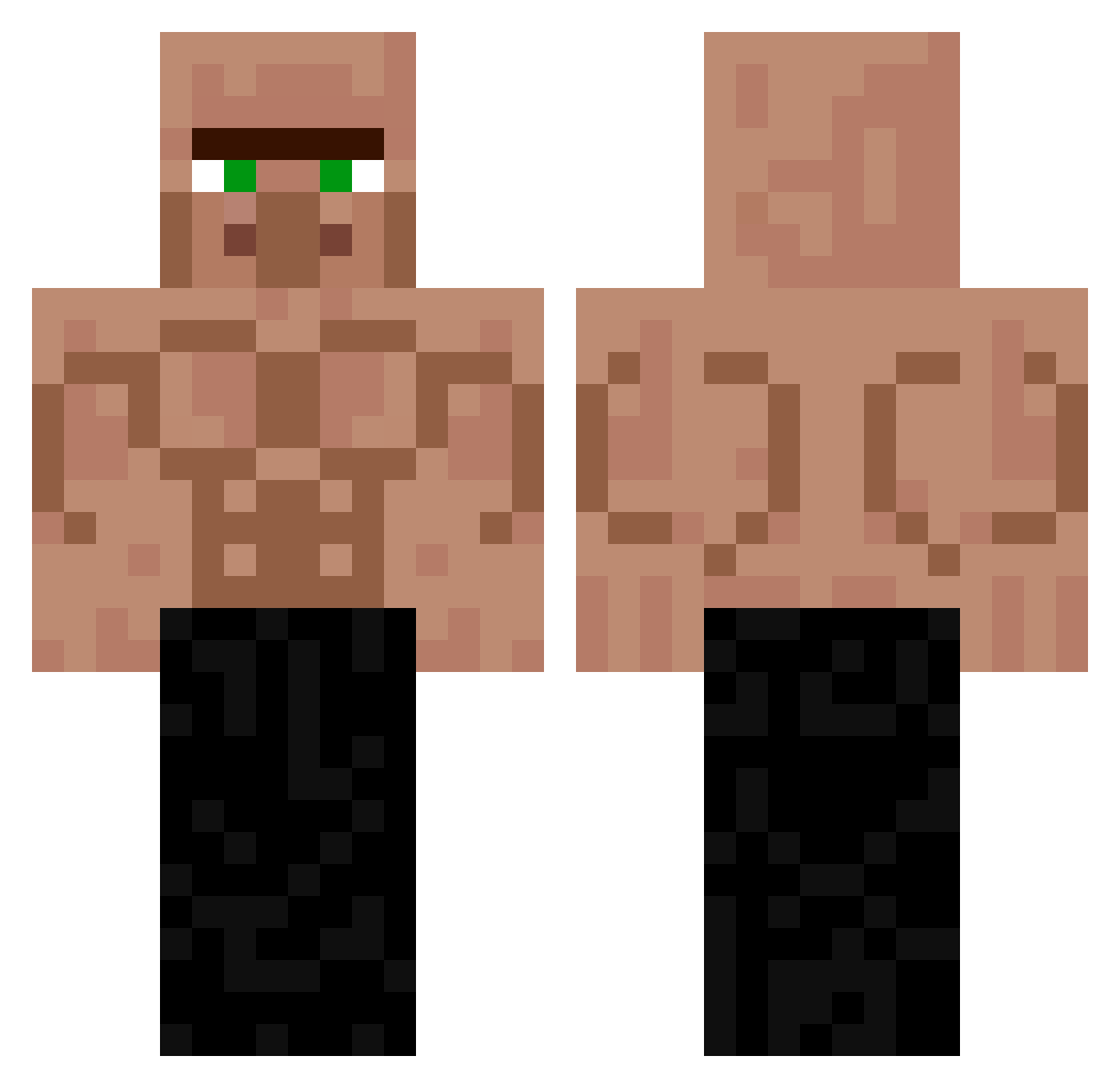
Current Minecraft skin of the player RwCrash, loaded from the official Mojang API. Rotate the 3D model with your mouse or finger, then download the skin as a PNG file and use it in Minecraft: Bedrock Edition or Java Edition for free. When RwCrash changes their skin, this page updates automatically and the old skin stays in the history below.
Other players with this skin (258)
RwCrash was the 186th player we have seen with this skin, first spotted on 05.10.2026. The same skin was seen on these players. Open a nickname to see their current skin and skin history.
 stupidisme1234 GioChiqo DrYoann _kizt_223 melo7x MrJoma2767 Zawadi4ka janebloom Veremus CRISTIAMVV May_Excal12 TLG4ming PolishZyzz RAFAELVNC Jhonatanmsc baekjiheonlove84 QuincyAce patoloko1628 krulpakretu Gabriel2011Gamer Gms2935 Jjok3r Steveminator Skoo2 P_larBear NefMao POLSKI_NINJA10 Qilgamesh layroxxx chipin0322 Skycrepper11 Nepotu19 Lxrs__03 Gumba4 Andy5687 F_K_A_ Floetenmann_ rakmanik2229 Gorilla18 fflloorraa DIEG0000D Zeckerys rqhi siikira sico1777 Guuss01 GamerOOMan99 szymcioatleta bronz1st MaximeCremona9 olekfifolek m0nat Nolanero ravenhold Franlute Lokus123 Wojciech2234 Darek_budowa Metalille09 PufferfishKonji
More Buff Minecraft skins
How to install the RwCrash skin
- Press the Download button above to save the skin as a PNG file.
- Minecraft: Bedrock Edition (PE): open the Dressing Room from the main menu (or tap your character → Edit Character), go to Classic Skins → Owned, press the + (new skin) button, choose the downloaded PNG and pick the Classic (Steve) model. Works on PC and mobile; consoles cannot import custom skins.
- Minecraft: Java Edition: open the Minecraft Launcher, go to the Skins tab, click New Skin, load the PNG, pick the Classic (Steve) model and press Save & Use. You can also upload it at minecraft.net → Profile → Change Skin.
The skin does not show up after import - what should I do?
Restart Minecraft and open the Dressing Room again - imported skins sometimes appear only after a restart. Also make sure you selected the imported skin and picked the Classic (Steve) model.
Which model should I choose, Classic or Slim?
This skin is designed for the Classic (Steve) model. If you pick the wrong model, the arms of the skin will look stretched or squeezed.
Is the skin of RwCrash free to download?
Yes. Press Download, save the PNG file and use it in Minecraft: Bedrock Edition or Java Edition - no payment or registration needed. The skin also works on multiplayer servers and Realms.
More skins
Looking for more? Go back to all Minecraft skins and check the top skins of the week, month and all time, or find any player's skin by nickname.