
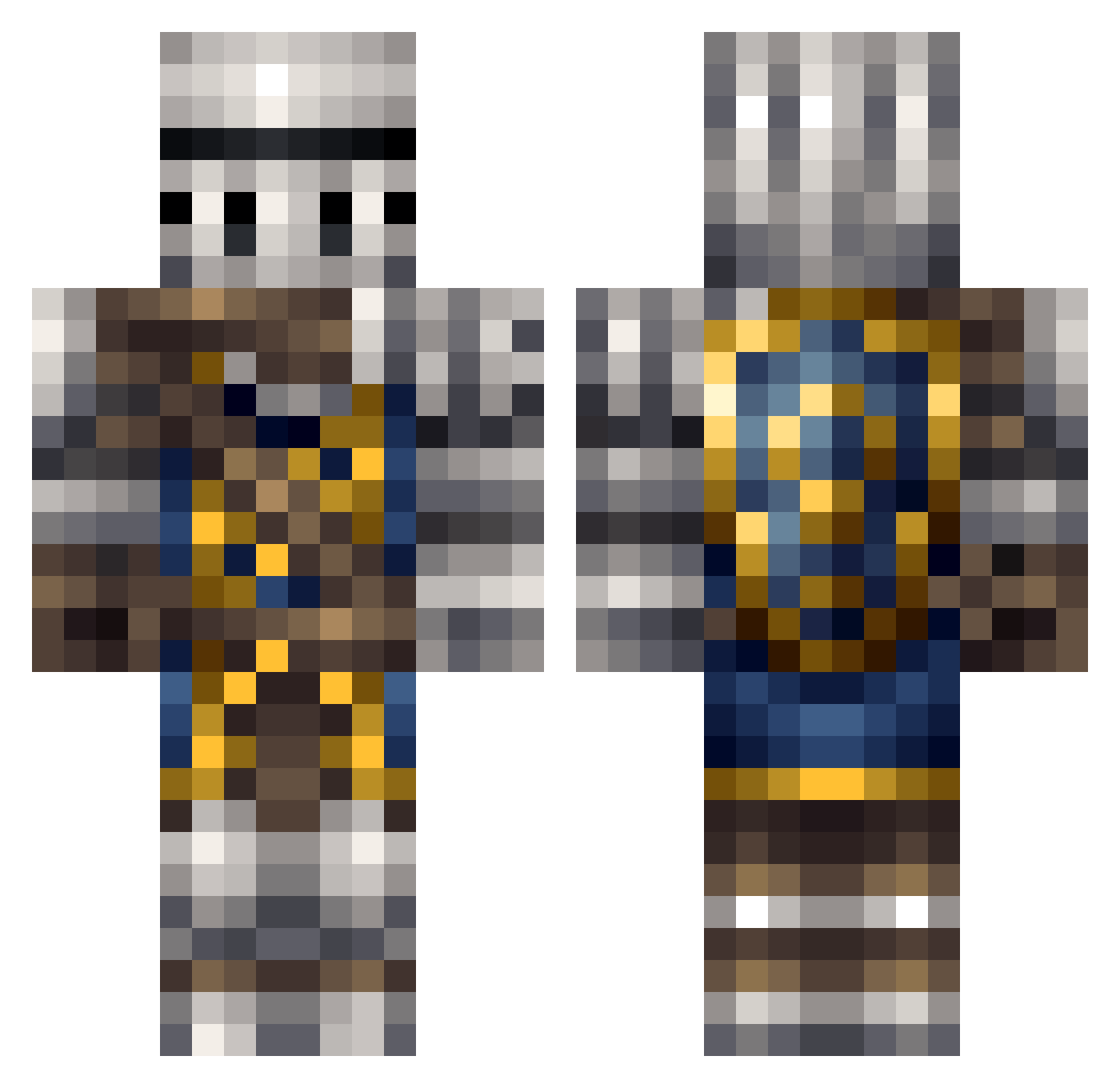
Current Minecraft skin of the player ProfuseAlloy867, loaded from the official Mojang API. Rotate the 3D model with your mouse or finger, then download the skin as a PNG file and use it in Minecraft: Bedrock Edition or Java Edition for free. When ProfuseAlloy867 changes their skin, this page updates automatically and the old skin stays in the history below.
Other players with this skin (196)
ProfuseAlloy867 was the 81st player we have seen with this skin, first spotted on 25.08.2026. The same skin was seen on these players. Open a nickname to see their current skin and skin history.
 medi_medi Zillich508 TK5462 P3dophilePvP Blender8998 defaulT_z oeiz Connster20 AgeDreion JoppestJack iFailatlife Wrigsley CABOSE_4 WyrdaLD BrokenIronFork S_TRIFER GwynSunbringer Dale8599 Tinker21m nov_pikachu Yuka_0 GeneralDaskus I_Spoks Fleepoperson ClockBasher bishibosh xHpqqjkd1 CardiacVirus RaccoonMasta Scallan LimePerson DeadbeamNetworks AzilaN1994 GodofDoja Lockpickup Lathori JarryKing Gr0ttman wartodeath Acksies JoakoZempai FIA_Hanks Sir__Bird Virozx CZ_SNIPER WaveringKAOS Ghalza dobbr guitarknight 24dawson Vladekz TeakFoutain795 LeyiShen Rock_Agony YourHelpBot Mr_B_Man Waibibab Demoniac_Jester Russano732 ComradeYuri96
More Shield Minecraft skins
How to install the ProfuseAlloy867 skin
- Press the Download button above to save the skin as a PNG file.
- Minecraft: Bedrock Edition (PE): open the Dressing Room from the main menu (or tap your character → Edit Character), go to Classic Skins → Owned, press the + (new skin) button, choose the downloaded PNG and pick the Classic (Steve) model. Works on PC and mobile; consoles cannot import custom skins.
- Minecraft: Java Edition: open the Minecraft Launcher, go to the Skins tab, click New Skin, load the PNG, pick the Classic (Steve) model and press Save & Use. You can also upload it at minecraft.net → Profile → Change Skin.
The skin does not show up after import - what should I do?
Restart Minecraft and open the Dressing Room again - imported skins sometimes appear only after a restart. Also make sure you selected the imported skin and picked the Classic (Steve) model.
Which model should I choose, Classic or Slim?
This skin is designed for the Classic (Steve) model. If you pick the wrong model, the arms of the skin will look stretched or squeezed.
Is the skin of ProfuseAlloy867 free to download?
Yes. Press Download, save the PNG file and use it in Minecraft: Bedrock Edition or Java Edition - no payment or registration needed. The skin also works on multiplayer servers and Realms.
More skins
Looking for more? Go back to all Minecraft skins and check the top skins of the week, month and all time, or find any player's skin by nickname.