
Poledica - Minecraft Skins & Skin History
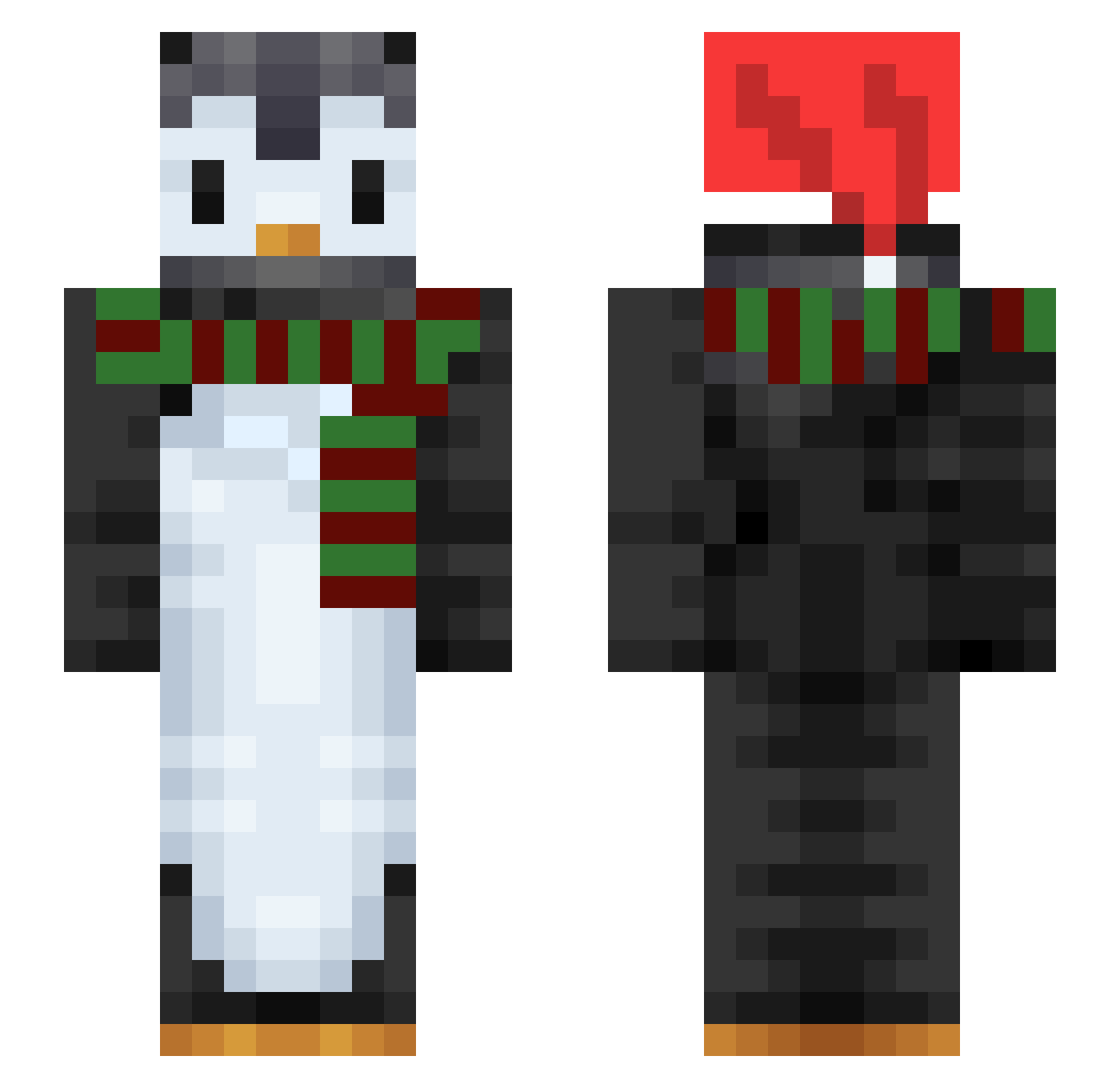
Current Minecraft skin of the player Poledica, loaded from the official Mojang API. Rotate the 3D model with your mouse or finger, then download the skin as a PNG file and use it in Minecraft: Bedrock Edition or Java Edition for free. When Poledica changes their skin, this page updates automatically and the old skin stays in the history below.
Other players with this skin (128)
Poledica was the 36th player we have seen with this skin, first spotted on 28.08.2026. The same skin was seen on these players. Open a nickname to see their current skin and skin history.
 MiloW2009 leonbeqiri TexDatPinguinGuy IzzyRules4 g3o5959 Strikken denisplaysftmc Candyland512 itxzrx MrJohn43 Penguin_Bub Kaunti_Chaos RomBomBulus SpaceCilantro HomeSchooling penguinpower365 bqr SapphireSt0ne skyrim100000 AB_Beast siwoo0809 Wilson303 Bamtols CaarlElias LuceLein TieDyeTyTy bingmin3 MacPingouin tidyline zu00485971 picasso89 xpenguiin letnor Popple123 DevBonnie timitimowitsch Midwayguy24 NimNackle Pingvin05 Slerkii kmac611 Blurr__1 Cordulegaster Chronaria Fuhnr jdog1345 JeffryLawton Xinsino Mayz18 Winchesty Deilig2 Nokyum Inel nxckbxrkhxrdt GaminByte WallyzStokedBro Pingvinkarl Naughty_America2 noir330 Barkely1
More Penguin Minecraft skins
How to install the Poledica skin
- Press the Download button above to save the skin as a PNG file.
- Minecraft: Bedrock Edition (PE): open the Dressing Room from the main menu (or tap your character → Edit Character), go to Classic Skins → Owned, press the + (new skin) button, choose the downloaded PNG and pick the Slim (Alex) model. Works on PC and mobile; consoles cannot import custom skins.
- Minecraft: Java Edition: open the Minecraft Launcher, go to the Skins tab, click New Skin, load the PNG, pick the Slim (Alex) model and press Save & Use. You can also upload it at minecraft.net → Profile → Change Skin.
The skin does not show up after import - what should I do?
Restart Minecraft and open the Dressing Room again - imported skins sometimes appear only after a restart. Also make sure you selected the imported skin and picked the Slim (Alex) model.
Which model should I choose, Classic or Slim?
This skin is designed for the Slim (Alex) model. If you pick the wrong model, the arms of the skin will look stretched or squeezed.
Is the skin of Poledica free to download?
Yes. Press Download, save the PNG file and use it in Minecraft: Bedrock Edition or Java Edition - no payment or registration needed. The skin also works on multiplayer servers and Realms.
More skins
Looking for more? Go back to all Minecraft skins and check the top skins of the week, month and all time, or find any player's skin by nickname.