
Pinguimmm - Minecraft Skins & Skin History
Current Minecraft skin of the player Pinguimmm, loaded from the official Mojang API. Rotate the 3D model with your mouse or finger, then download the skin as a PNG file and use it in Minecraft: Bedrock Edition or Java Edition for free. When Pinguimmm changes their skin, this page updates automatically and the old skin stays in the history below.
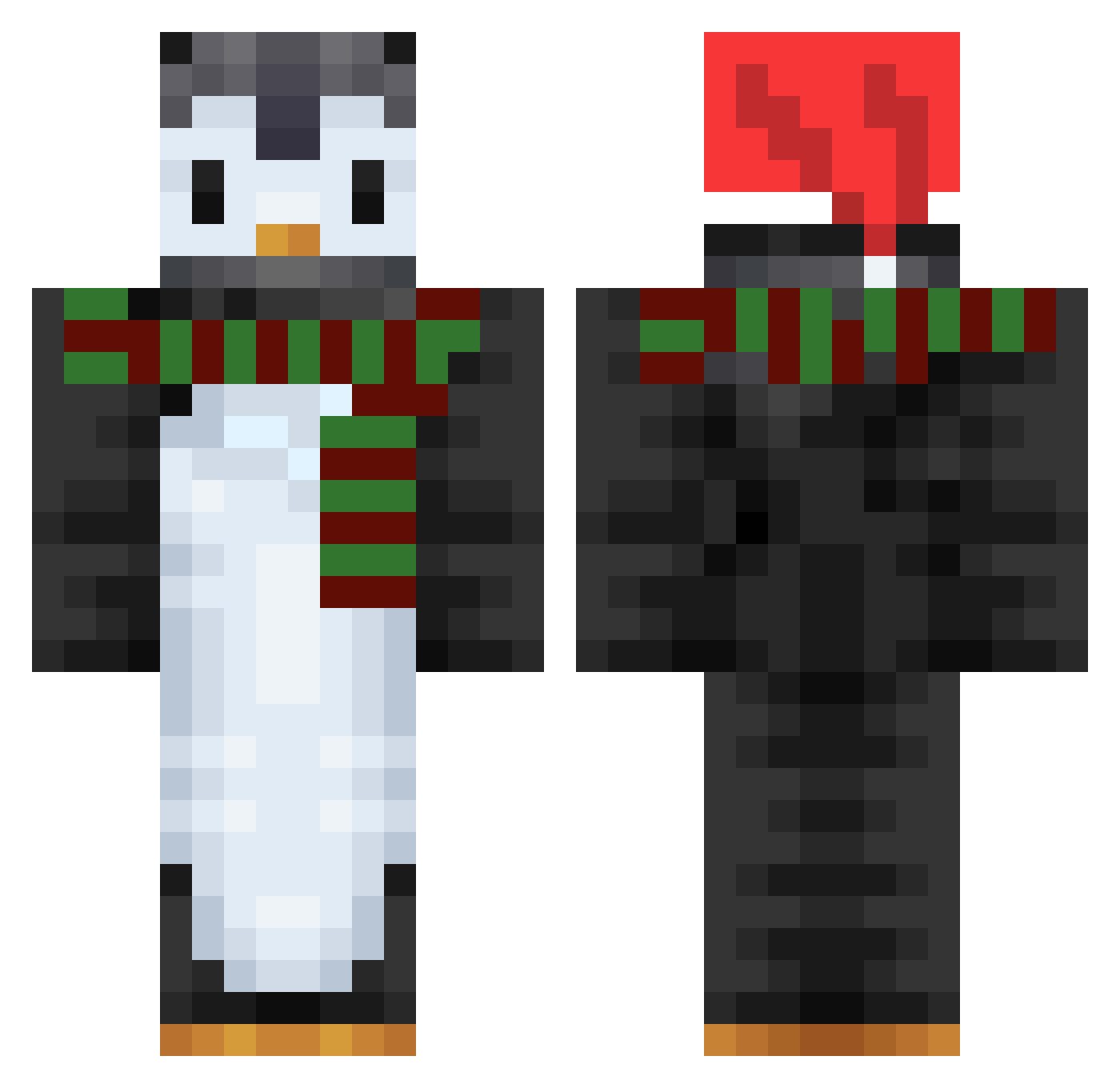
Other players with this skin (753)
Pinguimmm was the 309th player we have seen with this skin, first spotted on 11.09.2026. The same skin was seen on these players. Open a nickname to see their current skin and skin history.
 YoonSang067 Jaason88 pc2212 Bodaka_ AmberisCool5 JunJun72 Rint0_o Cemmagessen LuxiFuxi Fast2Root Nabizachi ricarmarques00 Tommyboy122 FutureMC Leonardos_tacos Varebot SSong1128 fill_out _MrDark hilposhon123 builddd ItsDeev TheCalion60 Rapphii DayeonJeong BrewMaster60 GS6014 ThePenguinPro11 PenguinKid001 melen09 Derstede dydgk hit861 juice_awa votreveet zukashixx A3r0dynamic Cha1n666 Reden5 Didl21 nicerguy777 BLOVV BOBZXGG ggong_juya Marco_roron QuuEnki Penguins_r_us4 Dragana0 KillTheGuard ButterMan693 Talee Biza_Baer Frostedly nansasil onlyfans6 omiiiin Hajcus_8 Double_circle AwimbaWeh ParPorpoise3781
More Penguin Minecraft skins
How to install the Pinguimmm skin
- Press the Download button above to save the skin as a PNG file.
- Minecraft: Bedrock Edition (PE): open the Dressing Room from the main menu (or tap your character → Edit Character), go to Classic Skins → Owned, press the + (new skin) button, choose the downloaded PNG and pick the Classic (Steve) model. Works on PC and mobile; consoles cannot import custom skins.
- Minecraft: Java Edition: open the Minecraft Launcher, go to the Skins tab, click New Skin, load the PNG, pick the Classic (Steve) model and press Save & Use. You can also upload it at minecraft.net → Profile → Change Skin.
The skin does not show up after import - what should I do?
Restart Minecraft and open the Dressing Room again - imported skins sometimes appear only after a restart. Also make sure you selected the imported skin and picked the Classic (Steve) model.
Which model should I choose, Classic or Slim?
This skin is designed for the Classic (Steve) model. If you pick the wrong model, the arms of the skin will look stretched or squeezed.
Is the skin of Pinguimmm free to download?
Yes. Press Download, save the PNG file and use it in Minecraft: Bedrock Edition or Java Edition - no payment or registration needed. The skin also works on multiplayer servers and Realms.
More skins
Looking for more? Go back to all Minecraft skins and check the top skins of the week, month and all time, or find any player's skin by nickname.