
Pingouini10_ - Minecraft Skins & Skin History
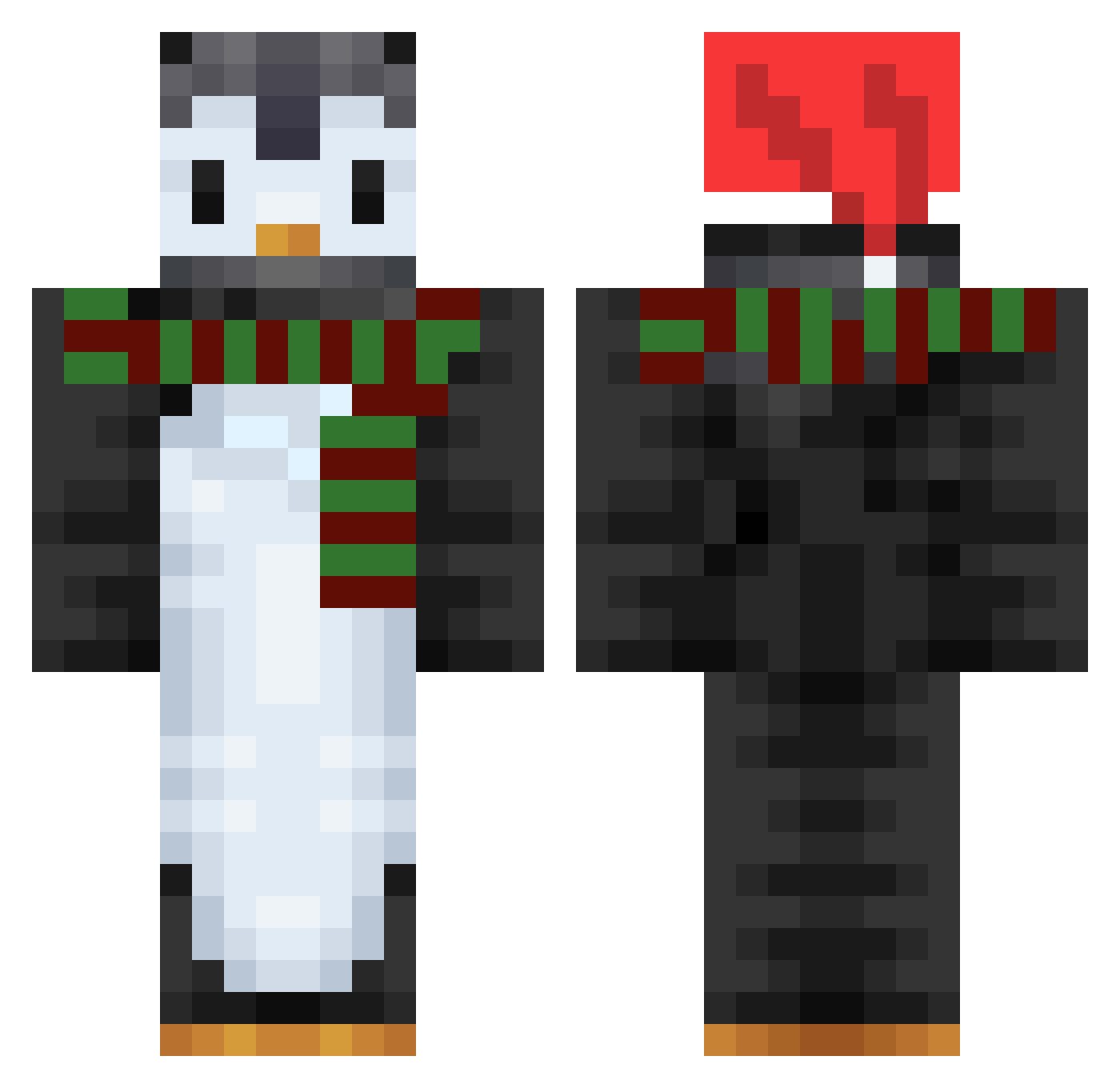
Current Minecraft skin of the player Pingouini10_, loaded from the official Mojang API. Rotate the 3D model with your mouse or finger, then download the skin as a PNG file and use it in Minecraft: Bedrock Edition or Java Edition for free. When Pingouini10_ changes their skin, this page updates automatically and the old skin stays in the history below.
Other players with this skin (752)
Pingouini10_ was the 538th player we have seen with this skin, first spotted on 10.10.2026. The same skin was seen on these players. Open a nickname to see their current skin and skin history.
 ckddlf PenguIcy bendavid03 Jum34 Pacelittle BrettCrazy8 Sunjax TankDestroyer001 LineQuard maecoyu _Koto__ ore299 TheOnlyMix Kfumi LXY222ghyy Zwergi2002 taeri06 Hikakari0530 JonasGGT xysteel Drome1 CHO_93 rainy_windly GatorBait8 Penguinsamy _hubi_123 batmann77 Pedrin_Malvadeza MiNeMiCZ Acha112 colorful_fish Otto1 heeya_owo wangwangyue ChristinaH_ VICTORVEGETABLE WIREEeeee poofiepenguin Studiousfilly12 DarkBlueSunSet killerseb989 maxfeng_ _Grison_ CANTERELLE D4rkp3ngu1n ClayHinton 3SU Petro3x Schlottrix Ph4se Albblf bobby_shmurda1 NalMani PhatPenguinz shirou1629 FiRrows LLJSixer Rungast yMikia_ jianan999
More Penguin Minecraft skins
How to install the Pingouini10_ skin
- Press the Download button above to save the skin as a PNG file.
- Minecraft: Bedrock Edition (PE): open the Dressing Room from the main menu (or tap your character → Edit Character), go to Classic Skins → Owned, press the + (new skin) button, choose the downloaded PNG and pick the Classic (Steve) model. Works on PC and mobile; consoles cannot import custom skins.
- Minecraft: Java Edition: open the Minecraft Launcher, go to the Skins tab, click New Skin, load the PNG, pick the Classic (Steve) model and press Save & Use. You can also upload it at minecraft.net → Profile → Change Skin.
The skin does not show up after import - what should I do?
Restart Minecraft and open the Dressing Room again - imported skins sometimes appear only after a restart. Also make sure you selected the imported skin and picked the Classic (Steve) model.
Which model should I choose, Classic or Slim?
This skin is designed for the Classic (Steve) model. If you pick the wrong model, the arms of the skin will look stretched or squeezed.
Is the skin of Pingouini10_ free to download?
Yes. Press Download, save the PNG file and use it in Minecraft: Bedrock Edition or Java Edition - no payment or registration needed. The skin also works on multiplayer servers and Realms.
More skins
Looking for more? Go back to all Minecraft skins and check the top skins of the week, month and all time, or find any player's skin by nickname.