
Phtiv - Minecraft Skins & Skin History
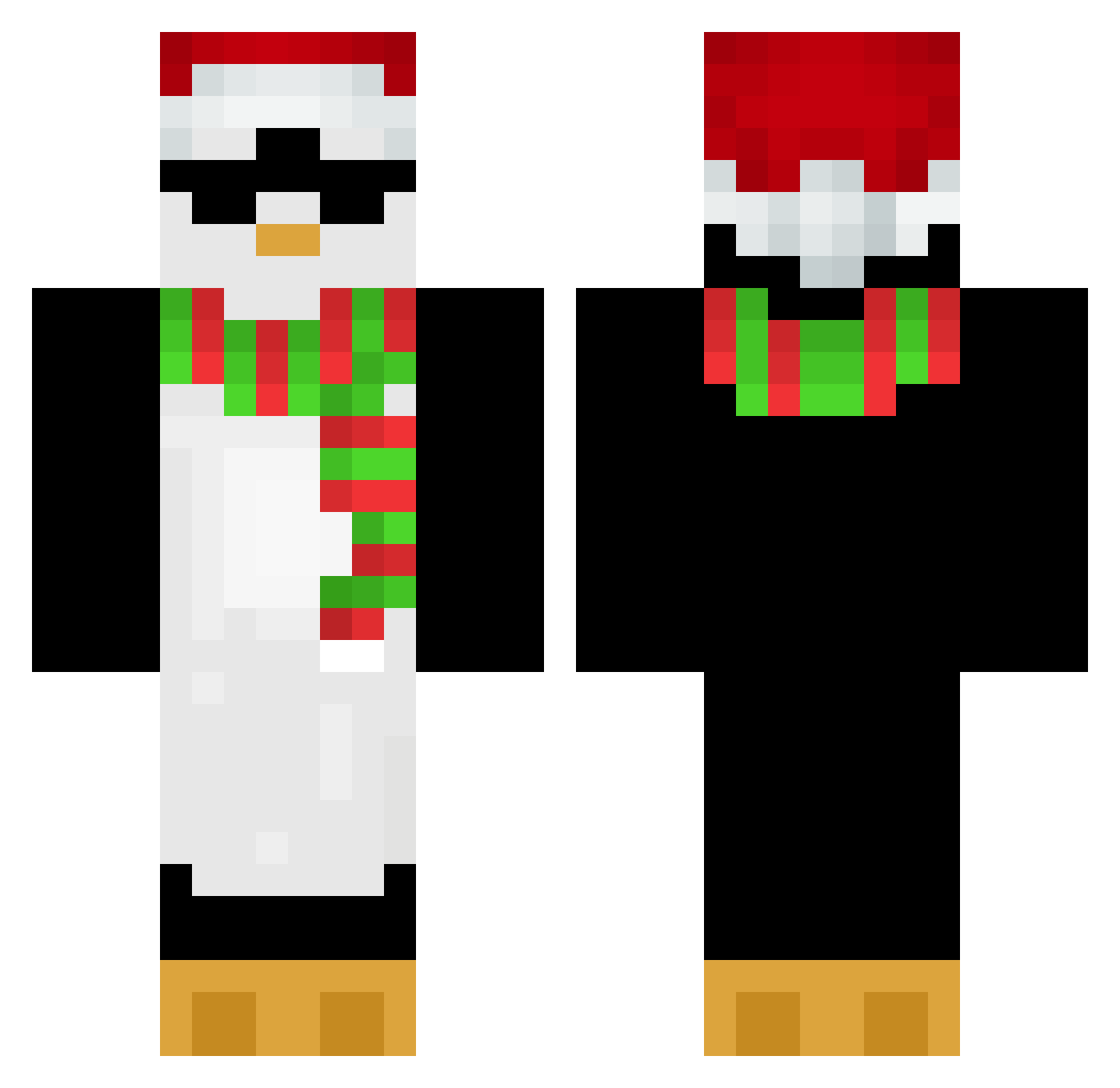
Current Minecraft skin of the player Phtiv, loaded from the official Mojang API. Rotate the 3D model with your mouse or finger, then download the skin as a PNG file and use it in Minecraft: Bedrock Edition or Java Edition for free. When Phtiv changes their skin, this page updates automatically and the old skin stays in the history below.
Other players with this skin (653)
Phtiv was the 93rd player we have seen with this skin, first spotted on 07.08.2026. The same skin was seen on these players. Open a nickname to see their current skin and skin history.
 case1455fan 726433 TjackWille _kwk VELGIES Kace_Maroo stoziu555 AlmightyLelo zozo2425 ddani_an
 dududududd Beepity_Boop ROSBY_ RainbowFrostyy2 EnergySpray LEGANDF ExS1lvr zjurex
 swampasshh LuckyOn144hz ZozoOof Airbane spiderman0502 Bardock196 0MintPanda0 jaspertjuh101 Szymon1908 pentarou4 Natlulz Just_Papon PiquanteBeef tsiopa momiji1102 Pinguiny46 ThiccD0nkey5 PakaMaka eafuysikv32 joaojapa22 bro1234_2 Acebedin SHADOWMONARCH786 Bulli_08 Doffeen Bomi07 Niraan shenayi summerbeach381 ELITEG1NGER F4GGI icedred132 Aenergyjs trogdor31700 dreammoonlight AbueloESP baplooo Carter1217 erlcs StanLee_Cap willdavid1210 Loola5313
More Penguin Minecraft skins
How to install the Phtiv skin
- Press the Download button above to save the skin as a PNG file.
- Minecraft: Bedrock Edition (PE): open the Dressing Room from the main menu (or tap your character → Edit Character), go to Classic Skins → Owned, press the + (new skin) button, choose the downloaded PNG and pick the Classic (Steve) model. Works on PC and mobile; consoles cannot import custom skins.
- Minecraft: Java Edition: open the Minecraft Launcher, go to the Skins tab, click New Skin, load the PNG, pick the Classic (Steve) model and press Save & Use. You can also upload it at minecraft.net → Profile → Change Skin.
The skin does not show up after import - what should I do?
Restart Minecraft and open the Dressing Room again - imported skins sometimes appear only after a restart. Also make sure you selected the imported skin and picked the Classic (Steve) model.
Which model should I choose, Classic or Slim?
This skin is designed for the Classic (Steve) model. If you pick the wrong model, the arms of the skin will look stretched or squeezed.
Is the skin of Phtiv free to download?
Yes. Press Download, save the PNG file and use it in Minecraft: Bedrock Edition or Java Edition - no payment or registration needed. The skin also works on multiplayer servers and Realms.
More skins
Looking for more? Go back to all Minecraft skins and check the top skins of the week, month and all time, or find any player's skin by nickname.