
PenguinKn1ght - Minecraft Skins & Skin History
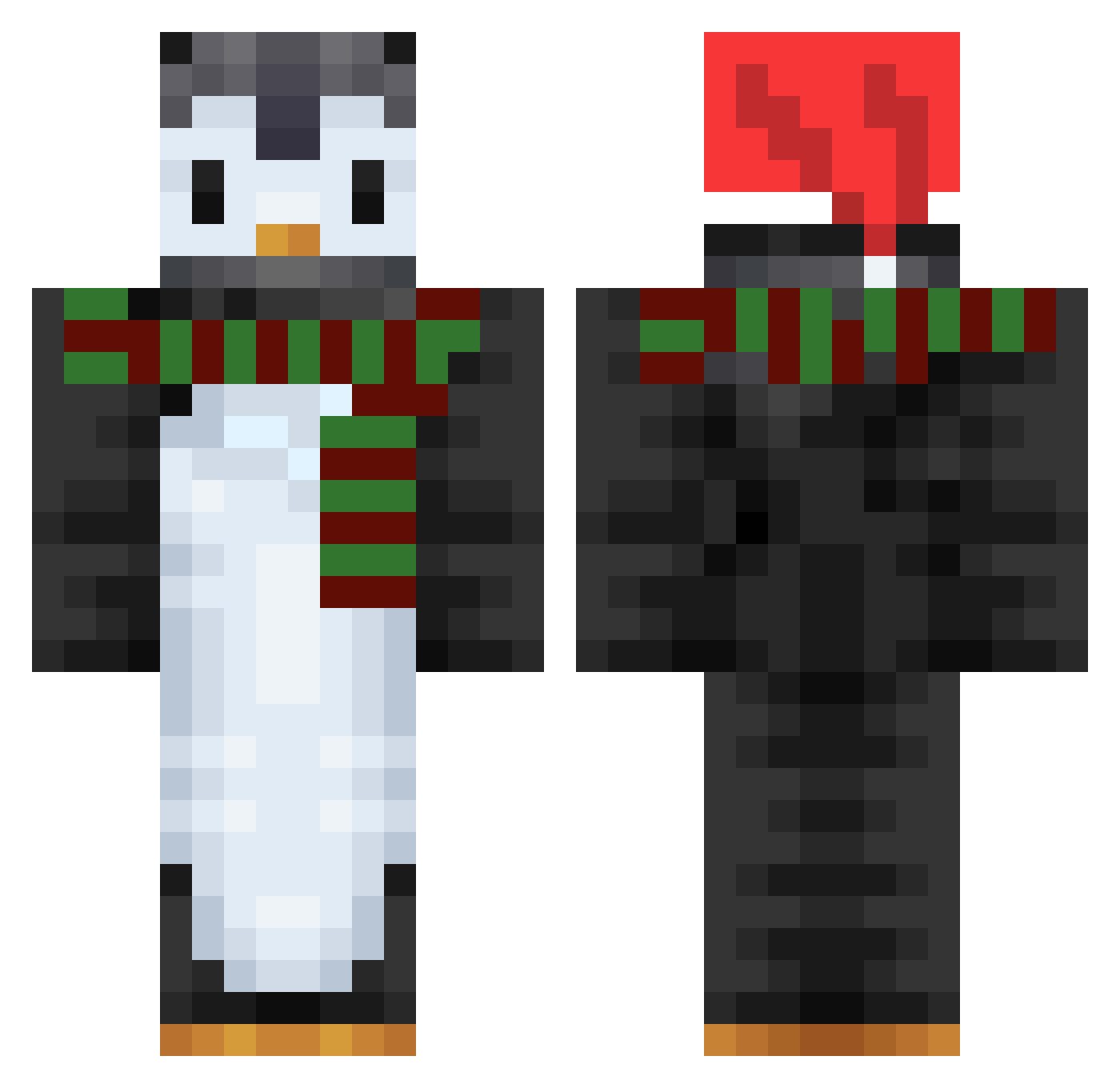
Current Minecraft skin of the player PenguinKn1ght, loaded from the official Mojang API. Rotate the 3D model with your mouse or finger, then download the skin as a PNG file and use it in Minecraft: Bedrock Edition or Java Edition for free. When PenguinKn1ght changes their skin, this page updates automatically and the old skin stays in the history below.
Other players with this skin (753)
PenguinKn1ght was the 378th player we have seen with this skin, first spotted on 21.09.2026. The same skin was seen on these players. Open a nickname to see their current skin and skin history.
 SiLavinia BlackSnake224 hikaria6 Tomato1281 Arai0 norsusohvalla benjamin2409 Taegong21 ARedFlag chaoshuaiya_1111 Hongkuk deliaaa12 Bazzul aqfreely Afterwire44 DASAMss HollowGuy88 parkmath1 Scolbik WS_silvia spotcandl SaltyPenguin99 Flower_chen marabottt Vanishrz mystery_Lee xRiksZ SammeMMII One_Good_Viking pingu_nut_nut saberclaw40 DaniPop88 pen_g_win soyeon0504 Nomorekids4u Axeraer Coolgolf1 Cruelson21 Nyo_ong ErYazi Aqueous2427 Glumthrower8221 AJikhars gamstfan Ka_o QQSTV DEBBY1234 olympus9851 LuDeadPool GuntaXD Zesty_Penguin 1JJunseo Kaijeda d298d8 l_erha_skadi_f ChebstR Quaqqer alan0124 winterwren2022 HoppyPenguin25
More Penguin Minecraft skins
How to install the PenguinKn1ght skin
- Press the Download button above to save the skin as a PNG file.
- Minecraft: Bedrock Edition (PE): open the Dressing Room from the main menu (or tap your character → Edit Character), go to Classic Skins → Owned, press the + (new skin) button, choose the downloaded PNG and pick the Classic (Steve) model. Works on PC and mobile; consoles cannot import custom skins.
- Minecraft: Java Edition: open the Minecraft Launcher, go to the Skins tab, click New Skin, load the PNG, pick the Classic (Steve) model and press Save & Use. You can also upload it at minecraft.net → Profile → Change Skin.
The skin does not show up after import - what should I do?
Restart Minecraft and open the Dressing Room again - imported skins sometimes appear only after a restart. Also make sure you selected the imported skin and picked the Classic (Steve) model.
Which model should I choose, Classic or Slim?
This skin is designed for the Classic (Steve) model. If you pick the wrong model, the arms of the skin will look stretched or squeezed.
Is the skin of PenguinKn1ght free to download?
Yes. Press Download, save the PNG file and use it in Minecraft: Bedrock Edition or Java Edition - no payment or registration needed. The skin also works on multiplayer servers and Realms.
More skins
Looking for more? Go back to all Minecraft skins and check the top skins of the week, month and all time, or find any player's skin by nickname.