
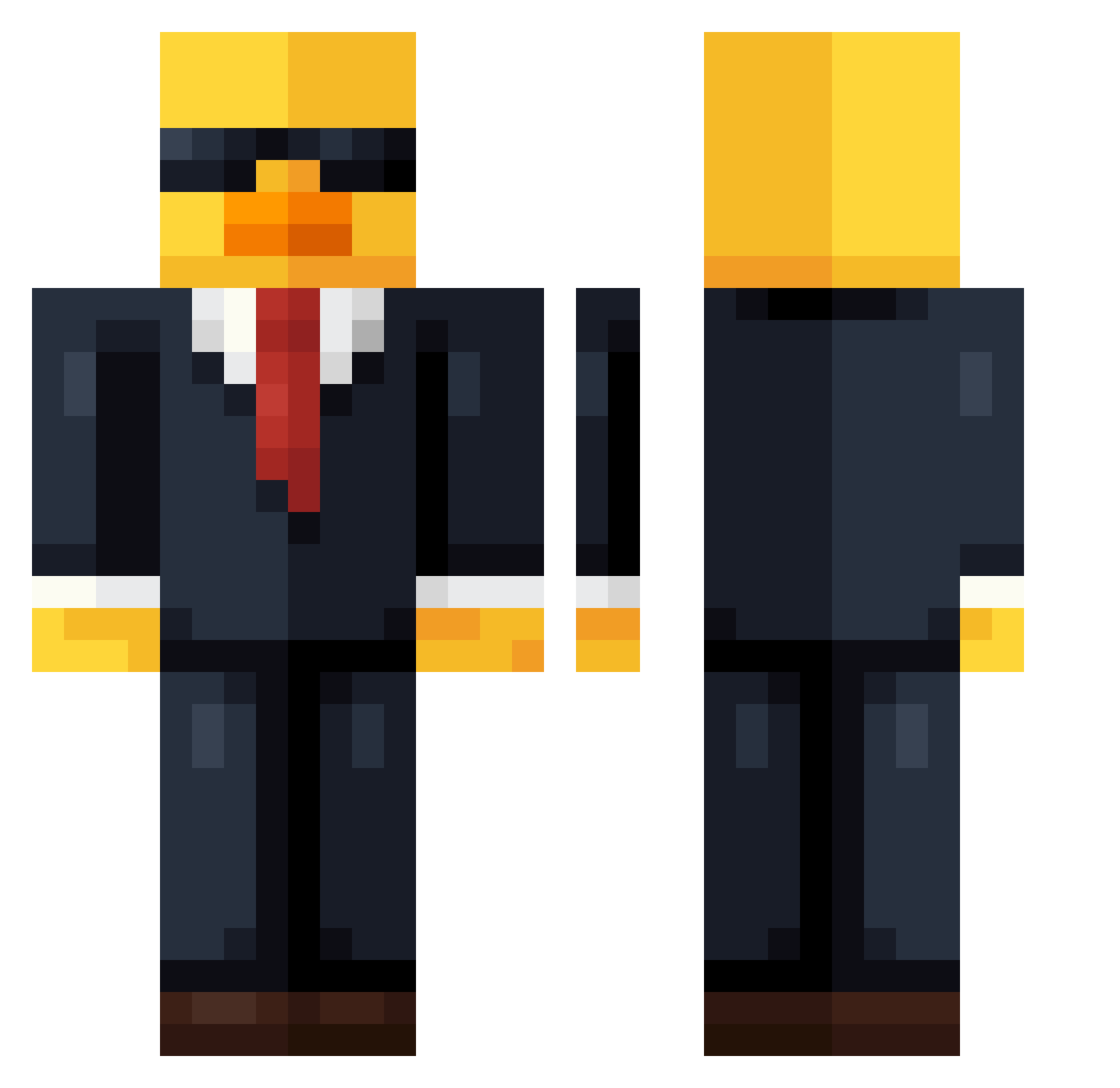
Current Minecraft skin of the player Peeetit, loaded from the official Mojang API. Rotate the 3D model with your mouse or finger, then download the skin as a PNG file and use it in Minecraft: Bedrock Edition or Java Edition for free. When Peeetit changes their skin, this page updates automatically and the old skin stays in the history below.
Other players with this skin (577)
Peeetit was the 204th player we have seen with this skin, first spotted on 21.08.2026. The same skin was seen on these players. Open a nickname to see their current skin and skin history.
 ElMacca99 Lexatech ScapeGoat007 Iggynator9612 ninjakevin13 Auryn84 Sambs11 Woenselm8 Immortal__Devil NoJoKa Kzener Ljandi CovaVille ylmhndi MAtiastis MagicGinge YnGX05 luvgrouper King_ender0401 CoopALoop05 OnlyTMO buckett1234 Nazran10 SnOrLaX4444 PLSW7 rrein ccolin1702 Jacobplayz_mc MrComeWaffle bigjoint666 Cingula xWeEdStEeL420x hhxx666 NOOBZIN2 MediocratesLIVE RedSweaterMG DIma_Pr0 Superue71 LESTORVA AceFijuax Wesley_Leal22 MagicDuckYR BeeObserver SampYuno NonstopCircle Jstxnn kuckoo RosePnut SUPER_FUTTE bigbollosacknuts BozzieG HSS7 Gonzag10 Dracarys2437 Beekey1223 demond_01 vini2186 EaWx Shrill_Games PecinhaDoMau
More Duck Minecraft skins
How to install the Peeetit skin
- Press the Download button above to save the skin as a PNG file.
- Minecraft: Bedrock Edition (PE): open the Dressing Room from the main menu (or tap your character → Edit Character), go to Classic Skins → Owned, press the + (new skin) button, choose the downloaded PNG and pick the Classic (Steve) model. Works on PC and mobile; consoles cannot import custom skins.
- Minecraft: Java Edition: open the Minecraft Launcher, go to the Skins tab, click New Skin, load the PNG, pick the Classic (Steve) model and press Save & Use. You can also upload it at minecraft.net → Profile → Change Skin.
The skin does not show up after import - what should I do?
Restart Minecraft and open the Dressing Room again - imported skins sometimes appear only after a restart. Also make sure you selected the imported skin and picked the Classic (Steve) model.
Which model should I choose, Classic or Slim?
This skin is designed for the Classic (Steve) model. If you pick the wrong model, the arms of the skin will look stretched or squeezed.
Is the skin of Peeetit free to download?
Yes. Press Download, save the PNG file and use it in Minecraft: Bedrock Edition or Java Edition - no payment or registration needed. The skin also works on multiplayer servers and Realms.
More skins
Looking for more? Go back to all Minecraft skins and check the top skins of the week, month and all time, or find any player's skin by nickname.