
Pedrovlk - Minecraft Skins & Skin History
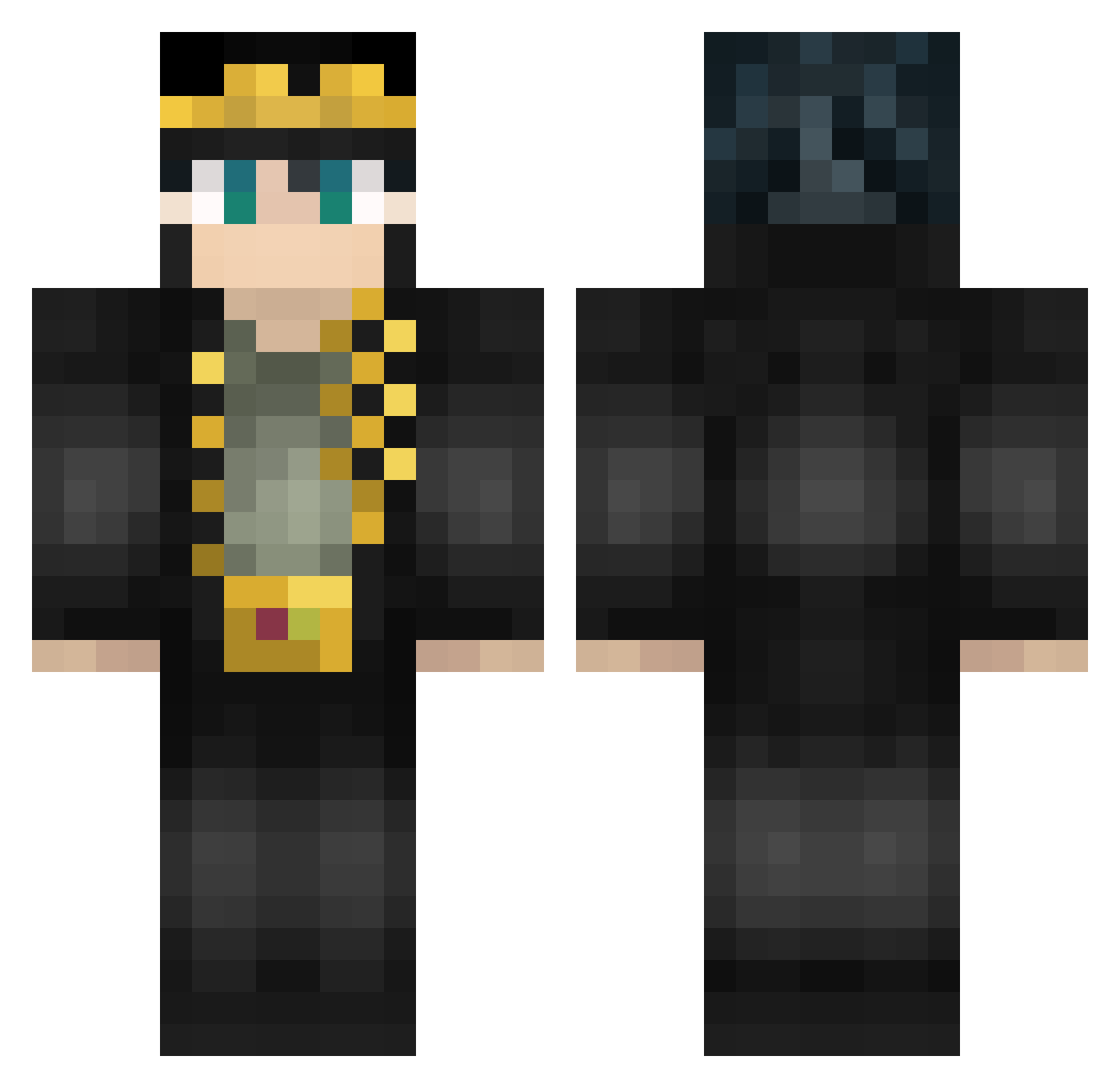
Current Minecraft skin of the player Pedrovlk, loaded from the official Mojang API. Rotate the 3D model with your mouse or finger, then download the skin as a PNG file and use it in Minecraft: Bedrock Edition or Java Edition for free. When Pedrovlk changes their skin, this page updates automatically and the old skin stays in the history below.
Other players with this skin (462)
Pedrovlk was the 46th player we have seen with this skin, first spotted on 30.07.2026. The same skin was seen on these players. Open a nickname to see their current skin and skin history.
 Motig_Azunel JRuby04 SunnySae06 BabyXiaoRen J0_M0MMA fl6vs Shrek__Chan Mouthe wsr6666 DimoZS xavilb sviper0821 Damavi RuJohnny Rexagan Daniel5488 ImBadAtThis_ Gionato SzeSzeVeryHappy TitlezaKung Brelvis superpens SkyOuOu MattPark1 Jakerz182 GuiNagato08 Ziggro kazoober alper2ran CODE__ERROR MuSubi_878 MuuSea EagleOfLight MizhGUN Sev3Nvv iExplrz UltimateOne HDoro JotaroZore Jordi865 AseHuman Shrek_Luz Vicious808 Jonini1 burnsss Dogge1234 blueerobot darkHK Satisfaient
 MARKMANez katonasaki pinguim_jb JerkyRex1 ExpertNB HardBiomode javineitor10 KillaKaleeb MiaouRicard jkess1 SgtFahur
More Jotaro Kujo Minecraft skins
How to install the Pedrovlk skin
- Press the Download button above to save the skin as a PNG file.
- Minecraft: Bedrock Edition (PE): open the Dressing Room from the main menu (or tap your character → Edit Character), go to Classic Skins → Owned, press the + (new skin) button, choose the downloaded PNG and pick the Classic (Steve) model. Works on PC and mobile; consoles cannot import custom skins.
- Minecraft: Java Edition: open the Minecraft Launcher, go to the Skins tab, click New Skin, load the PNG, pick the Classic (Steve) model and press Save & Use. You can also upload it at minecraft.net → Profile → Change Skin.
The skin does not show up after import - what should I do?
Restart Minecraft and open the Dressing Room again - imported skins sometimes appear only after a restart. Also make sure you selected the imported skin and picked the Classic (Steve) model.
Which model should I choose, Classic or Slim?
This skin is designed for the Classic (Steve) model. If you pick the wrong model, the arms of the skin will look stretched or squeezed.
Is the skin of Pedrovlk free to download?
Yes. Press Download, save the PNG file and use it in Minecraft: Bedrock Edition or Java Edition - no payment or registration needed. The skin also works on multiplayer servers and Realms.
More skins
Looking for more? Go back to all Minecraft skins and check the top skins of the week, month and all time, or find any player's skin by nickname.