
Paulwithaneye - Minecraft Skins & Skin History
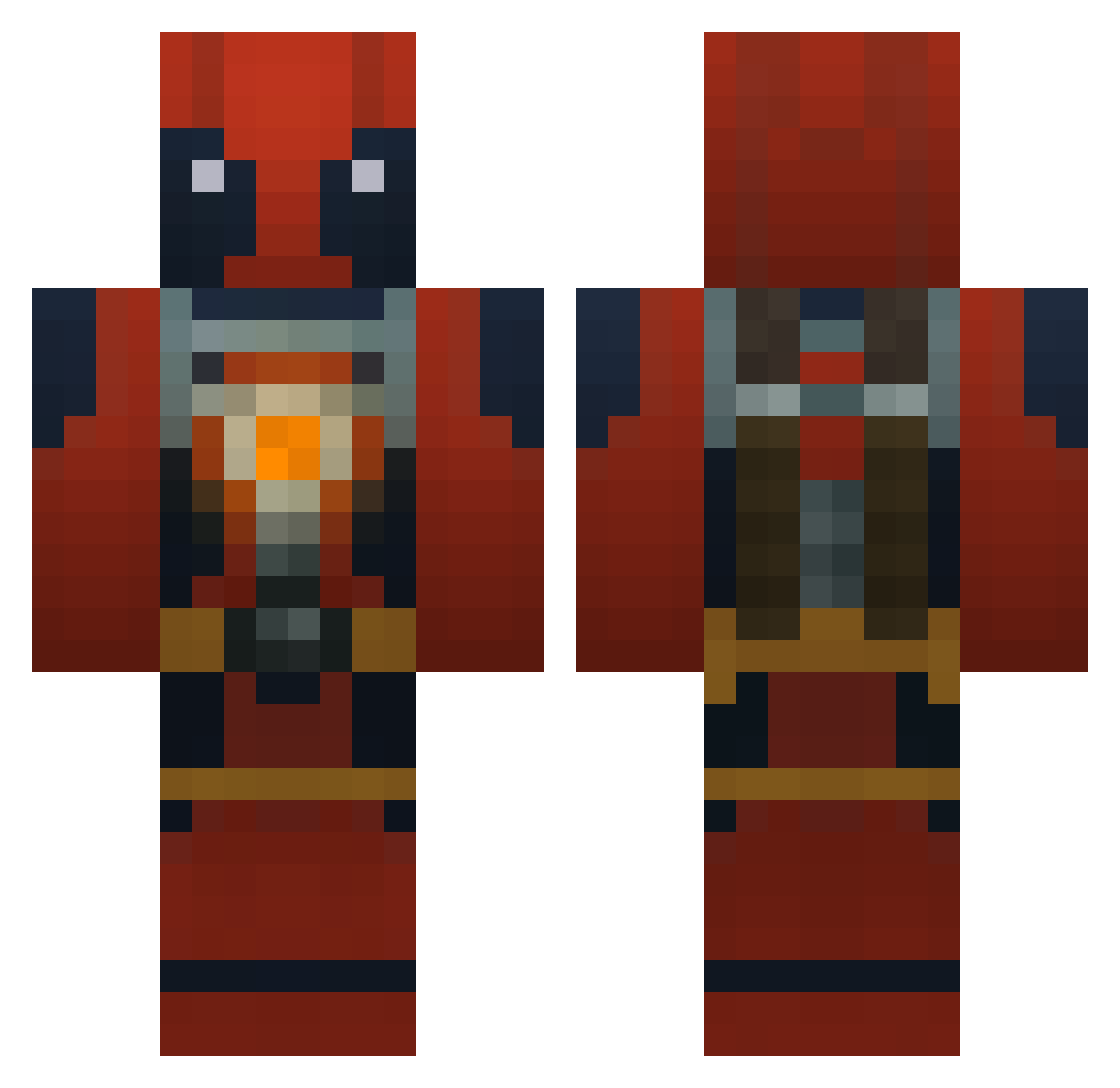
Current Minecraft skin of the player Paulwithaneye, loaded from the official Mojang API. Rotate the 3D model with your mouse or finger, then download the skin as a PNG file and use it in Minecraft: Bedrock Edition or Java Edition for free. When Paulwithaneye changes their skin, this page updates automatically and the old skin stays in the history below.
Other players with this skin (773)
Paulwithaneye was the 510th player we have seen with this skin, first spotted on 27.09.2026. The same skin was seen on these players. Open a nickname to see their current skin and skin history.
 Frizzledrizzle9 Fluffy_7 DeadEyedSniper parksy28 LeTasty Eiphii YounesX Simple__e Slippery_eel naes150 Adam_The_Jedi Lil_Quinny jarne0001 joshymacca99 xActualxCalebx JYF07 Herr_Zer0 killer_whal3 Thetiger814 smoshfan64 xRhNegative haydenbaxley noodleTRAIN ExpiredMilkBroth Tyler_edo Wimpy_stone FocalGiraffe057 swooshu Draco1352 Softkill mpool JBear125 opticMEGATRON tlatkins0811 Empty_husk Tromped Krajda0 FRlEND_ StephenTMP LemonPledgex n00bster360 ale250500 Tykine Tahvia FANY07 JustintheBuffy12 Chaoticlegion21 gastm Gatodae TuneRate musicfreek93 Rostmoos ICantAim BradHarr99 oatmeal15 Good_Apollo roboy3 BkShu Pazin7 storfiskarn
More Deadpool Minecraft skins
How to install the Paulwithaneye skin
- Press the Download button above to save the skin as a PNG file.
- Minecraft: Bedrock Edition (PE): open the Dressing Room from the main menu (or tap your character → Edit Character), go to Classic Skins → Owned, press the + (new skin) button, choose the downloaded PNG and pick the Classic (Steve) model. Works on PC and mobile; consoles cannot import custom skins.
- Minecraft: Java Edition: open the Minecraft Launcher, go to the Skins tab, click New Skin, load the PNG, pick the Classic (Steve) model and press Save & Use. You can also upload it at minecraft.net → Profile → Change Skin.
The skin does not show up after import - what should I do?
Restart Minecraft and open the Dressing Room again - imported skins sometimes appear only after a restart. Also make sure you selected the imported skin and picked the Classic (Steve) model.
Which model should I choose, Classic or Slim?
This skin is designed for the Classic (Steve) model. If you pick the wrong model, the arms of the skin will look stretched or squeezed.
Is the skin of Paulwithaneye free to download?
Yes. Press Download, save the PNG file and use it in Minecraft: Bedrock Edition or Java Edition - no payment or registration needed. The skin also works on multiplayer servers and Realms.
More skins
Looking for more? Go back to all Minecraft skins and check the top skins of the week, month and all time, or find any player's skin by nickname.