
POLIPI - Minecraft Skins & Skin History
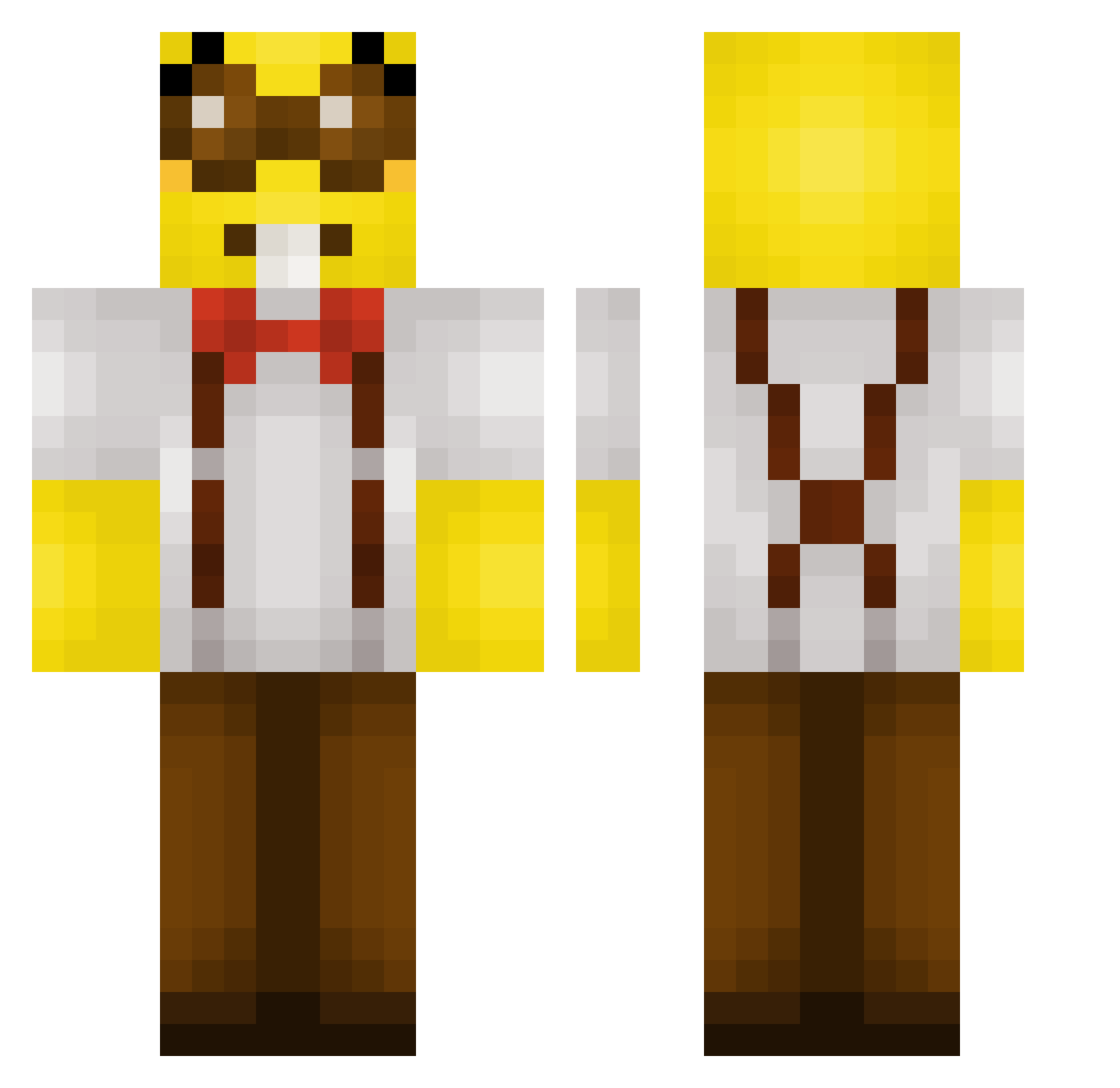
Current Minecraft skin of the player POLIPI, loaded from the official Mojang API. Rotate the 3D model with your mouse or finger, then download the skin as a PNG file and use it in Minecraft: Bedrock Edition or Java Edition for free. When POLIPI changes their skin, this page updates automatically and the old skin stays in the history below.
Other players with this skin (233)
POLIPI was the 18th player we have seen with this skin, first spotted on 01.08.2026. The same skin was seen on these players. Open a nickname to see their current skin and skin history.
 BoTheEsel
 lulvik_666 Norst0n Fafas_99 kimotuu AquaRover FunaxOn shyguy_2 ParkerQ22 DaLLama7777 7_GrandDad Chrissy1735_ p3ng0n Pheraol42 izyb MankDayo GGSPex Dozzap moiaw0_0 xKzox fedriat21 GOLDFEGERA Danyk0309 Smaylick MociumEZ ZelWinx static26 CurvingLlama447 ATotallyNerd carnasalao Ghost85_ PinguGameren SayNoeBruh Ded_Chiken BigBungTON RYAN_028 Crypt088 Teddybir07 Arde0s kumm22 L_e_V_o ykiikii atragon Hugohas Oilers4Cup YariKanarie dunoob4487 P_Maldonado maybejustme22 Achilleas137 NOVA5233 Nerdolax jprocha06_ fenttester SniiiFsss JeremyBond AnomeQ Labotsirc KukriLL Capybara3451
More Minion Minecraft skins
How to install the POLIPI skin
- Press the Download button above to save the skin as a PNG file.
- Minecraft: Bedrock Edition (PE): open the Dressing Room from the main menu (or tap your character → Edit Character), go to Classic Skins → Owned, press the + (new skin) button, choose the downloaded PNG and pick the Classic (Steve) model. Works on PC and mobile; consoles cannot import custom skins.
- Minecraft: Java Edition: open the Minecraft Launcher, go to the Skins tab, click New Skin, load the PNG, pick the Classic (Steve) model and press Save & Use. You can also upload it at minecraft.net → Profile → Change Skin.
The skin does not show up after import - what should I do?
Restart Minecraft and open the Dressing Room again - imported skins sometimes appear only after a restart. Also make sure you selected the imported skin and picked the Classic (Steve) model.
Which model should I choose, Classic or Slim?
This skin is designed for the Classic (Steve) model. If you pick the wrong model, the arms of the skin will look stretched or squeezed.
Is the skin of POLIPI free to download?
Yes. Press Download, save the PNG file and use it in Minecraft: Bedrock Edition or Java Edition - no payment or registration needed. The skin also works on multiplayer servers and Realms.
More skins
Looking for more? Go back to all Minecraft skins and check the top skins of the week, month and all time, or find any player's skin by nickname.