
Oranki666 - Minecraft Skins & Skin History
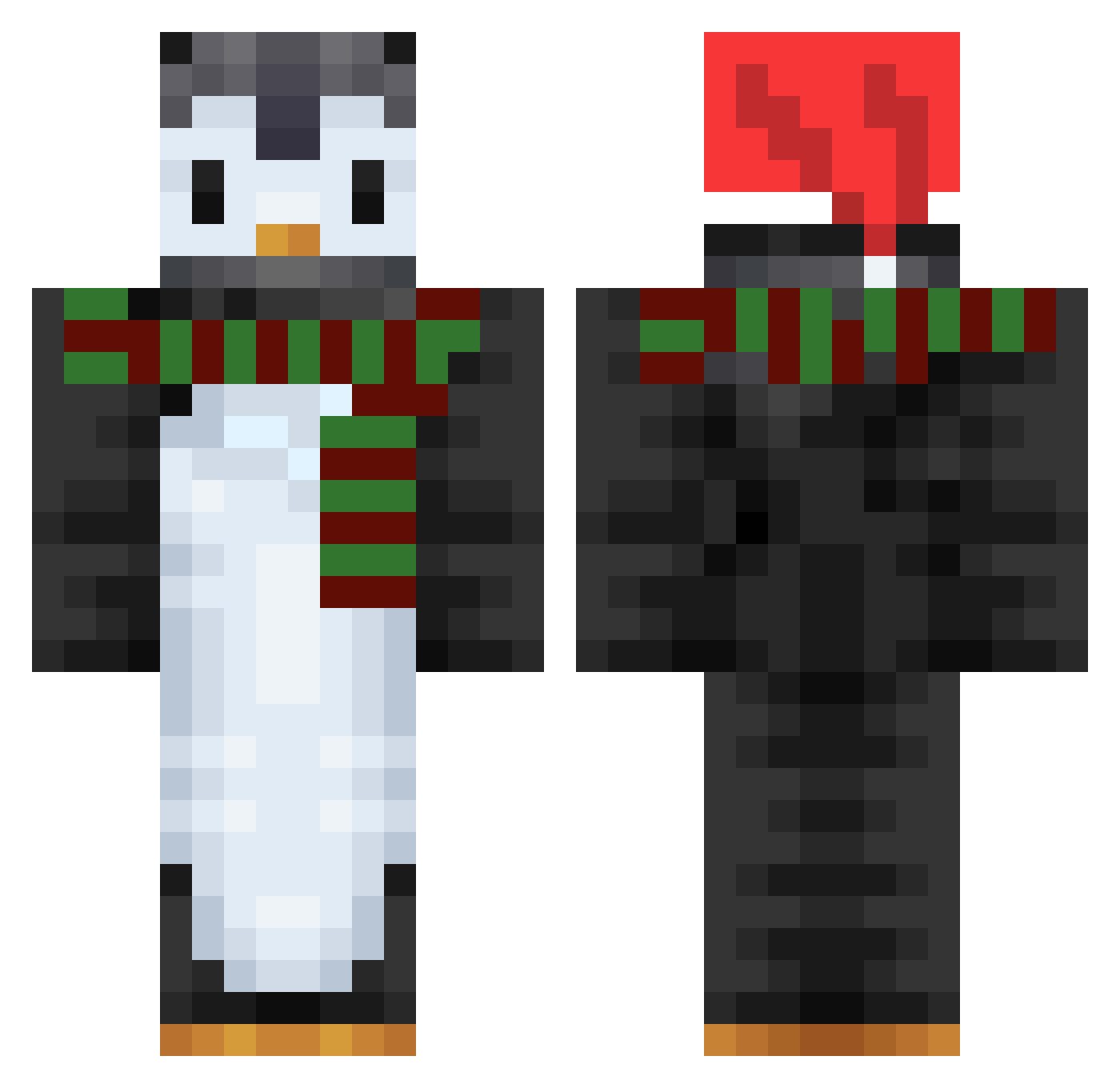
Current Minecraft skin of the player Oranki666, loaded from the official Mojang API. Rotate the 3D model with your mouse or finger, then download the skin as a PNG file and use it in Minecraft: Bedrock Edition or Java Edition for free. When Oranki666 changes their skin, this page updates automatically and the old skin stays in the history below.
Other players with this skin (753)
Oranki666 was the 239th player we have seen with this skin, first spotted on 29.08.2026. The same skin was seen on these players. Open a nickname to see their current skin and skin history.
 a1Seagle siesta12321 Planes21 AD5958 AyRaM SSkang Misterjojo77390 QualmeQuentin daniset15 KaaPea Dustblu clone_v1 alstn0228 GoldenHybrid Zonnemaire HiLunch AustinAo Gasolin21 take_your_time sskyler speedpick6 nettikk JJGames04 tomanda Oreoyoutubesub 1caxoRoktop1gg Pvpshka Kang_Kyu carolina_baby JoeThePenguinMan santacana Lidlike Vittorinco homeholiday bimloo Xzyme BennyOfEarth IpseTree giddybop cucuros dexto22 AlphaPuffin221 ZiziMinecraftYT LastPill guler LuigiP10 Mati0888 Ponuki lovelyin Pupas14 Solahcin XavierWa OstracizedPanda TinkersConstruct Creatib CuteDG PigBurger121 xTheMarv Gamball71 Sawa2010
More Penguin Minecraft skins
How to install the Oranki666 skin
- Press the Download button above to save the skin as a PNG file.
- Minecraft: Bedrock Edition (PE): open the Dressing Room from the main menu (or tap your character → Edit Character), go to Classic Skins → Owned, press the + (new skin) button, choose the downloaded PNG and pick the Classic (Steve) model. Works on PC and mobile; consoles cannot import custom skins.
- Minecraft: Java Edition: open the Minecraft Launcher, go to the Skins tab, click New Skin, load the PNG, pick the Classic (Steve) model and press Save & Use. You can also upload it at minecraft.net → Profile → Change Skin.
The skin does not show up after import - what should I do?
Restart Minecraft and open the Dressing Room again - imported skins sometimes appear only after a restart. Also make sure you selected the imported skin and picked the Classic (Steve) model.
Which model should I choose, Classic or Slim?
This skin is designed for the Classic (Steve) model. If you pick the wrong model, the arms of the skin will look stretched or squeezed.
Is the skin of Oranki666 free to download?
Yes. Press Download, save the PNG file and use it in Minecraft: Bedrock Edition or Java Edition - no payment or registration needed. The skin also works on multiplayer servers and Realms.
More skins
Looking for more? Go back to all Minecraft skins and check the top skins of the week, month and all time, or find any player's skin by nickname.