
OmegaCrimson - Minecraft Skins & Skin History
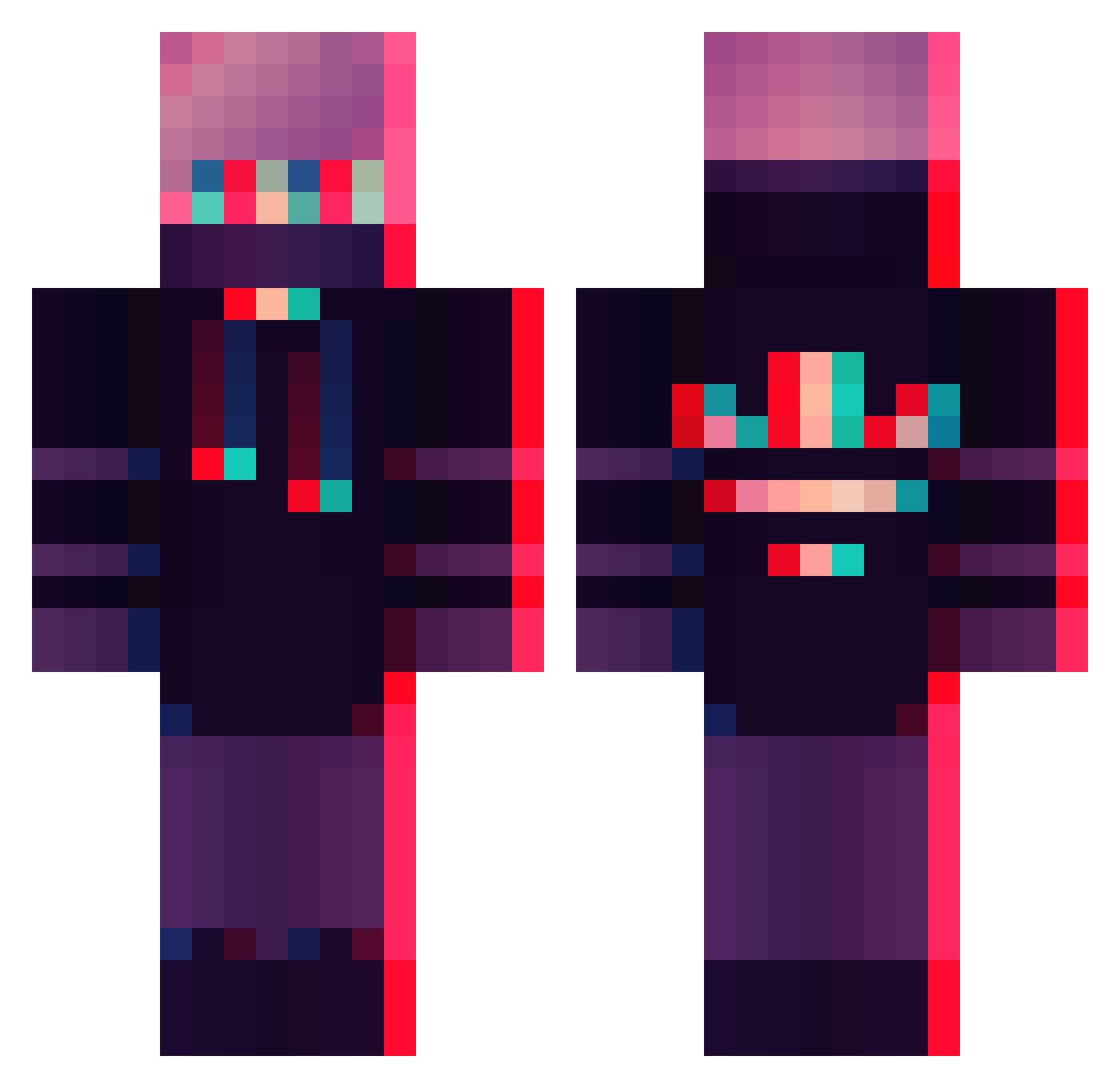
Current Minecraft skin of the player OmegaCrimson, loaded from the official Mojang API. Rotate the 3D model with your mouse or finger, then download the skin as a PNG file and use it in Minecraft: Bedrock Edition or Java Edition for free. When OmegaCrimson changes their skin, this page updates automatically and the old skin stays in the history below.
Other players with this skin (358)
OmegaCrimson was the 41st player we have seen with this skin, first spotted on 04.08.2026. The same skin was seen on these players. Open a nickname to see their current skin and skin history.
 ando423 Hsone_69 JeSletteVader Jaims37 SpiccyWaffles ogEZ seamonsterPP Presentl CyberFalcon Niinjadog Kridoks Tin_Ding Tabootiki ISlappYewz doubleaagupta Shuatom Napoleon94 chuachimachi Trollface101YT Chrick16_ YoBoiLorik Input_Joker 21Emir_YILDIRIM Cashing NaVi_BeAr Akand0 IantheMiner9 Fezziak2115 Ashmit28 ibendov MUMII_ Hollie09 SocialGamerr hoodie_vibe SkyWarsAusFun fface1 Kanalson Hanisalen RafaTheAwesome1 TheStingRayC7 techy1528 SoftLama Fulup CARLOS_crack MC_Dylan_ FURKAN_35 Ludaris SXJingYue GrilledSausage imgood7698 DarKKinG_18 nikitaspecnaz Ivan16xG pickle2122 gus91xde Mibuch dannyg919 PoWeRpOiNt228 RobertoHP01 deris46
More Glitch Minecraft skins
How to install the OmegaCrimson skin
- Press the Download button above to save the skin as a PNG file.
- Minecraft: Bedrock Edition (PE): open the Dressing Room from the main menu (or tap your character → Edit Character), go to Classic Skins → Owned, press the + (new skin) button, choose the downloaded PNG and pick the Classic (Steve) model. Works on PC and mobile; consoles cannot import custom skins.
- Minecraft: Java Edition: open the Minecraft Launcher, go to the Skins tab, click New Skin, load the PNG, pick the Classic (Steve) model and press Save & Use. You can also upload it at minecraft.net → Profile → Change Skin.
The skin does not show up after import - what should I do?
Restart Minecraft and open the Dressing Room again - imported skins sometimes appear only after a restart. Also make sure you selected the imported skin and picked the Classic (Steve) model.
Which model should I choose, Classic or Slim?
This skin is designed for the Classic (Steve) model. If you pick the wrong model, the arms of the skin will look stretched or squeezed.
Is the skin of OmegaCrimson free to download?
Yes. Press Download, save the PNG file and use it in Minecraft: Bedrock Edition or Java Edition - no payment or registration needed. The skin also works on multiplayer servers and Realms.
More skins
Looking for more? Go back to all Minecraft skins and check the top skins of the week, month and all time, or find any player's skin by nickname.