
OcuTV - Minecraft Skins & Skin History
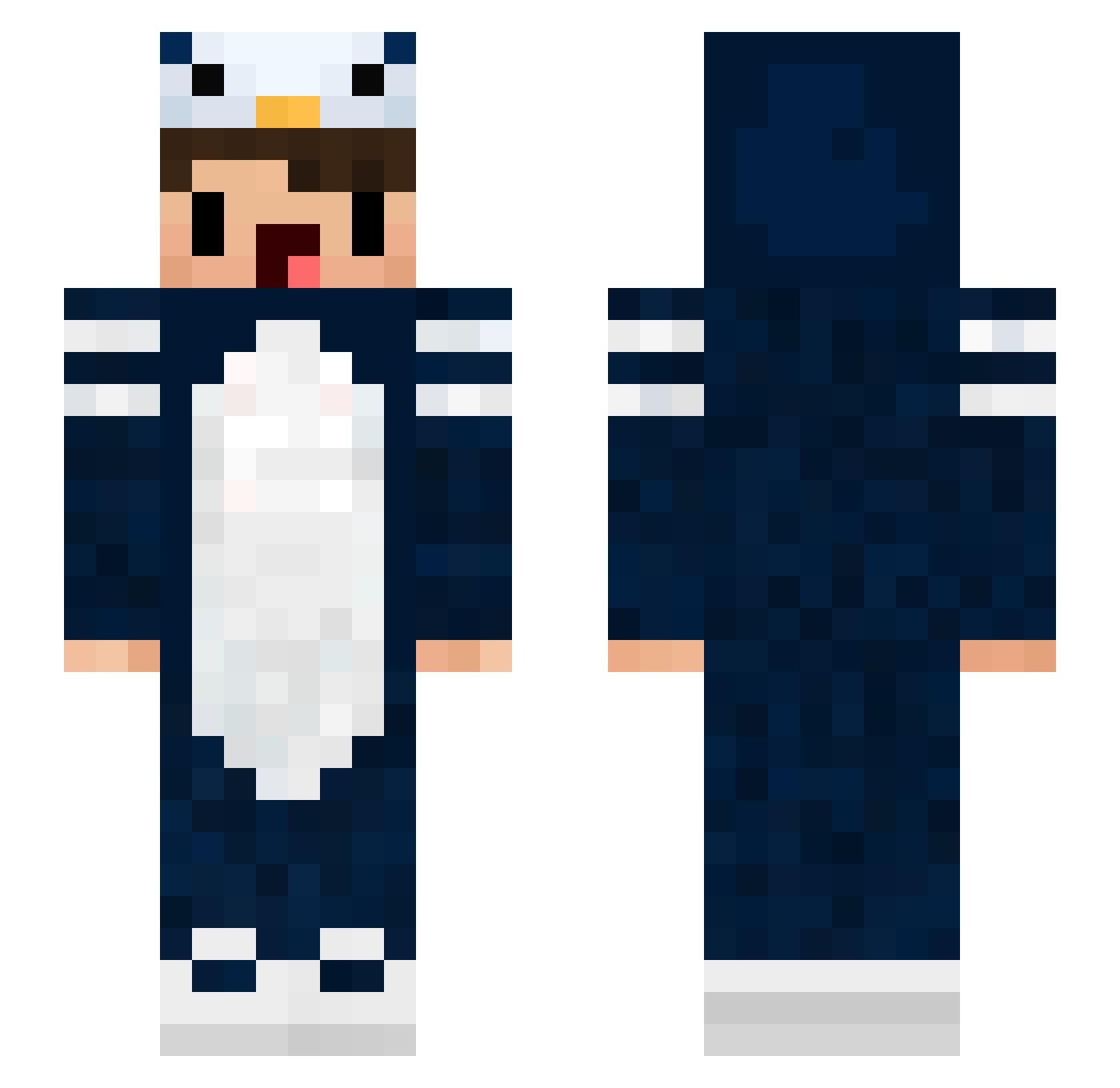
Current Minecraft skin of the player OcuTV, loaded from the official Mojang API. Rotate the 3D model with your mouse or finger, then download the skin as a PNG file and use it in Minecraft: Bedrock Edition or Java Edition for free. When OcuTV changes their skin, this page updates automatically and the old skin stays in the history below.
Other players with this skin (61)
OcuTV was the 14th player we have seen with this skin, first spotted on 22.08.2026. The same skin was seen on these players. Open a nickname to see their current skin and skin history.
 CharlieKirb xMamdooh_ Coodlet Sohkaa Dio_Pro_Pvp SchoolStrafWerk DarkMar3 Barney0711 ice_114 min0rglytch fire_dancer_s Heeeeeeej yuniccc pigja XxspeedX lukagik mumisnesne nieznajomy__2115 Jettism_Q junho9216 Jimmi_bello Fledglingg1 Joaozinho_05 Mqnc zwyeow Chemicqls Penguin__BOI lordfalafael XxymxX Zeagleee Andrefor Aykudo WheeZy_BrK iNaruchan Kimmirae_ baldmargaret MasterMormon dhruva andrujsha wymacs RushPVPMC BerkePUMP Nqchoo E4V marshmelo_dumb dopes azeitona_feliz Kossair joeyYyYyYyXD Kacper3625 Fantasy0224 almightypederson _XtriX Redury Chaendian Baseballboo framblijtjes290 _Bobik MatChouBNy 26CuenX
More Penguin Minecraft skins
How to install the OcuTV skin
- Press the Download button above to save the skin as a PNG file.
- Minecraft: Bedrock Edition (PE): open the Dressing Room from the main menu (or tap your character → Edit Character), go to Classic Skins → Owned, press the + (new skin) button, choose the downloaded PNG and pick the Slim (Alex) model. Works on PC and mobile; consoles cannot import custom skins.
- Minecraft: Java Edition: open the Minecraft Launcher, go to the Skins tab, click New Skin, load the PNG, pick the Slim (Alex) model and press Save & Use. You can also upload it at minecraft.net → Profile → Change Skin.
The skin does not show up after import - what should I do?
Restart Minecraft and open the Dressing Room again - imported skins sometimes appear only after a restart. Also make sure you selected the imported skin and picked the Slim (Alex) model.
Which model should I choose, Classic or Slim?
This skin is designed for the Slim (Alex) model. If you pick the wrong model, the arms of the skin will look stretched or squeezed.
Is the skin of OcuTV free to download?
Yes. Press Download, save the PNG file and use it in Minecraft: Bedrock Edition or Java Edition - no payment or registration needed. The skin also works on multiplayer servers and Realms.
More skins
Looking for more? Go back to all Minecraft skins and check the top skins of the week, month and all time, or find any player's skin by nickname.