
Nvl_Hess - Minecraft Skins & Skin History
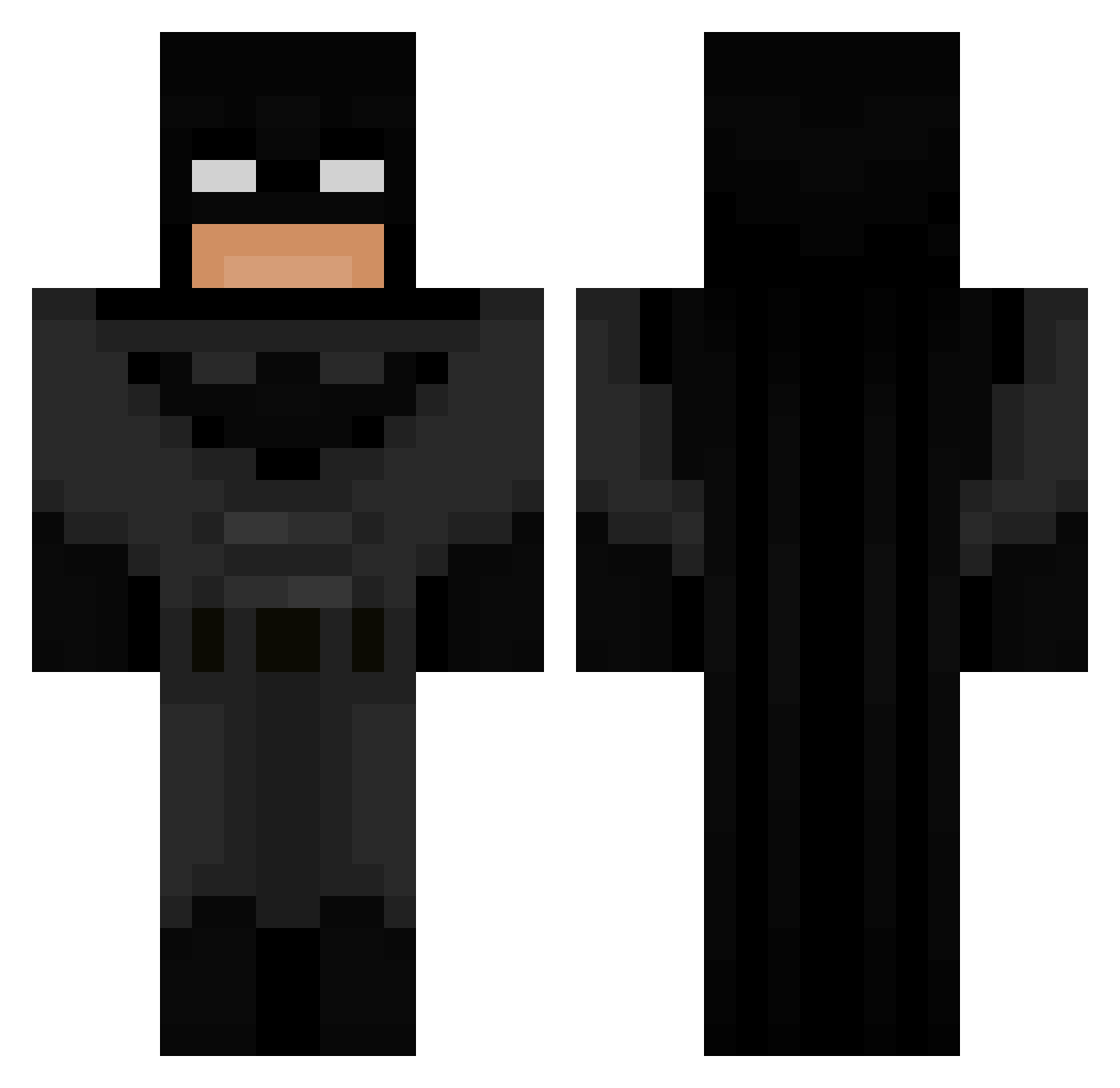
Current Minecraft skin of the player Nvl_Hess, loaded from the official Mojang API. Rotate the 3D model with your mouse or finger, then download the skin as a PNG file and use it in Minecraft: Bedrock Edition or Java Edition for free. When Nvl_Hess changes their skin, this page updates automatically and the old skin stays in the history below.
Other players with this skin (693)
Nvl_Hess was the 626th player we have seen with this skin, first spotted on 22.10.2026. The same skin was seen on these players. Open a nickname to see their current skin and skin history.
 JLBatman piecykkk Chikibaka exkkkkkttyy Marrcus64 Donkeykongmazter Yolight92 ThxHeiser PanPawel03 Hammenu KrisDela TNXRETAKES8866 Alluska_ QuentinXRR Er3C7 xxbananaboyxx69 braqui Nxte_999 LilTay1357 BatMan511 SeninAnanOryx ivywuhu Soil_Milk Chaloso14 HortyGeoduck191_ Idle826 Ithaca444 FireFlameMining PabloJuncos Gaxston Raggo169 gkacp3r StanleyGros lilypad980 DrBanaenae Missolites Linalolo___ SimpleEggs Maqinstru paul2931 Natez1001 Fgoos Zicmuu sverzmc __Soup___ FamousBG KingMotch Zwerw Om4r_sn sardi2004 MineBlox9_ Papalucci77 D0RR15 MANTOVAN1 gainusha17 Becomingcrack harleymac28 Wolla_Cross69 cadenI3 liltyger
More Batman Minecraft skins
How to install the Nvl_Hess skin
- Press the Download button above to save the skin as a PNG file.
- Minecraft: Bedrock Edition (PE): open the Dressing Room from the main menu (or tap your character → Edit Character), go to Classic Skins → Owned, press the + (new skin) button, choose the downloaded PNG and pick the Classic (Steve) model. Works on PC and mobile; consoles cannot import custom skins.
- Minecraft: Java Edition: open the Minecraft Launcher, go to the Skins tab, click New Skin, load the PNG, pick the Classic (Steve) model and press Save & Use. You can also upload it at minecraft.net → Profile → Change Skin.
The skin does not show up after import - what should I do?
Restart Minecraft and open the Dressing Room again - imported skins sometimes appear only after a restart. Also make sure you selected the imported skin and picked the Classic (Steve) model.
Which model should I choose, Classic or Slim?
This skin is designed for the Classic (Steve) model. If you pick the wrong model, the arms of the skin will look stretched or squeezed.
Is the skin of Nvl_Hess free to download?
Yes. Press Download, save the PNG file and use it in Minecraft: Bedrock Edition or Java Edition - no payment or registration needed. The skin also works on multiplayer servers and Realms.
More skins
Looking for more? Go back to all Minecraft skins and check the top skins of the week, month and all time, or find any player's skin by nickname.