
NotNico2 - Minecraft Skins & Skin History
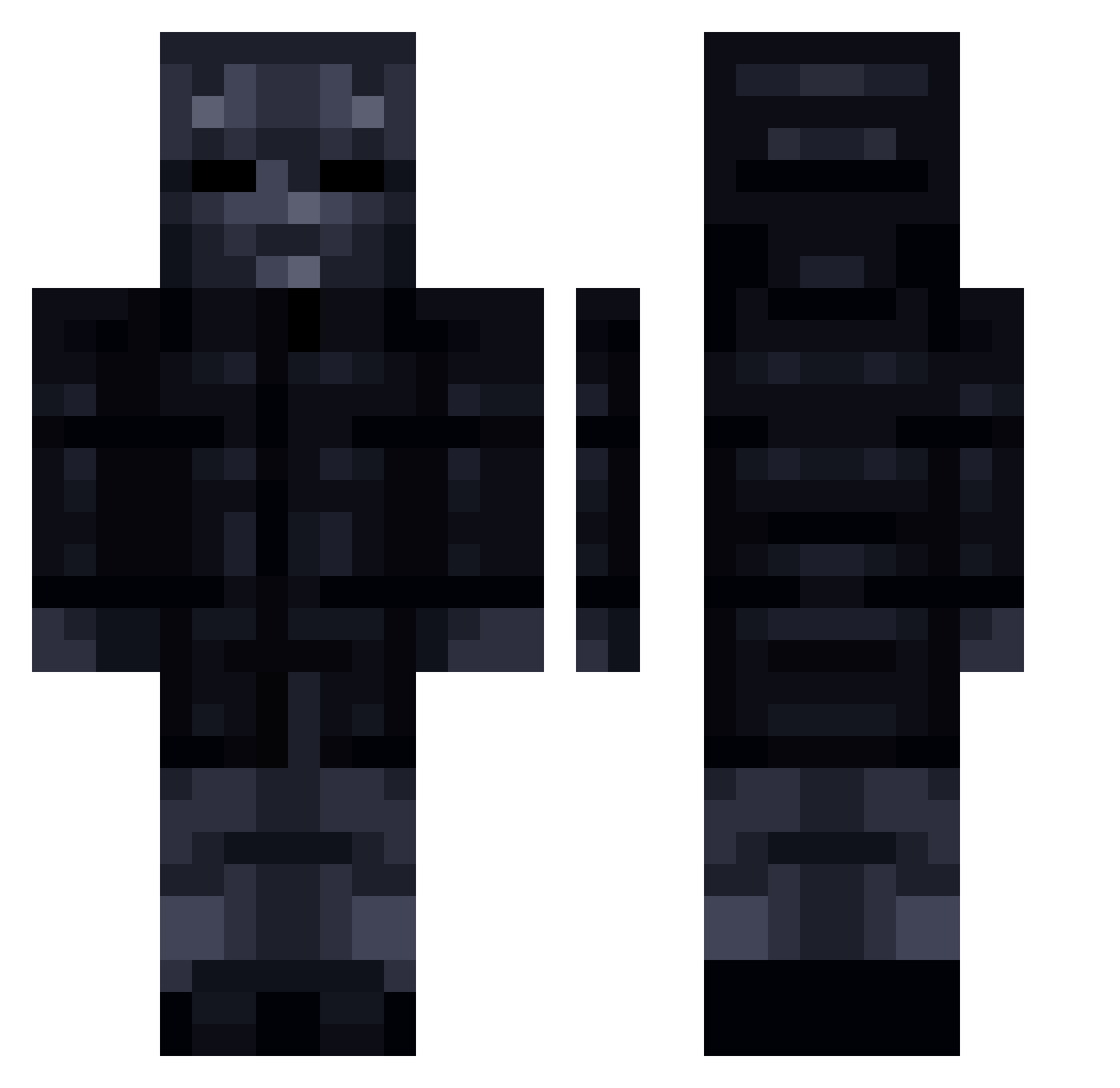
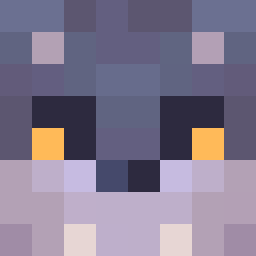
Current Minecraft skin of the player NotNico2, loaded from the official Mojang API. Rotate the 3D model with your mouse or finger, then download the skin as a PNG file and use it in Minecraft: Bedrock Edition or Java Edition for free. When NotNico2 changes their skin, this page updates automatically and the old skin stays in the history below.
Other players with this skin (211)
NotNico2 was the 29th player we have seen with this skin, first spotted on 10.08.2026. The same skin was seen on these players. Open a nickname to see their current skin and skin history.
 coco22540 edit_error ferewas_20 Lemo009 Kostya_PRO_plus T3amJack shakedandbaked RyGuyBoom Jst4 Ganagan Fickman ProteinProphet Dragonsword00 lordlxzfr xSufix Burnt_Nuggetz Tomate_Malo Cashedd Remix1453 BlockBuster2K_13
 ComandoDG Scuuffyyy Havzino
 ANFT66 Lovseth EmpioSek
 Stankelicious Tipsan zb1ricky Teorib OOF_Kamikaze Chaosflofan1 HNDRXX8 DiloOji Springing_Rev Hmh2222 frontman_666 zKnthx Lex0y The_Treeman giro1004 Althime Xeniks capybaraofsaturn Sakkestad cooldudebro3000 mncrfthrje dhoolyy kubson231kox MrTOnCritical MasterKoopro
 OndrejB Raptor16__ Chazii Oujou22 Skibidi_picc wakapity_twitch xBenKa Timmysch67 Jackson1808
More Shadow Minecraft skins
How to install the NotNico2 skin
- Press the Download button above to save the skin as a PNG file.
- Minecraft: Bedrock Edition (PE): open the Dressing Room from the main menu (or tap your character → Edit Character), go to Classic Skins → Owned, press the + (new skin) button, choose the downloaded PNG and pick the Classic (Steve) model. Works on PC and mobile; consoles cannot import custom skins.
- Minecraft: Java Edition: open the Minecraft Launcher, go to the Skins tab, click New Skin, load the PNG, pick the Classic (Steve) model and press Save & Use. You can also upload it at minecraft.net → Profile → Change Skin.
The skin does not show up after import - what should I do?
Restart Minecraft and open the Dressing Room again - imported skins sometimes appear only after a restart. Also make sure you selected the imported skin and picked the Classic (Steve) model.
Which model should I choose, Classic or Slim?
This skin is designed for the Classic (Steve) model. If you pick the wrong model, the arms of the skin will look stretched or squeezed.
Is the skin of NotNico2 free to download?
Yes. Press Download, save the PNG file and use it in Minecraft: Bedrock Edition or Java Edition - no payment or registration needed. The skin also works on multiplayer servers and Realms.
More skins
Looking for more? Go back to all Minecraft skins and check the top skins of the week, month and all time, or find any player's skin by nickname.