
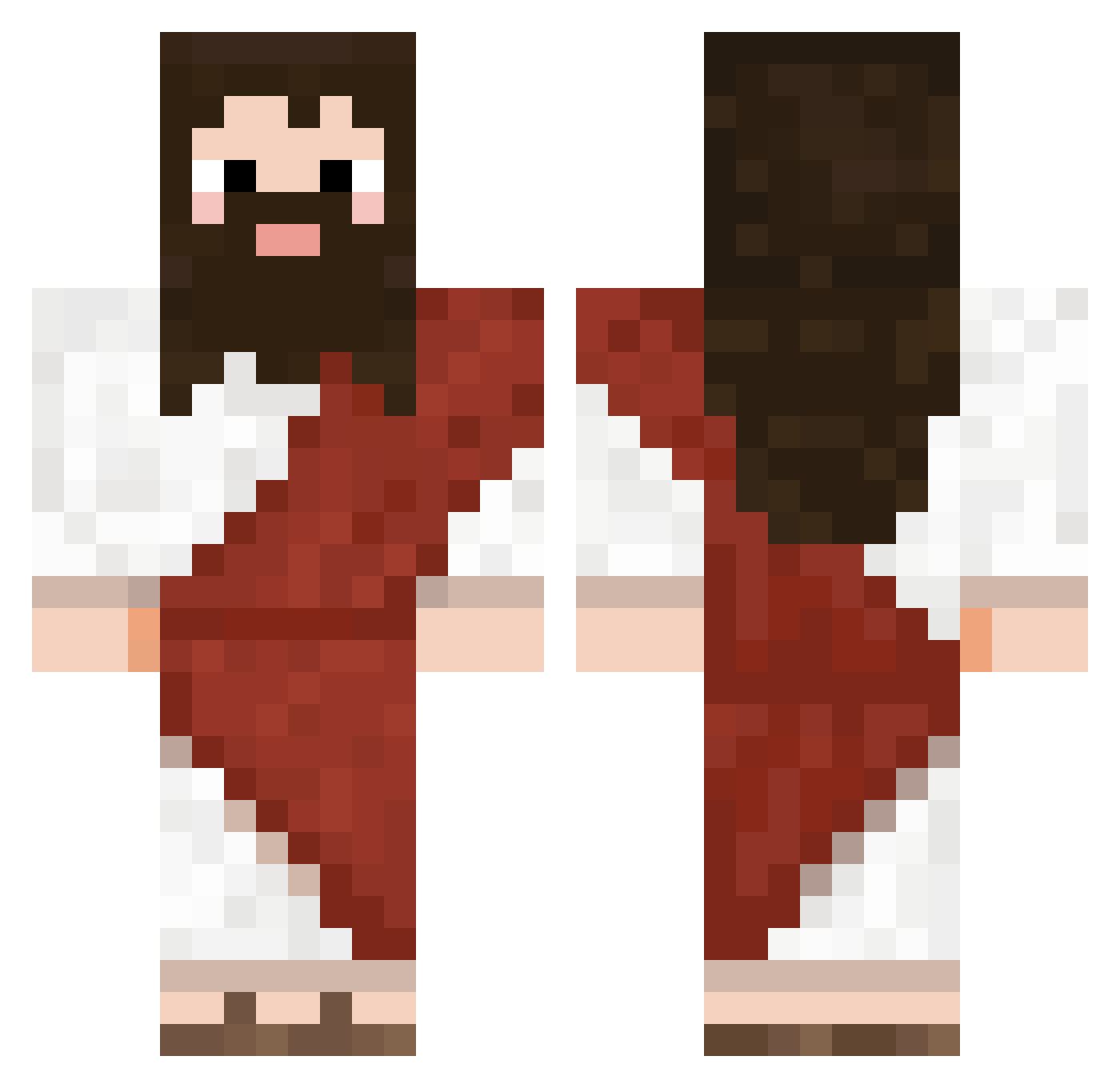
Current Minecraft skin of the player NoKer_Yip, loaded from the official Mojang API. Rotate the 3D model with your mouse or finger, then download the skin as a PNG file and use it in Minecraft: Bedrock Edition or Java Edition for free. When NoKer_Yip changes their skin, this page updates automatically and the old skin stays in the history below.
Other players with this skin (565)
NoKer_Yip was the 124th player we have seen with this skin, first spotted on 10.08.2026. The same skin was seen on these players. Open a nickname to see their current skin and skin history.
 renkaiiiiii _y47 JoeeyH1658 pl4ymode Therobro88 DoctvrWhy davizzu0 BushCutter KebabErBra69 1_dsL_1 OtakuWeeb1256 SirKuh92 coffeebaconjames sufferwith odruu RockingBrover _mika22hd WeffoNE Miks3l rloni uropomop GimmeMyJews Miniadri996 HRR0 SmallGiant05 Glorus30 Deniadz Ginepro91 oldFreddy13 Desmoida 7ronq littlmack Ghostch68 sopaipilla1 Icaro22889 burberto ipresskeys THEKING23_03 wiz_fr NapletMnicha691 hdposs
 nahuyapu Uzaki2004 queeriis ALilPhantom ImagineHetero Lidyanin chinochano02 skunkgoblin AR1G StonyRogue Sch0ke Exiwos Maltida HigorPDS withyoumoment RobotbijNL Diagnoz777 Vali080 Yakub_TV
More Biblical Minecraft skins
How to install the NoKer_Yip skin
- Press the Download button above to save the skin as a PNG file.
- Minecraft: Bedrock Edition (PE): open the Dressing Room from the main menu (or tap your character → Edit Character), go to Classic Skins → Owned, press the + (new skin) button, choose the downloaded PNG and pick the Classic (Steve) model. Works on PC and mobile; consoles cannot import custom skins.
- Minecraft: Java Edition: open the Minecraft Launcher, go to the Skins tab, click New Skin, load the PNG, pick the Classic (Steve) model and press Save & Use. You can also upload it at minecraft.net → Profile → Change Skin.
The skin does not show up after import - what should I do?
Restart Minecraft and open the Dressing Room again - imported skins sometimes appear only after a restart. Also make sure you selected the imported skin and picked the Classic (Steve) model.
Which model should I choose, Classic or Slim?
This skin is designed for the Classic (Steve) model. If you pick the wrong model, the arms of the skin will look stretched or squeezed.
Is the skin of NoKer_Yip free to download?
Yes. Press Download, save the PNG file and use it in Minecraft: Bedrock Edition or Java Edition - no payment or registration needed. The skin also works on multiplayer servers and Realms.
More skins
Looking for more? Go back to all Minecraft skins and check the top skins of the week, month and all time, or find any player's skin by nickname.