
Neoxeone - Minecraft Skins & Skin History
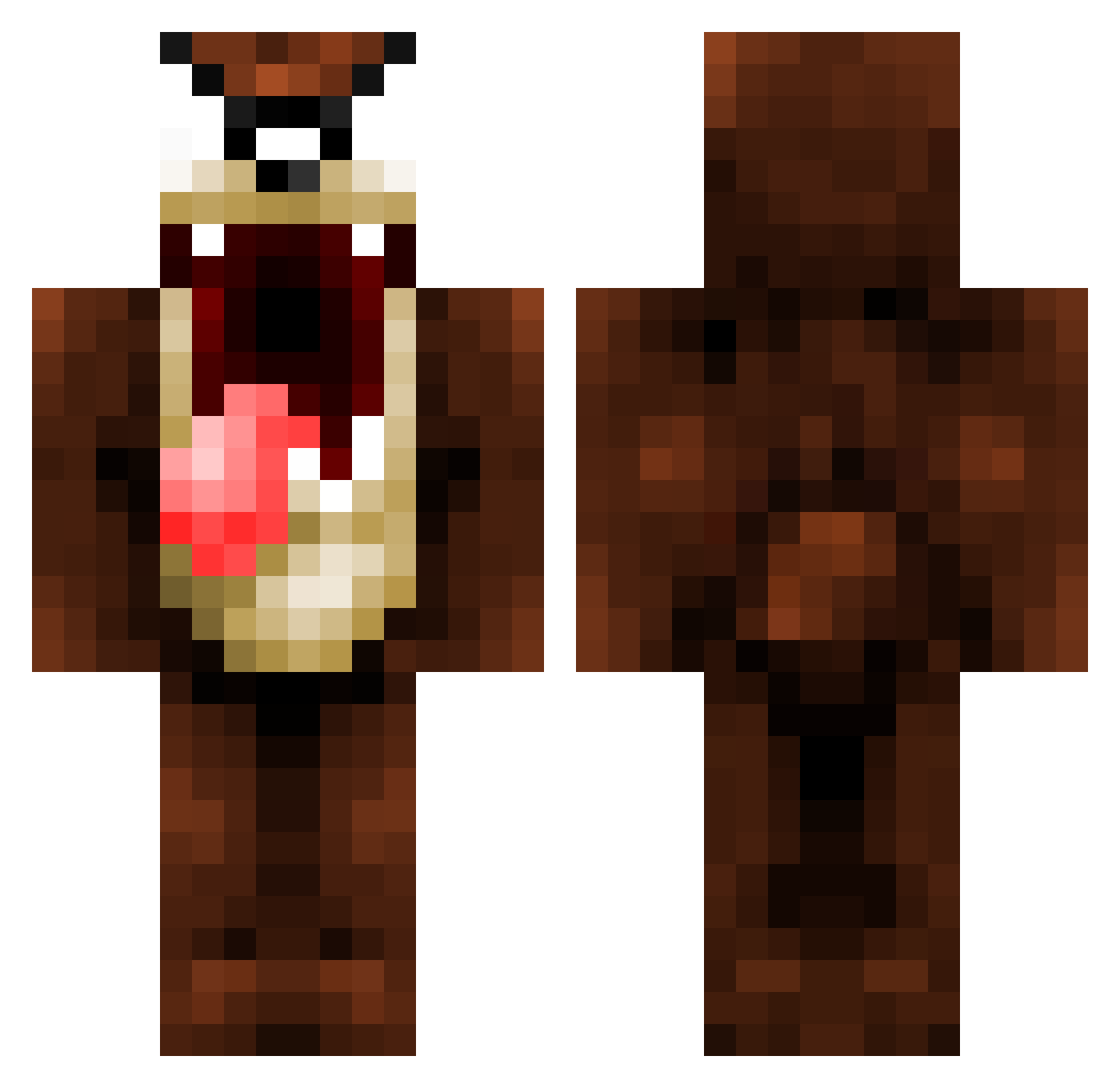
Current Minecraft skin of the player Neoxeone, loaded from the official Mojang API. Rotate the 3D model with your mouse or finger, then download the skin as a PNG file and use it in Minecraft: Bedrock Edition or Java Edition for free. When Neoxeone changes their skin, this page updates automatically and the old skin stays in the history below.
Other players with this skin (1077)
Neoxeone was the 613th player we have seen with this skin, first spotted on 28.09.2026. The same skin was seen on these players. Open a nickname to see their current skin and skin history.
 Evi1He4dHunt3r bandigood Manchinha Monyeco Axel60510 Dizzysin ZellDincht PizzaaXD HTRAIN36 jiggles911 Zebo1313 Zkush OrLy07 JSandhu97 TheeeSnowplow PVTJOE REALDarkshot foxbrasuka Ynoty techlover Mannekold IrishTater Pascalbeest Unhide iHarris herjocker_01 Mecop harve2000 Kuja34 Cheatlikeachamps JSlay ItzAqua 2Niya procops Tazz_the_1st GeorgeWBiscuit ItzzAaron Gyurin xFadeStyle Aladdin1 MineSaneYT bender792 kingfreek TwiixZ_LiiBerTy Gangnose IgnazWrobbelTT ryandude2000123 SolomonSam Percy310 rasm9549 Unifrizze gameaddict41 whiteandskinny Warlock2215 TazZ3 TwinDemon 6734happyman2 estecooz DaFFyHoLm Taz49ers
More Taz Minecraft skins
How to install the Neoxeone skin
- Press the Download button above to save the skin as a PNG file.
- Minecraft: Bedrock Edition (PE): open the Dressing Room from the main menu (or tap your character → Edit Character), go to Classic Skins → Owned, press the + (new skin) button, choose the downloaded PNG and pick the Classic (Steve) model. Works on PC and mobile; consoles cannot import custom skins.
- Minecraft: Java Edition: open the Minecraft Launcher, go to the Skins tab, click New Skin, load the PNG, pick the Classic (Steve) model and press Save & Use. You can also upload it at minecraft.net → Profile → Change Skin.
The skin does not show up after import - what should I do?
Restart Minecraft and open the Dressing Room again - imported skins sometimes appear only after a restart. Also make sure you selected the imported skin and picked the Classic (Steve) model.
Which model should I choose, Classic or Slim?
This skin is designed for the Classic (Steve) model. If you pick the wrong model, the arms of the skin will look stretched or squeezed.
Is the skin of Neoxeone free to download?
Yes. Press Download, save the PNG file and use it in Minecraft: Bedrock Edition or Java Edition - no payment or registration needed. The skin also works on multiplayer servers and Realms.
More skins
Looking for more? Go back to all Minecraft skins and check the top skins of the week, month and all time, or find any player's skin by nickname.