
Aalecks - Minecraft Skins & Skin History
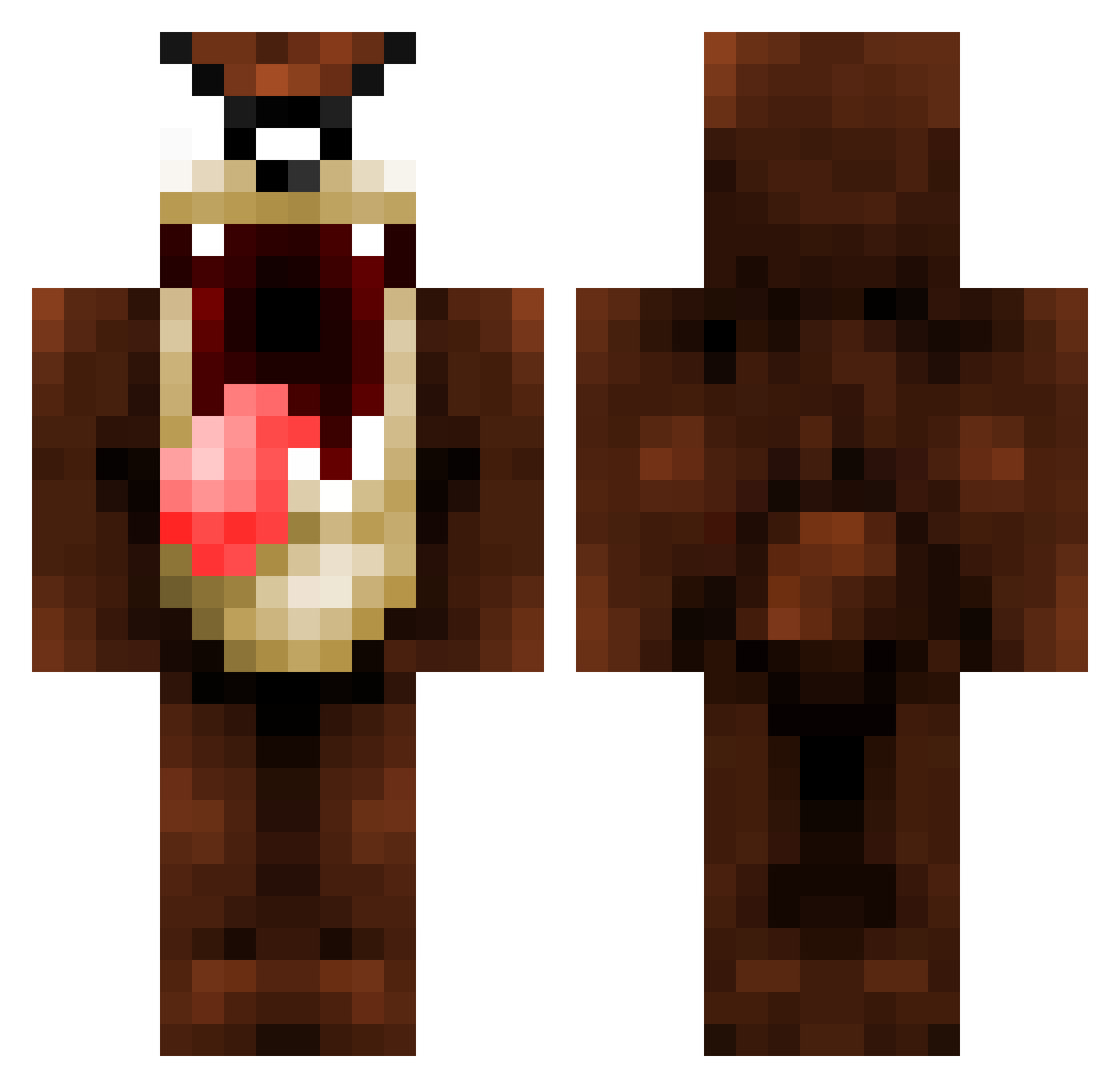
Current Minecraft skin of the player Aalecks, loaded from the official Mojang API. Rotate the 3D model with your mouse or finger, then download the skin as a PNG file and use it in Minecraft: Bedrock Edition or Java Edition for free. When Aalecks changes their skin, this page updates automatically and the old skin stays in the history below.
Other players with this skin (155)
Aalecks was the 1st player we have seen with this skin, first spotted on 21.07.2026. The same skin was seen on these players. Open a nickname to see their current skin and skin history.
 NovaaLaSaucisse Jakeyboy001 CrateCartel Guntore irannii oLuky_ pinny__ Quarmel flo__wer dental_hygiene CubikCZ Sandrom01 oattt EnzuT_T Zagrob Binouzzz PXXE Jeyson04 ElFalop Doigos BdC_Kirito Klavdix68 baprobo RichardFitts Remiata Hateeful duckythebott Blockkiffer ReW0LF Dryleeen Maxiiig _Xeobu_ LoboShow Tihey TasmaniaTeufel tian969 d0kuman CitizenO Mechss12 DuhTortilla kideung NashRL FlipTheFl0p Sak_Ados Bigoness Xeonomaxfone ChangYu9187 Trasuacaramel Sandeeww Wawa001 PoPeille Foski111 _AJordao_ Walkzz99 GENM1023 LEOTEEE elsadico RakoKing Cerberes57 cachuleta
More Taz Minecraft skins
How to install the Aalecks skin
- Press the Download button above to save the skin as a PNG file.
- Minecraft: Bedrock Edition (PE): open the Dressing Room from the main menu (or tap your character → Edit Character), go to Classic Skins → Owned, press the + (new skin) button, choose the downloaded PNG and pick the Classic (Steve) model. Works on PC and mobile; consoles cannot import custom skins.
- Minecraft: Java Edition: open the Minecraft Launcher, go to the Skins tab, click New Skin, load the PNG, pick the Classic (Steve) model and press Save & Use. You can also upload it at minecraft.net → Profile → Change Skin.
The skin does not show up after import - what should I do?
Restart Minecraft and open the Dressing Room again - imported skins sometimes appear only after a restart. Also make sure you selected the imported skin and picked the Classic (Steve) model.
Which model should I choose, Classic or Slim?
This skin is designed for the Classic (Steve) model. If you pick the wrong model, the arms of the skin will look stretched or squeezed.
Is the skin of Aalecks free to download?
Yes. Press Download, save the PNG file and use it in Minecraft: Bedrock Edition or Java Edition - no payment or registration needed. The skin also works on multiplayer servers and Realms.
More skins
Looking for more? Go back to all Minecraft skins and check the top skins of the week, month and all time, or find any player's skin by nickname.