
N0V4fr - Minecraft Skins & Skin History
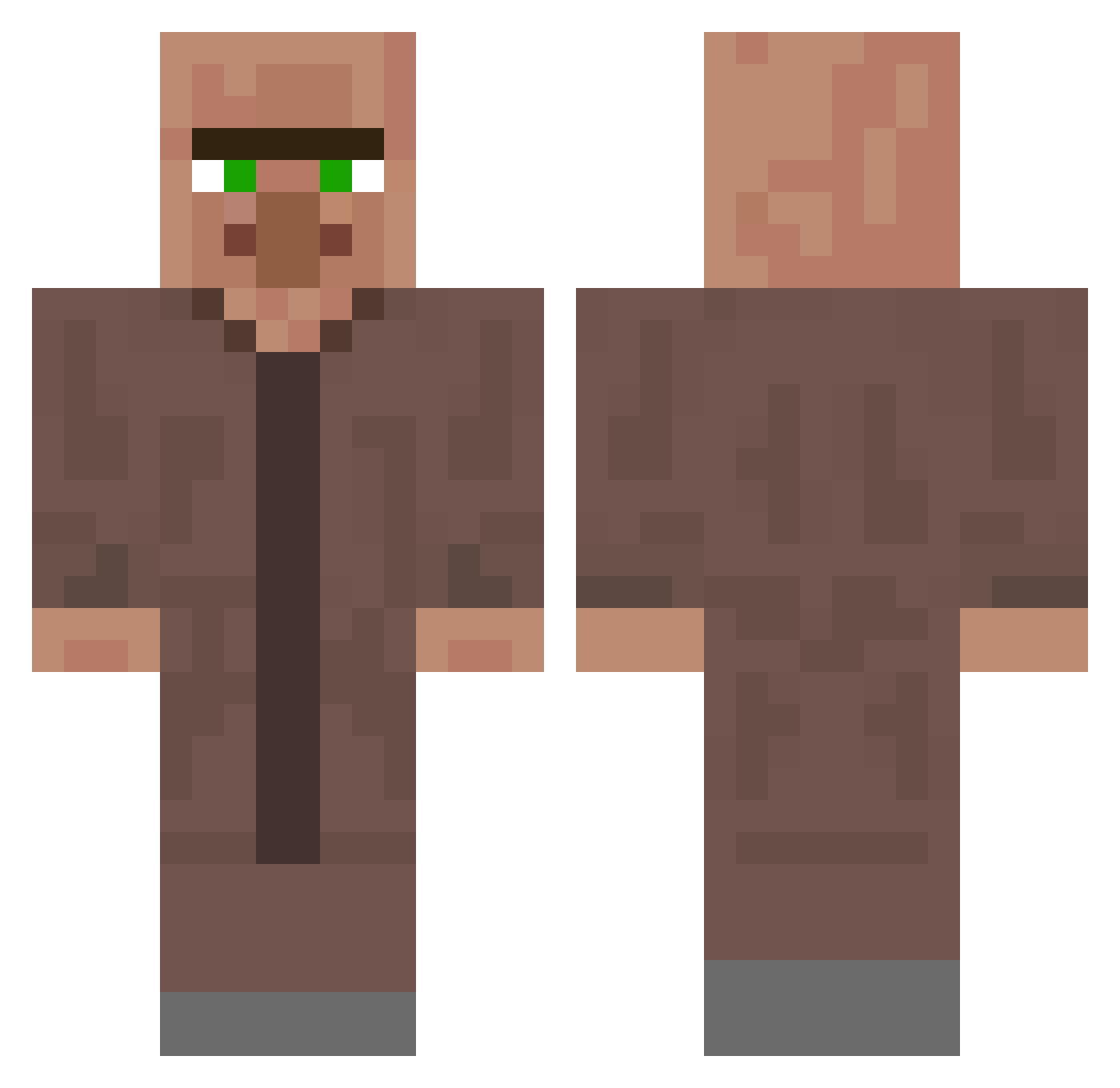
Current Minecraft skin of the player N0V4fr, loaded from the official Mojang API. Rotate the 3D model with your mouse or finger, then download the skin as a PNG file and use it in Minecraft: Bedrock Edition or Java Edition for free. When N0V4fr changes their skin, this page updates automatically and the old skin stays in the history below.
Other players with this skin (340)
N0V4fr was the 157th player we have seen with this skin, first spotted on 15.09.2026. The same skin was seen on these players. Open a nickname to see their current skin and skin history.
 kafelski Matwofive Arzming maruimarui Waleyiniz AlineFarpas GAEMKAPOK Dnaglitch_ Shogolean Rhagaea_ KejderKarlsson MrCalm12 Alexiou LD0922 SadeceBirPatates chugo1 Servusder12 Subiektus mikonob Nineza8653 Slime9761 Sompong70 Hanny00 Myxa123 bodzio6 kymzy phryzen7 UUkelI Re_alt Harveason KemalTugra seob1x HorstJockel ArchiveNine mateisto icarus3787 phaticus swiftzyr byMozi sub_gokugokgok foxy_gamingytb YUURA1304 BigBenHD JZeroOne WSLJJ Tannus4 RyinnCraft KsX_ Frattix03 MrFishyFish7 Vinylshark Johnnymash2 yuzibo porkbooo YugoSuzuki poviak kinoko1324 Kaninchendrache Wojtek1610 INomNomYou
More Villager Minecraft skins
How to install the N0V4fr skin
- Press the Download button above to save the skin as a PNG file.
- Minecraft: Bedrock Edition (PE): open the Dressing Room from the main menu (or tap your character → Edit Character), go to Classic Skins → Owned, press the + (new skin) button, choose the downloaded PNG and pick the Classic (Steve) model. Works on PC and mobile; consoles cannot import custom skins.
- Minecraft: Java Edition: open the Minecraft Launcher, go to the Skins tab, click New Skin, load the PNG, pick the Classic (Steve) model and press Save & Use. You can also upload it at minecraft.net → Profile → Change Skin.
The skin does not show up after import - what should I do?
Restart Minecraft and open the Dressing Room again - imported skins sometimes appear only after a restart. Also make sure you selected the imported skin and picked the Classic (Steve) model.
Which model should I choose, Classic or Slim?
This skin is designed for the Classic (Steve) model. If you pick the wrong model, the arms of the skin will look stretched or squeezed.
Is the skin of N0V4fr free to download?
Yes. Press Download, save the PNG file and use it in Minecraft: Bedrock Edition or Java Edition - no payment or registration needed. The skin also works on multiplayer servers and Realms.
More skins
Looking for more? Go back to all Minecraft skins and check the top skins of the week, month and all time, or find any player's skin by nickname.