
Morita_Ren - Minecraft Skins & Skin History
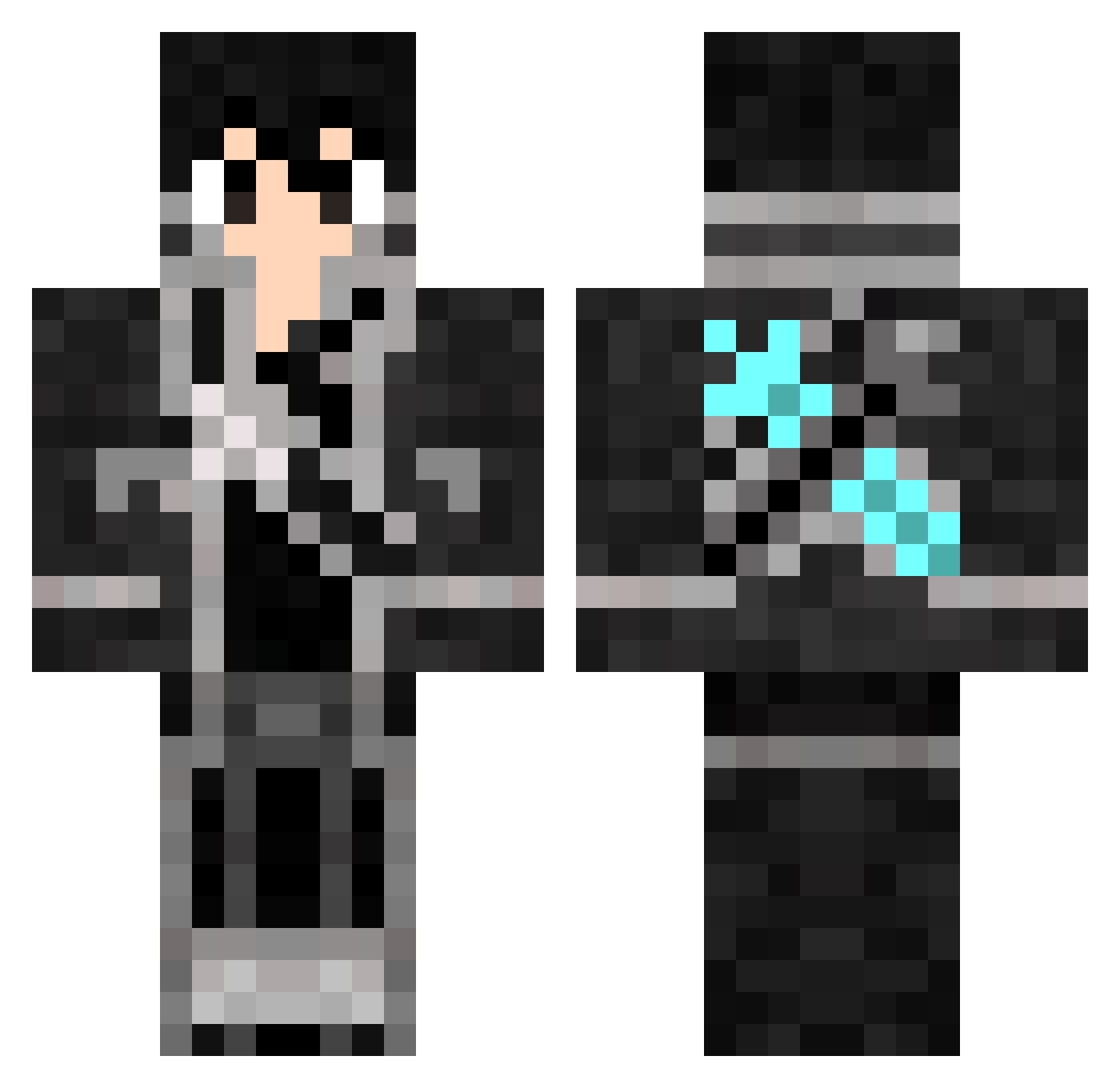
Current Minecraft skin of the player Morita_Ren, loaded from the official Mojang API. Rotate the 3D model with your mouse or finger, then download the skin as a PNG file and use it in Minecraft: Bedrock Edition or Java Edition for free. When Morita_Ren changes their skin, this page updates automatically and the old skin stays in the history below.
Other players with this skin (502)
Morita_Ren was the 200th player we have seen with this skin, first spotted on 08.09.2026. The same skin was seen on these players. Open a nickname to see their current skin and skin history.
 omi0312 Kirto12 Strong_Heart LoedMaDDoG Schnugg2000 xNekitos312041x EatLeadMan KeyLimeOvO KingKronosHD thomasmus Lorry6280 Zail88 Jun0622 MC_Kirito CJIAKUN RandyCandy Chrisan0488 SavvyMate MrAdiisan Maxcew sagtogi Traxko psp3 devilpie Zaire_0 InjectionOfWaste Scottana Sarkaztik CRAZYKID35 pevs darklinghunter hotpotato3 EtheriousJack66 Limebal FLAM3LAND KiritoKun2k wagnerca amazing78910 Mrzerotwo henri007007 Diveanator MexicanPorkchop ioio920708 EXIAXVR Chaosflame1 masonjr6 jiushu7 yettispawn tmdrnjs0122 ThePriceIsRice PAN14TH AvanWright kakashikiller cpl2010 walkerjoe DJ_Jack sqz123 fault_42 Reeekris UnknownError404
More Kirito Minecraft skins
How to install the Morita_Ren skin
- Press the Download button above to save the skin as a PNG file.
- Minecraft: Bedrock Edition (PE): open the Dressing Room from the main menu (or tap your character → Edit Character), go to Classic Skins → Owned, press the + (new skin) button, choose the downloaded PNG and pick the Classic (Steve) model. Works on PC and mobile; consoles cannot import custom skins.
- Minecraft: Java Edition: open the Minecraft Launcher, go to the Skins tab, click New Skin, load the PNG, pick the Classic (Steve) model and press Save & Use. You can also upload it at minecraft.net → Profile → Change Skin.
The skin does not show up after import - what should I do?
Restart Minecraft and open the Dressing Room again - imported skins sometimes appear only after a restart. Also make sure you selected the imported skin and picked the Classic (Steve) model.
Which model should I choose, Classic or Slim?
This skin is designed for the Classic (Steve) model. If you pick the wrong model, the arms of the skin will look stretched or squeezed.
Is the skin of Morita_Ren free to download?
Yes. Press Download, save the PNG file and use it in Minecraft: Bedrock Edition or Java Edition - no payment or registration needed. The skin also works on multiplayer servers and Realms.
More skins
Looking for more? Go back to all Minecraft skins and check the top skins of the week, month and all time, or find any player's skin by nickname.