
MonkeyMan33369 - Minecraft Skins & Skin History
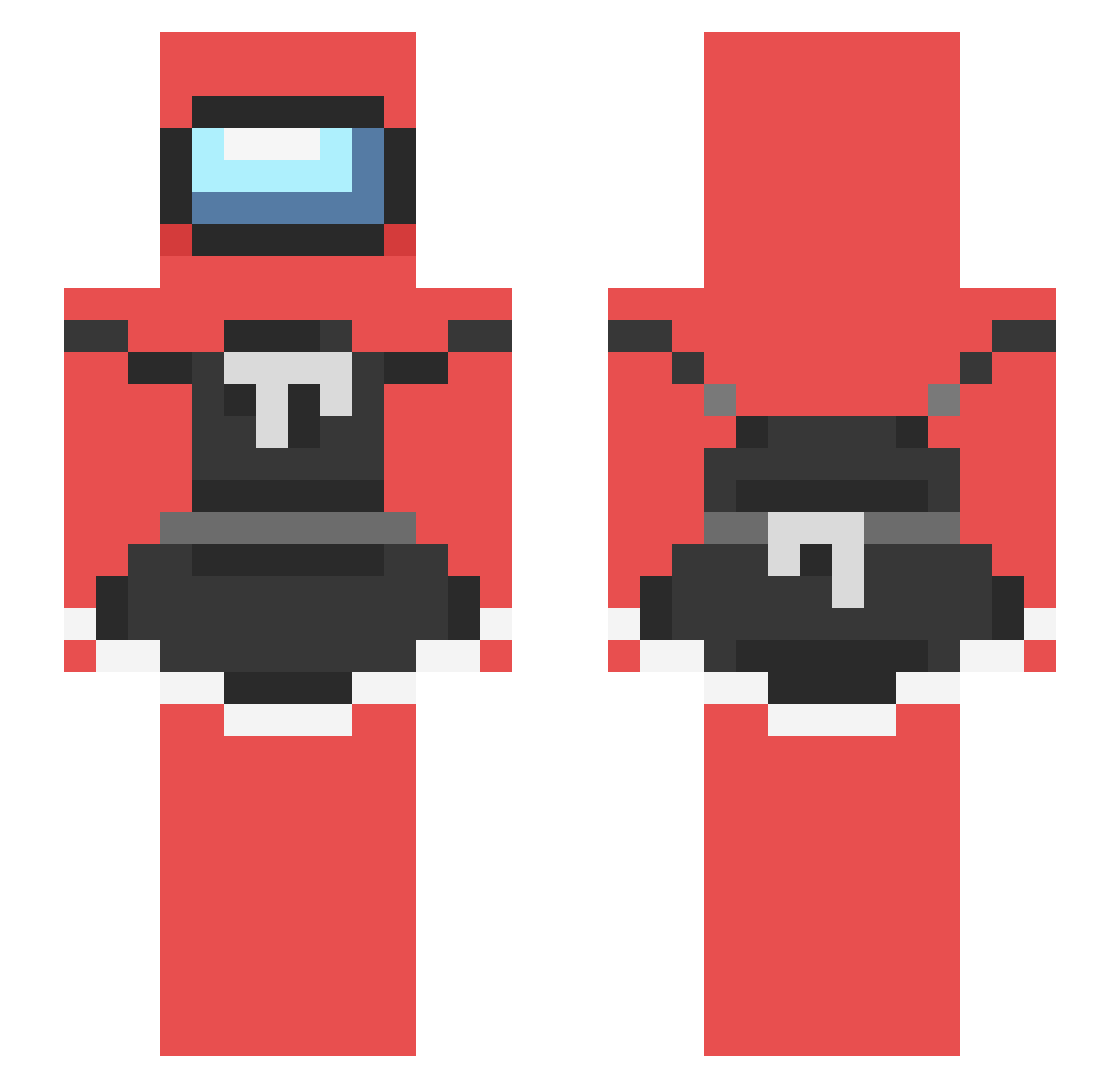
Current Minecraft skin of the player MonkeyMan33369, loaded from the official Mojang API. Rotate the 3D model with your mouse or finger, then download the skin as a PNG file and use it in Minecraft: Bedrock Edition or Java Edition for free. When MonkeyMan33369 changes their skin, this page updates automatically and the old skin stays in the history below.
Other players with this skin (238)
MonkeyMan33369 was the 20th player we have seen with this skin, first spotted on 04.08.2026. The same skin was seen on these players. Open a nickname to see their current skin and skin history.
 Holaaa_ Guins75 2mags DefSasu MicroPerro StepstuckImBro AnonymousChesh lesGAMER8 ithan_ m1soe MistrManDino slatersmom TheRedSuspicious maya_lol fresh_not_frozen Bilberts JewDestroyer2 Hoinek Sucharezz pank0s Speen3r TheMGM br28 Uderds ElGudy Kawaii_AAnnie729 Eddie_IM joovin Metrosdaddy xdan02 pabez zof_ninia DerpyPanda1729 BenEYY ShoppingHat1274 TsuukiSuki Z3pilintra rosalbahh AmogusFemboy Duck_Curry Flynnis izzybleh yRalfy XDemonicCarttttX cloroxwipes69 dmkepic BigGayMen666 sxywarcriminal platypi_gamer MayvenVG BarinSP Avriii_ I_Call_Hacks M1KEA Fiiiner EmiElFeroz wingstopeater MrKumm rendg09 Twerk_king48
More Among Us Minecraft skins
How to install the MonkeyMan33369 skin
- Press the Download button above to save the skin as a PNG file.
- Minecraft: Bedrock Edition (PE): open the Dressing Room from the main menu (or tap your character → Edit Character), go to Classic Skins → Owned, press the + (new skin) button, choose the downloaded PNG and pick the Slim (Alex) model. Works on PC and mobile; consoles cannot import custom skins.
- Minecraft: Java Edition: open the Minecraft Launcher, go to the Skins tab, click New Skin, load the PNG, pick the Slim (Alex) model and press Save & Use. You can also upload it at minecraft.net → Profile → Change Skin.
The skin does not show up after import - what should I do?
Restart Minecraft and open the Dressing Room again - imported skins sometimes appear only after a restart. Also make sure you selected the imported skin and picked the Slim (Alex) model.
Which model should I choose, Classic or Slim?
This skin is designed for the Slim (Alex) model. If you pick the wrong model, the arms of the skin will look stretched or squeezed.
Is the skin of MonkeyMan33369 free to download?
Yes. Press Download, save the PNG file and use it in Minecraft: Bedrock Edition or Java Edition - no payment or registration needed. The skin also works on multiplayer servers and Realms.
More skins
Looking for more? Go back to all Minecraft skins and check the top skins of the week, month and all time, or find any player's skin by nickname.