
 Orphanchanuwu deerslayer1883 TOBURETKA hitaf31 Suniasuta rendg09 raptorggi Skylena AbleDuckling12 PavoTurkey_ catman7896 Bradslug Wallagator32 Broehm JaoDosPaozinho YungSnapp Cognition_999 _Sykee KAYUMI_0519 Laig Salfate666 JimmyAimeLalcool thatg1nger MavisJuju Nympheril MonkeyFouTwenty LigerJUDGE punsmilk aresit anxietyyyyyyyyy ScreechingDogs2 spezi288 BalisticSam gracebodyguard Renecoc44 beeii vnjaaa Ruffle564 nniiggeerr White_Van87 Kekyboy123 doedelmin fakirgke opzerw MonzaNascim benitoos JuicyPancakeBuns MrKumm SleepyClaw TwKingKing BlameLagz Flipopozao KingDorephan Xxshreder Buk0vka Sucurizin KavyaLover6969 Youngcornejo Refuted Nippy2
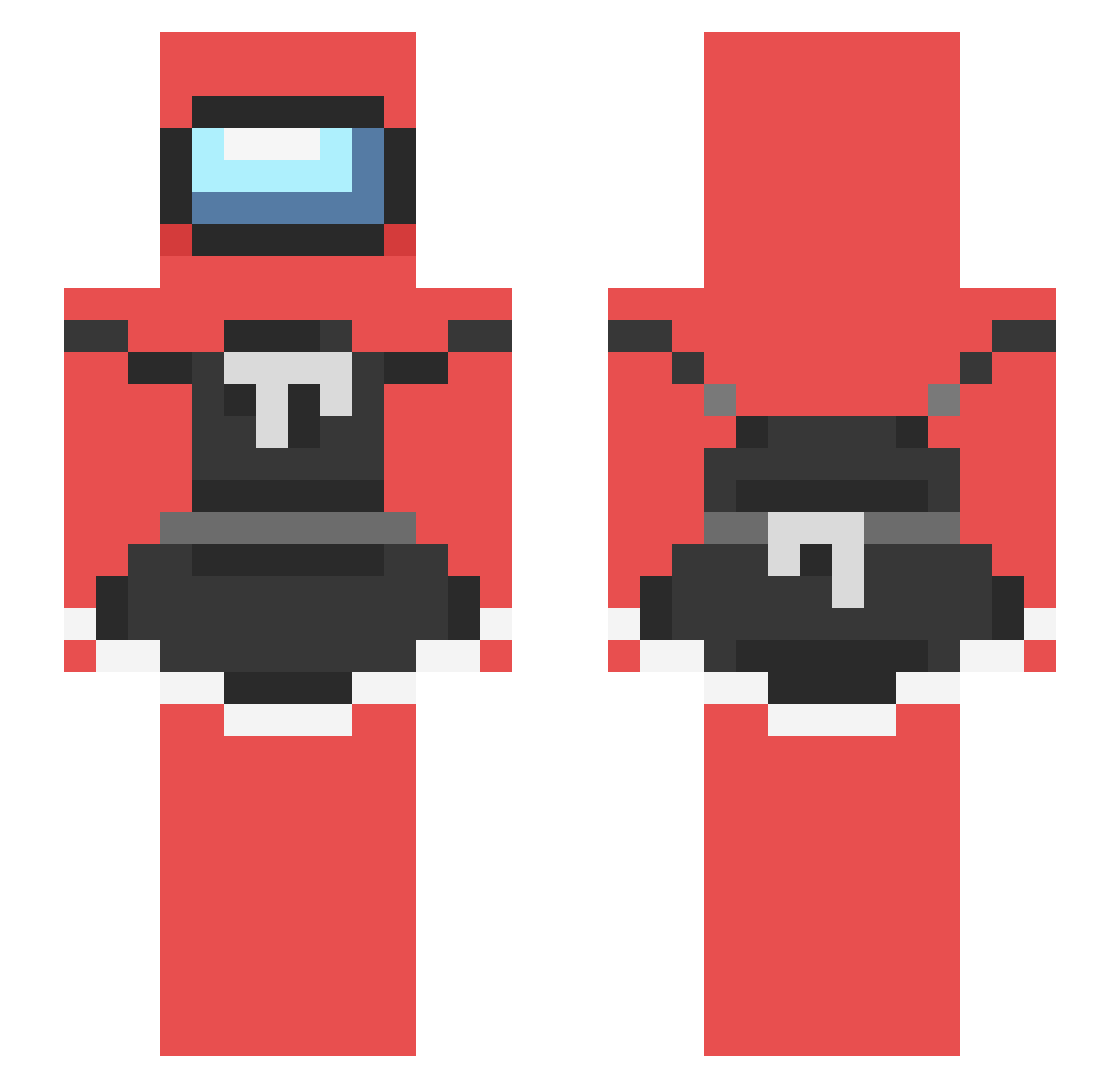
Minecraft skin of BigGayMen666. Rotate the 3D model with your mouse or finger to view the skin from every angle, then download it as a PNG file and use it in Minecraft: Bedrock Edition or Java Edition for free. Rate the skin with stars to help other players find the best skins in our collection.
How to install the BigGayMen666 skin
- Press the Download button above to save the skin as a PNG file.
- Minecraft: Bedrock Edition (PE): open the Dressing Room from the main menu (or tap your character → Edit Character), go to Classic Skins → Owned, press the + (new skin) button, choose the downloaded PNG and pick the Slim (Alex) model. Works on PC and mobile; consoles cannot import custom skins.
- Minecraft: Java Edition: open the Minecraft Launcher, go to the Skins tab, click New Skin, load the PNG, pick the Slim (Alex) model and press Save & Use. You can also upload it at minecraft.net → Profile → Change Skin.
The skin does not show up after import - what should I do?
Restart Minecraft and open the Dressing Room again - imported skins sometimes appear only after a restart. Also make sure you selected the imported skin and picked the Slim (Alex) model.
Which model should I choose, Classic or Slim?
This skin is designed for the Slim (Alex) model. If you pick the wrong model, the arms of the skin will look stretched or squeezed.
Is this skin free to use?
Yes. Press Download, save the PNG file and use it in Minecraft: Bedrock Edition or Java Edition - no payment or registration needed. The skin also works on multiplayer servers and Realms.
More Among Us Minecraft skins
More skins
Looking for more? Go back to all Minecraft skins and check the top skins of the week, month and all time, or find any player's skin by nickname.